Effects by Tags
Image-to-Watercolor Illustration Prompt
Likes
1
Views
159
 Orelon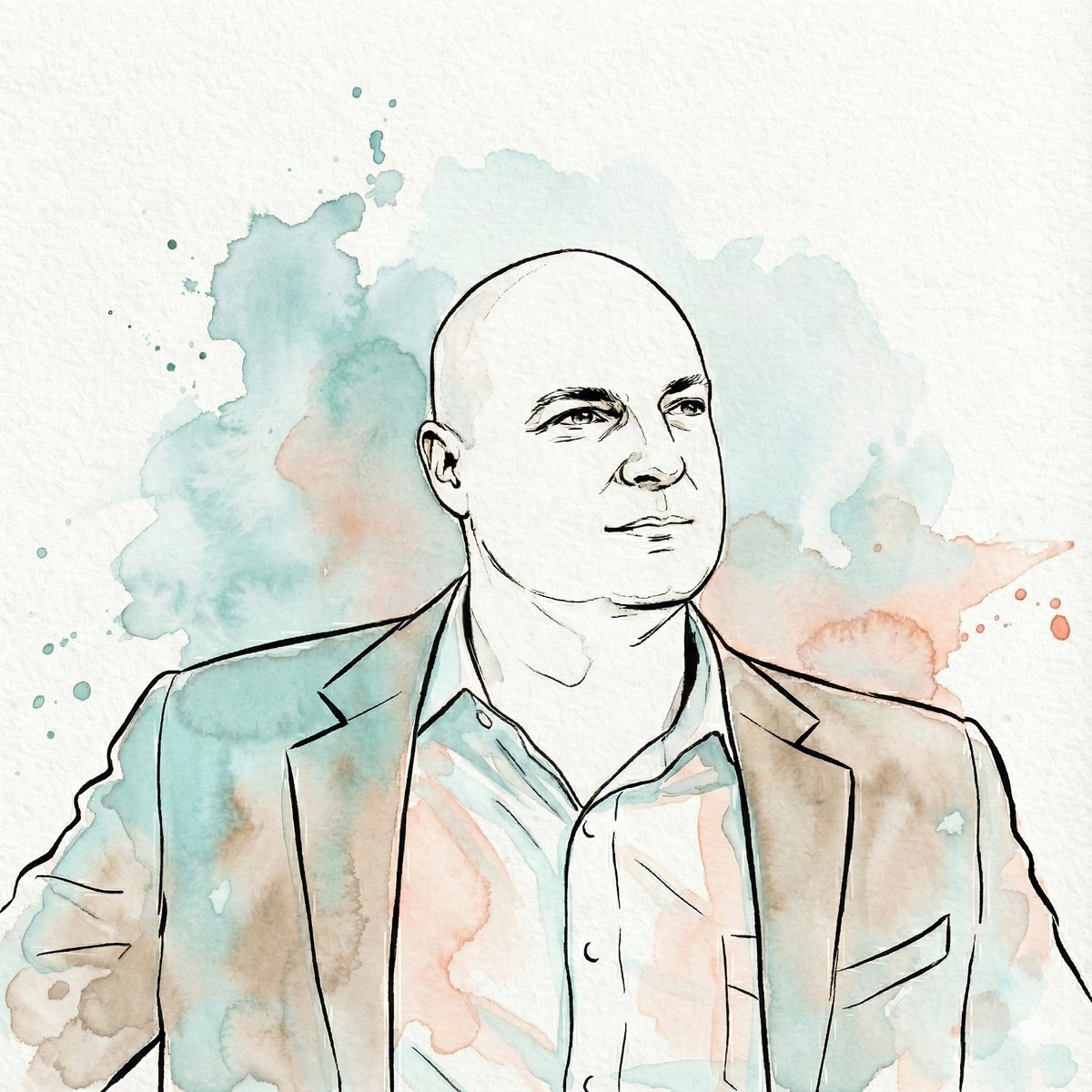
Effects by Tags
"Transform the subject of the uploaded image into a watercolor illustration rendered in a distinct, stylized aesthetic. The artwork must feature strong, expressive contour lines defining the subject's features, hair, and clothing. The color palette is limited to fluid washes of {argument name="primary color" default="teal"}, muted {argument name="secondary color" default="coral/peach"}, warm beige, and sepia tones used for shading and highlights, replacing natural colors entirely. The final image should emphasize the texture of cold-press paper, visible paint granulation, and loose watercolor bleed effects. The subject's likeness must be preserved accurately within this new medium, set against a white paper background with abstract splashes of teal and coral watercolor"
This is a free AI prompt from the Orelon library. Thousands more image prompts here are free to copy and adapt.
Explore more image prompts





Ready to create
Start with this curated direction in Orelon, then shape it into your next visual.