Commercial
Hatirjheel Golden Hour Fashion Portrait
Likes
4
Views
84
 Orelon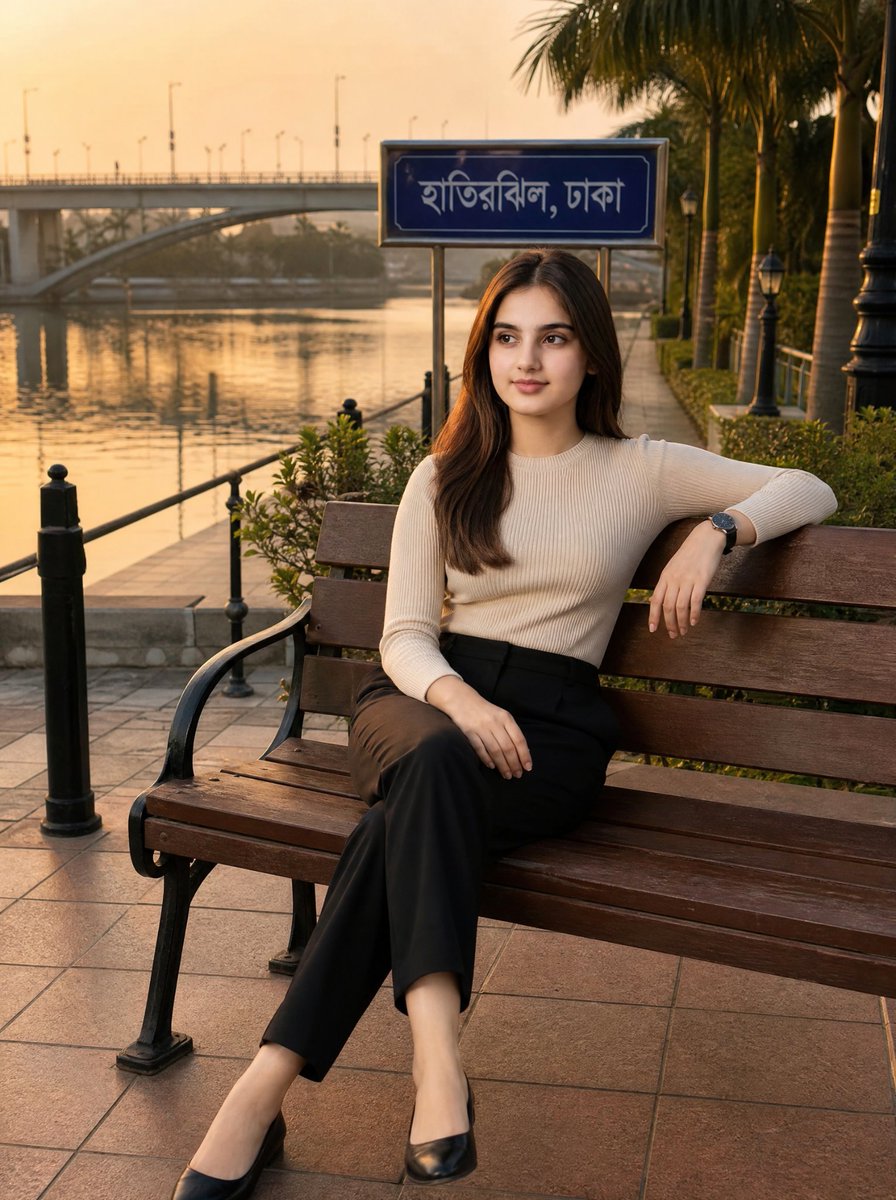
Commercial
Create an ultra-realistic editorial fashion photograph of a beautiful young {argument name="model ethnicity" default="South Asian"} woman sitting alone on a wooden park bench at Hatirjheel, Dhaka, Bangladesh during golden hour. She is the only person in the image, posed elegantly with one arm resting along the bench back and her legs crossed, looking slightly off-camera with a calm confident expression. She has long straight dark brown hair parted near the center, natural polished makeup, and wears a fitted cream ribbed long-sleeve top, high-waisted black tailored trousers, black pointed flats, and a dark wristwatch. Behind her, include a blue roadside sign with white Bengali text reading {argument name="location sign text" default="হাতিরঝিল, ঢাকা"}, mounted on metal posts. The setting is a clean lakeside promenade with warm tiled pavement, black metal railings and bollards, manicured greenery, palm trees, vintage-style lamp posts, still water reflecting amber sunset light, and a concrete bridge in the hazy background. Use warm cinematic golden-hour lighting, soft shadows, shallow depth of field, realistic skin texture, crisp fashion-magazine composition, 85mm lens look, high dynamic range, natural colors, no over-smoothing. Strictly exclude all other people, crowds, tourists, photographers, men, women, children, vehicles in the foreground, clutter, logos, and watermarks.
This is a free AI prompt from the Orelon library. Thousands more image prompts here are free to copy and adapt.
Explore more image prompts




Ready to create
Start with this curated direction in Orelon, then shape it into your next visual.