Visual Effects
Futuristic Electromagnetic Cannon
Views
11
 Orelon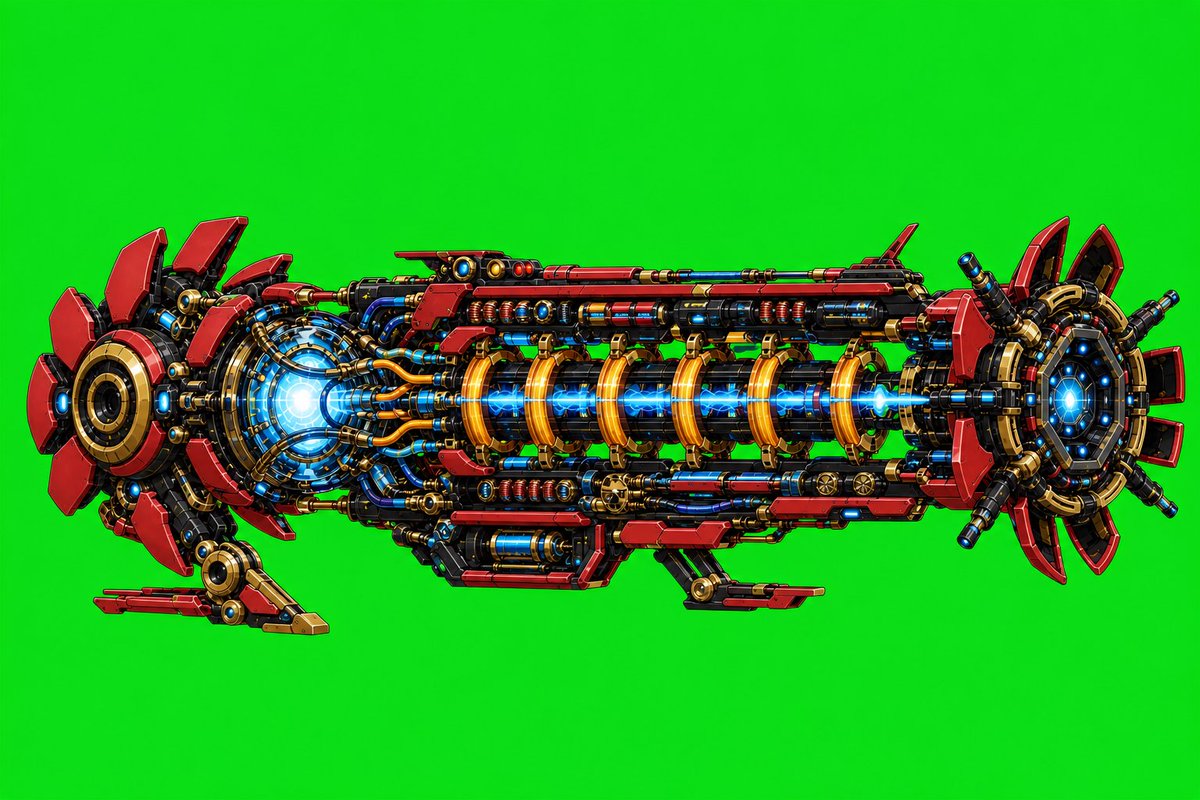
Visual Effects
Create a highly detailed side-view concept art illustration of a futuristic {argument name="weapon type" default="electromagnetic cannon"} floating horizontally against a plain vivid {argument name="background color" default="green chroma key background"}. The cannon should be long and symmetrical, built from dense exposed sci-fi machinery: layered red armor plates, glossy black structural rails, gold/brass rings and brackets, blue glowing coils, cables, pistons, bolts, vents, and small cylindrical modules. Show exactly 3 major sections: a large circular rear power core on the left with red fin-like petals and a bright blue-white energy glow, a long central barrel assembly with 7 prominent golden electromagnetic coil rings surrounding a bright blue plasma beam running through the middle, and a circular front muzzle on the right with red segmented fins, black radial supports, and a blue glowing aperture. Add exactly 2 small landing/support struts beneath the body, one near the rear-left and one near the lower center-right. Use a crisp polished digital painting style with high contrast, clean outlines, comic/anime mecha detailing, metallic reflections, saturated red-gold-blue palette, and no text, people, watermark, smoke, scenery, or shadows beyond subtle object shading. The object should fill most of a 3:2 landscape canvas, centered with generous green empty space around it.
This is a free AI prompt from the Orelon library. Thousands more image prompts here are free to copy and adapt.
Explore more image prompts


Ready to create
Start with this curated direction in Orelon, then shape it into your next visual.