
Visual Effects
Full prompt
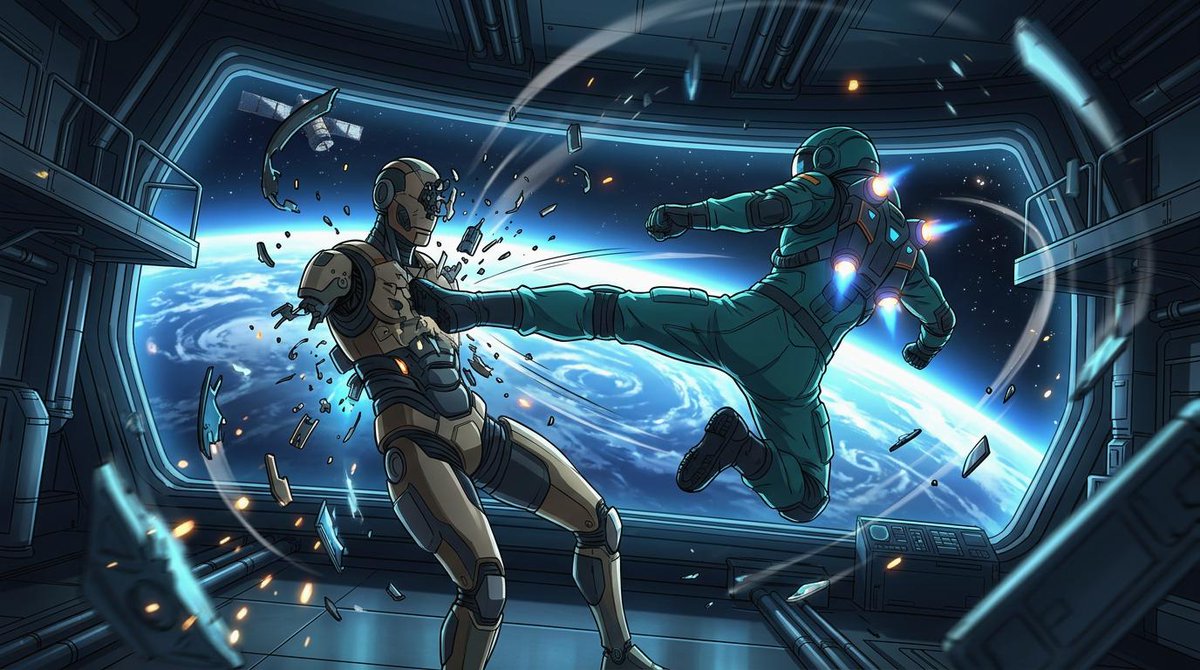
Create a cinematic widescreen sci-fi anime action illustration inside a damaged orbital space station corridor, with Earth and deep space visible through a huge panoramic window. The scene shows exactly two armored figures in zero gravity: on the right, {argument name="attacking astronaut suit color" default="teal green"} powered astronaut armor with glowing blue-white jet thrusters on the back, shoulders, and boots, flying horizontally from right to left and delivering a full-force side kick; on the left, {argument name="defender armor color" default="beige and dark gray"} humanoid combat android or armored astronaut recoils from the kick, chest shattered with fragments and sparks bursting outward. The attacker’s leg is fully extended into the defender’s torso, one arm punched forward and the other pulled back, body tilted dynamically as if propelled by suit jets. Count the major visible subjects and effects precisely: 2 armored figures, 1 enormous curved observation window, 1 view of Earth’s blue horizon with swirling clouds, 1 small satellite outside the window, 2 side balcony platforms, 1 control console at lower right, many floating metal shards and glass fragments, and multiple orange sparks and blue energy streaks arcing through the room. Use a polished Japanese anime / graphic novel style with crisp ink outlines, dramatic perspective, high contrast cel shading, detailed mechanical panels, pipes, rails, and sci-fi wall seams. Lighting should be cold cyan from Earth and the window, accented by orange impact sparks and vivid blue thruster glows. Make the composition dynamic and diagonal, with debris trails and motion arcs emphasizing weightless movement. Canvas: {argument name="aspect ratio" default="16:9 widescreen"}. Mood: {argument name="mood" default="intense orbital combat"}. No text, no logos, no watermark.
How to use this prompt
- 1Select Use this prompt to open it in the Orelon create workspace.
- 2Adapt the subject, style, and details to fit your idea.
- 3Generate, iterate, and refine until the result feels right.
This is a free AI prompt from the Orelon library. Thousands more image prompts here are free to copy and adapt.
Explore more image promptsRelated prompts

Image promptCategories: Visual Effects
Premium Presentation-Style Campaign Board for Mvmt’s
Read prompt
Image promptCategories: Visual Effects
High-Fashion Summer Outfit Infographic
Read prompt
Image promptCategories: Visual Effects
Night Forest Spaceship Landing
Read prompt Video promptCategories: Visual Effects
Grizzly Bear Spacesuit on Mars
Read prompt Video promptCategories: Visual Effects
Grok Imagine Video Generation with Two Characters
Read prompt Video promptCategories: Visual Effects