Effects by Tags
Biomechanical Fitness Instructional Chart
Views
96
 Orelon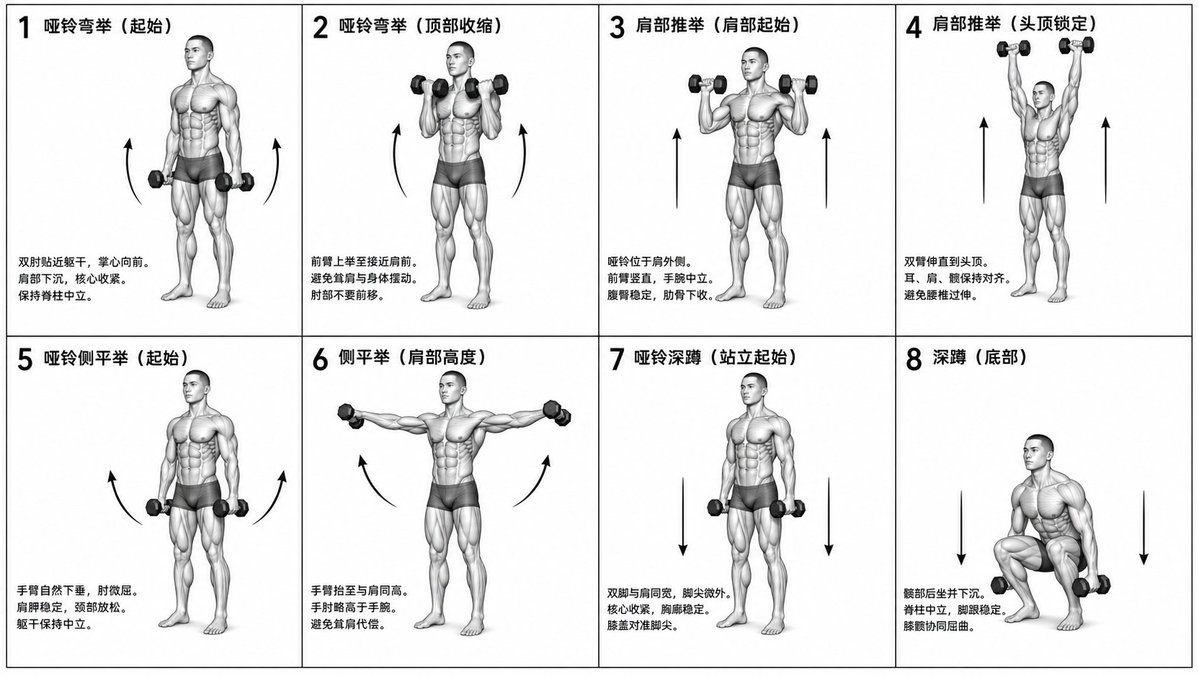
Effects by Tags
Generate a monochrome grayscale technical illustration, a biomechanically accurate fitness instruction sheet, clean 3D anatomical figures, scientific diagram aesthetics, minimalist style, no artistic exaggeration. 2x4 grid layout (total of 8 panels), perfectly aligned cells, equal spacing, thin black border, numbered 1 to 8. Neutral athletic human body (gender-neutral), proportional anatomy, consistent figure across all panels. {argument name="training sequence" default="Dumbbell training"} sequence (key positions only): 1. Dumbbell Curl (starting position) 2. Dumbbell Curl (top contraction) 3. Shoulder Press (start at shoulder height) 4. Shoulder Press (overhead lockout) 5. Lateral Raise (arms down) 6. Lateral Raise (arms to shoulder height) 7. Dumbbell Squat (standing start) 8. Squat (bottom position). Top left corner: bold number + movement name (Chinese). Center: full-body pose (clear joint positioning). Bottom left corner: brief technical description (2–3 lines, correct posture cues). Overlay: directional arrows showing the path of motion (up/down/arc). Correct joint alignment, neutral spine, proper elbow and knee positioning, realistic weight distribution, no exaggerated movements. Highly detailed grayscale shading, soft studio lighting, subtle shadows, clean lines, medical/sports science diagram quality. Solid white background. No color, no background environment, no extra elements, no stylization, no blur.
This is a free AI prompt from the Orelon library. Thousands more image prompts here are free to copy and adapt.
Explore more image prompts





Ready to create
Start with this curated direction in Orelon, then shape it into your next visual.