Effects by Tags
Instrument Genealogy and Exploded View Diagram
PublishedJan 5, 2026
Original languageEN
Categories
Effects by TagsEffects
Likes
1
Views
73
 Orelon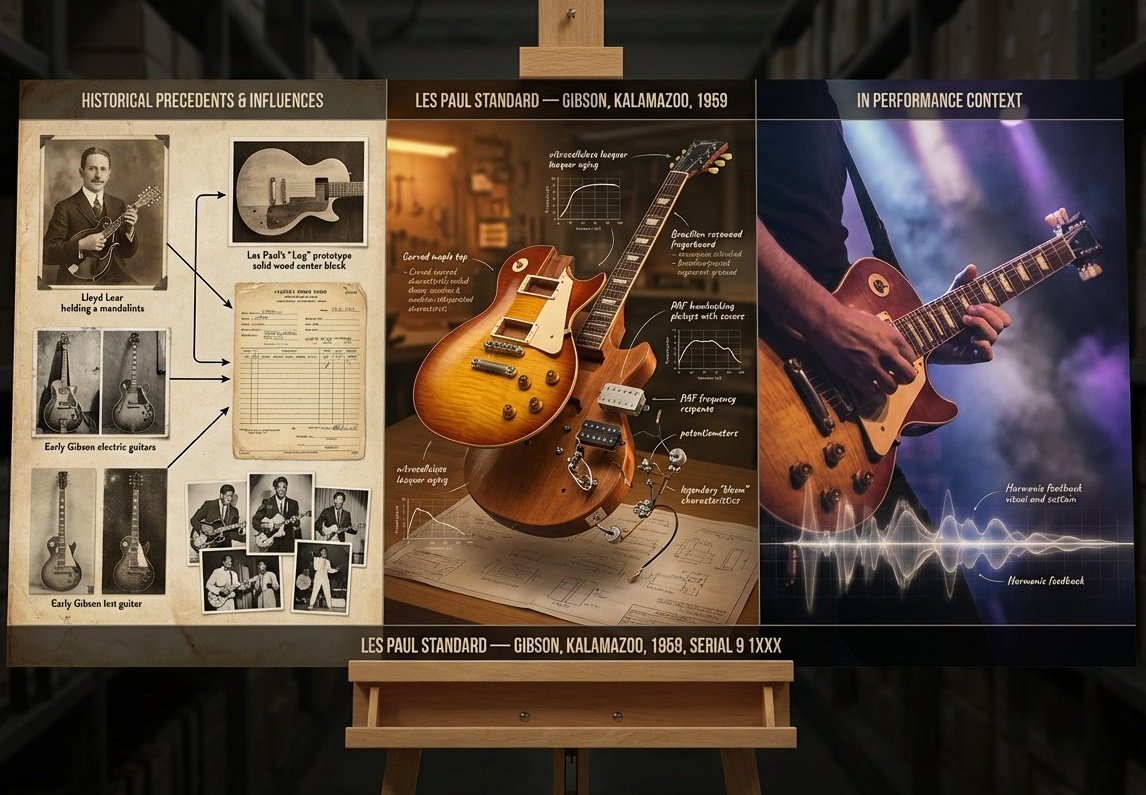
Effects by Tags
A luthier's legacy board for {argument name="instrument" default="[INSTRUMENT]"} — {argument name="maker" default="[MAKER / SCHOOL / PERIOD]"}. Left section: historical precedents and influences, showing ancestor instruments with lineage lines connecting them, maker's marks, and period photographs. Center section: the subject instrument in exploded view, every component separated and floating, wood species identified, varnish layers shown in cross-section, acoustic properties annotated with frequency response curves and tap tone locations. Right section: the instrument in performance context, musician's hands in motion, concert hall ambiance, sound made visible through subtle waveform overlay. Visual style transitions from aged daguerreotype through workshop amber to concert hall chiaroscuro. Title block reading “{argument name="instrument name" default="[INSTRUMENT NAME]"} — {argument name="maker name" default="[MAKER]"}, [CITY], [YEAR], OPUS [NUMBER]".
This is a free AI prompt from the Orelon library. Thousands more image prompts here are free to copy and adapt.
Explore more image prompts





Ready to create
Start with this curated direction in Orelon, then shape it into your next visual.