Effects by Tags
8K Chiaroscuro Portrait JSON
Likes
51
Views
1.6K
 Orelon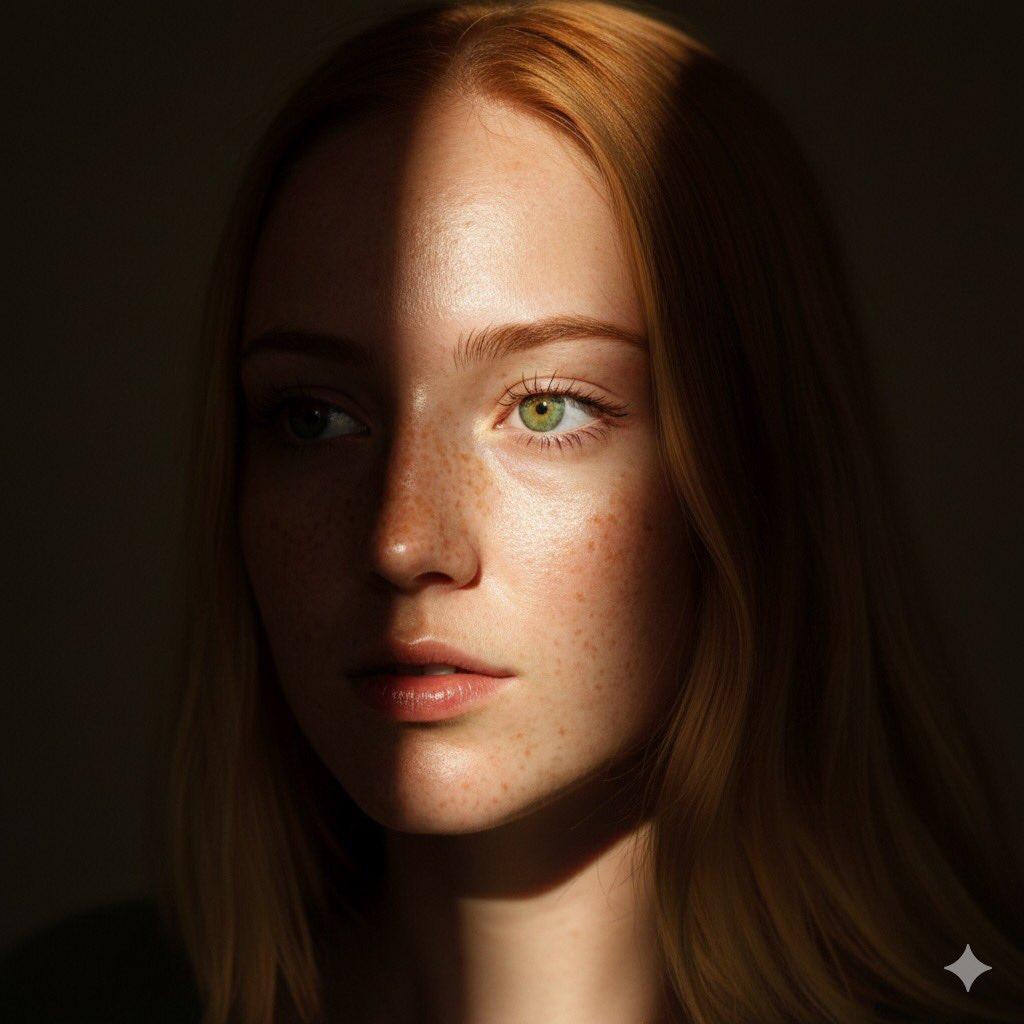
Effects by Tags
{ "Objective": "Generate a hyper-realistic 8K chiaroscuro-style portrait of a woman based on the provided reference image.", "Identity_Safety": "Maintain facial features, hairstyle, and general appearance consistent with the provided reference image without altering identity.", "Subject": { "Gender": "Female", "Appearance": { "Hair": "Straight hair falling naturally across her forehead", "Pose": "Gazing slightly upward and to the side", "Expression": "Soft, calm, and introspective", "Lips": "Glossy, slightly parted, catching subtle highlights" } }, "Lighting": { "Style": "Chiaroscuro dramatic contrast", "Key_Effects": [ "A thin ray of sunlight illuminating her eyes and upper cheek", "Deep, rich shadows covering the background and lower half of her face", "Strong separation between light and dark regions", "High emotional and visual depth" ] }, "Scene": { "Background": "Minimal, falling into dark shadow", "Atmosphere": "Intimate, dramatic, painterly, cinematic" }, "Visual_Style": { "Resolution": "8K hyper-realistic", "Aesthetic": [ "Ultra-detailed skin texture", "Natural highlights on lips and eyes", "Soft hair detailing", "Fine contrast control typical of chiaroscuro portraiture" ], "Color_Profile": "Warm natural skin tones against deep shadow background" }, "Output_Requirements": { "Format": "Image", "Orientation": "Portrait", "Quality": "High-end cinematic and photographic realism" } }
This is a free AI prompt from the Orelon library. Thousands more image prompts here are free to copy and adapt.
Explore more image prompts





Ready to create
Start with this curated direction in Orelon, then shape it into your next visual.