Camera Control
NBA Broadcast Stadium Screenshot
Likes
1
Views
123
 Orelon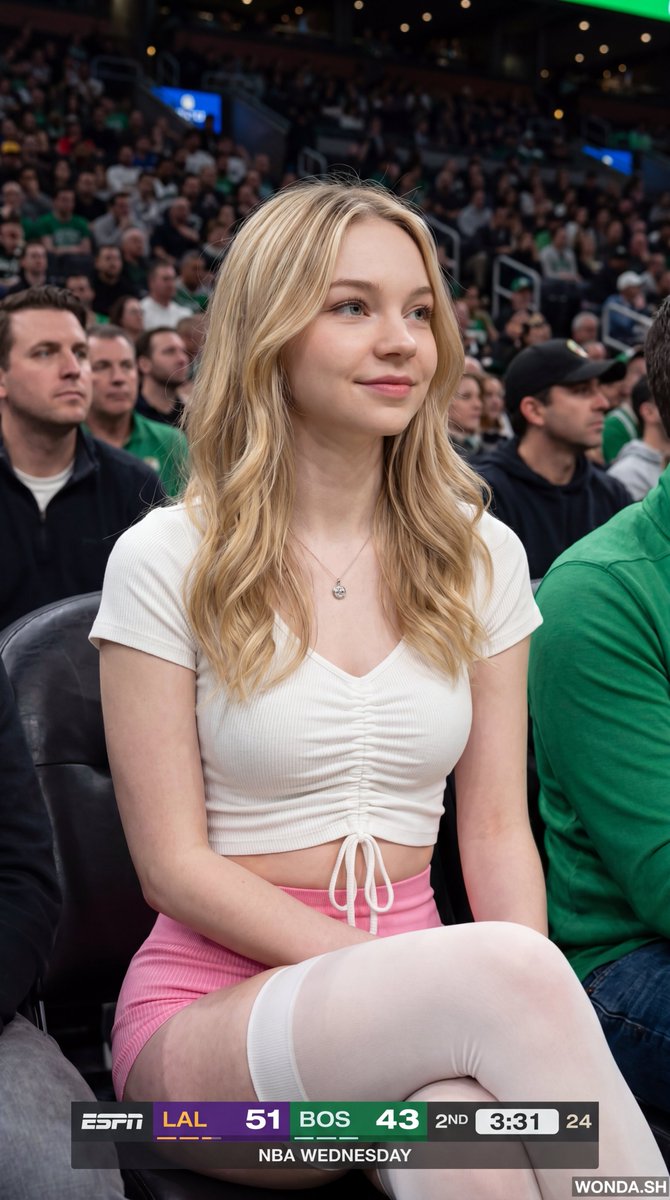
Camera Control
{"meta":{"image_quality":"High","image_type":"Screenshot","resolution_estimation":"1920x1080","file_characteristics":{"compression_artifacts":"Low","noise_level":"Low","lens_type_estimation":"Medium telephoto"}},"global_context":{"scene_description":"A medium shot of a young woman with long dark hair sitting in a crowded arena, likely a basketball game, with an ESPN broadcast overlay at the bottom and top right.","environment_type":"Indoor arena","time_of_day":"Unknown","weather_atmosphere":"Crowded, indoor lighting","lighting":{"source":"Artificial arena lighting","direction":"Frontal, slightly overhead","quality":"Soft, diffused","color_temperature":"Neutral"},"color_palette":{"dominant_hex_estimates":["#1a1a1a","#333333","#ffffff"],"accent_colors":["#fdb927","#007a33"],"contrast_level":"Medium"}},"composition":{"camera_angle":"Eye-level","framing":"Medium shot","depth_of_field":"Shallow","focal_point":"The woman's face","symmetry_type":"None","rule_of_thirds_alignment":"Woman's face is positioned in the upper right quadrant"},"objects":[{"id":"obj_001","label":"Woman","category":"Person","location":{"relative_position":"Center","bounding_box_percentage":{"x":0.25,"y":0.05,"width":0.5,"height":0.9}},"dimensions_relative":"Large","distance_from_camera":"Near","pose_orientation":"Facing slightly right, head turned towards the left","material":"Skin, hair, fabric","surface_properties":{"texture":"Smooth skin, wavy hair","reflectivity":"Low","micro_details":"Natural skin texture, subtle makeup","wear_state":"N/A"},"color_details":{"base_color_hex":"#d2b48c","secondary_colors":["#000000"],"gradient_or_pattern":"None"},"interaction_with_light":{"shadow_casting":"Soft shadows under chin and nose","highlight_zones":"Cheekbones, nose bridge, lips","translucency":"None"},"text_content":null,"relationships":[]},{"id":"obj_002","label":"ESPN Scoreboard Overlay","category":"UI elements","location":{"relative_position":"Bottom center","bounding_box_percentage":{"x":0.25,"y":0.85,"width":0.5,"height":0.15}},"dimensions_relative":"Medium","distance_from_camera":"Overlay","pose_orientation":"Flat","material":"Digital graphic","surface_properties":{"texture":"Smooth","reflectivity":"None","micro_details":"Sharp typography","wear_state":"N/A"},"color_details":{"base_color_hex":"#000000","secondary_colors":["#fdb927","#007a33","#ffffff"],"gradient_or_pattern":"Solid color blocks"},"interaction_with_light":{"shadow_casting":"None","highlight_zones":"None","translucency":"Slightly opaque"},"text_content":{"raw_text":"{argument name="scoreboard text" default="LAL 51 BOS 43 2ND 3:31 24 NBA WEDNESDAY"}","font_style":"Sans-serif","font_weight":"Bold","text_case":"Uppercase","alignment":"Center","color_hex":"#ffffff"},"relationships":[]}],"background_details":{"texture":"Blurred crowd","patterns":"None","lighting_behavior":"Out of focus","additional_elements":["Person holding a plastic cup on the left","Person on the right"]}}
This is a free AI prompt from the Orelon library. Thousands more image prompts here are free to copy and adapt.
Explore more image prompts





Ready to create
Start with this curated direction in Orelon, then shape it into your next visual.