Effects by Tags
Monochrome Bridal Prayer Portrait
Views
15
 Orelon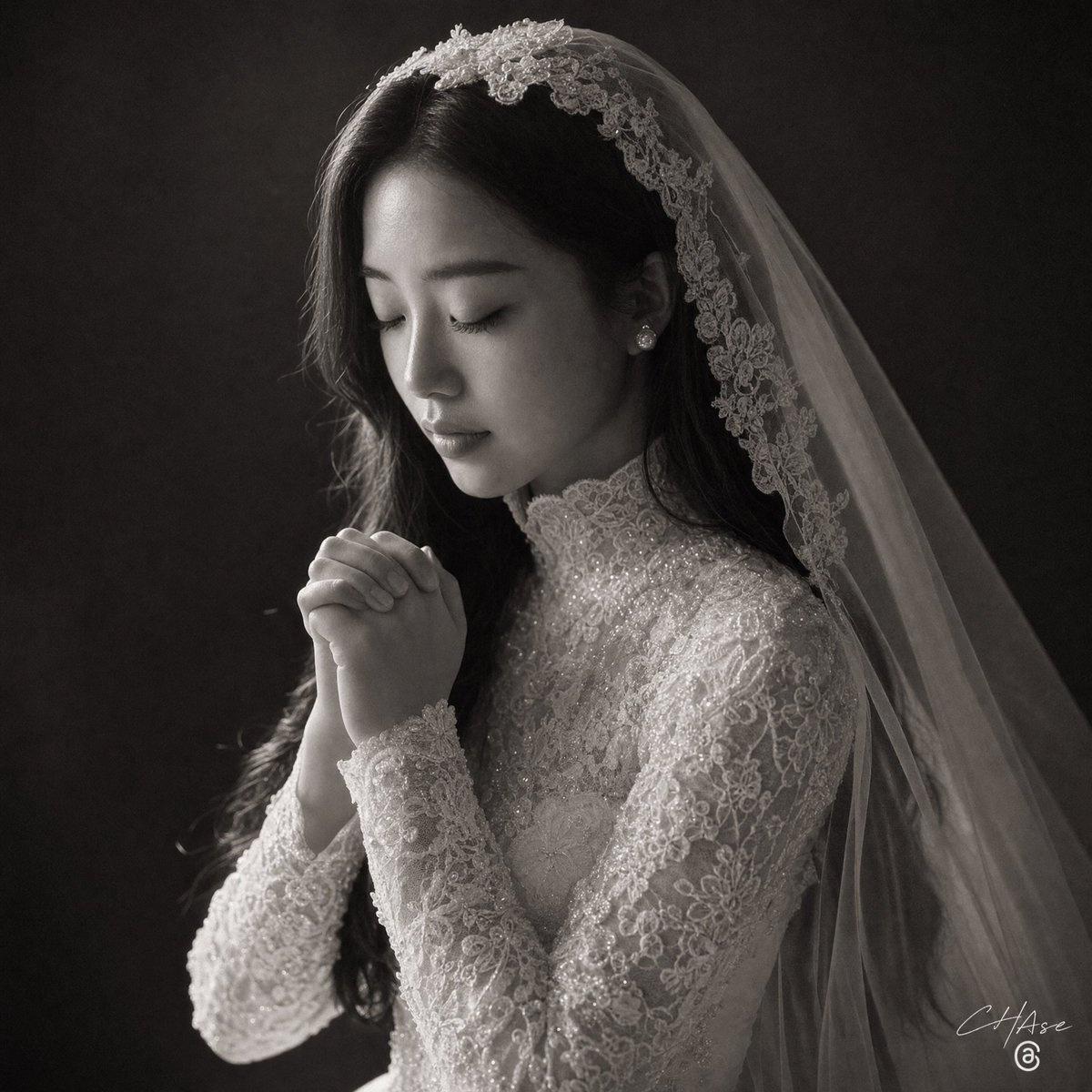
Effects by Tags
Create a dramatic black-and-white fine-art bridal portrait in a square 1:1 frame. Show {argument name="subject" default="a bride"} from the chest up, turned slightly to the right, with long dark hair partially hidden under a sheer cathedral veil. She wears an ornate high-neck long-sleeve lace wedding gown covered in floral embroidery, beadwork, and subtle sparkle, plus small pearl earrings. Her hands are clasped together in front of her chin in a prayer-like pose, fingers interlaced, creating a quiet devotional mood. Add a large opaque dark gray square over the center of her face, fully obscuring facial features while leaving the hair, veil, ear, neck, shoulders, and hands visible. The veil should drape from a lace floral headpiece across the crown and fall diagonally down the right side of the image, with delicate embroidered edging visible. Use soft directional studio lighting from the upper left, deep shadows, high contrast, shallow depth of field, and a dark textured charcoal background. Render as an elegant monochrome wedding photograph with realistic fabric texture, luminous lace detail, subtle film grain, and a small white handwritten photographer signature mark in the lower right corner reading {argument name="signature text" default="C Hase"}.
This is a free AI prompt from the Orelon library. Thousands more image prompts here are free to copy and adapt.
Explore more image prompts





Ready to create
Start with this curated direction in Orelon, then shape it into your next visual.