Effects by Tags
Black Brush Calligraphy Conversion
Likes
1
Views
198
 Orelon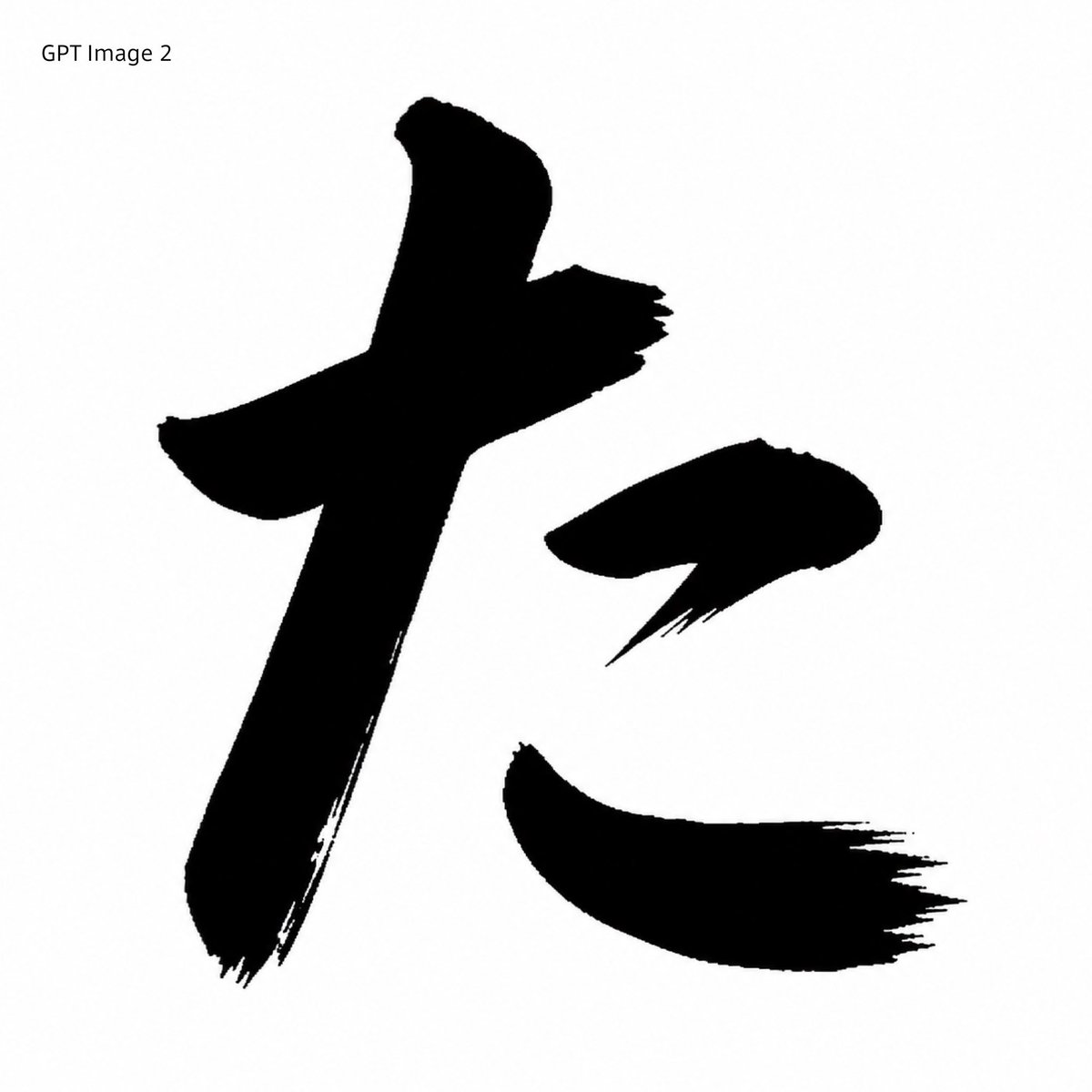
Effects by Tags
Using REFERENCE_0 as the character-shape source, transform the red printed kaisho glyph into a GPT Image 2-style black brush-calligraphy rendering. Preserve the same overall character, scale, placement, and white square canvas, but replace the clean red vector-like strokes with solid black ink strokes that have rough bristle texture, dry-brush fraying, uneven edges, and sharp sweeping hane/harai endings. Remove the original red Japanese font label at the top and instead add the plain black text label {argument name="top left label" default="GPT Image 2"} in the upper-left corner. Keep exactly 3 separated main stroke components matching the reference layout: the large left vertical/cross stroke, the small upper-right dot stroke, and the lower-right sweeping stroke. Minimal monochrome comparison-sample look, no extra decoration, no watermark.
This is a free AI prompt from the Orelon library. Thousands more image prompts here are free to copy and adapt.
Explore more image prompts





Ready to create
Start with this curated direction in Orelon, then shape it into your next visual.