Effects by Tags
Editorial Sneaker Stylized
PublishedAug 10, 2026
Original languageEN
Categories
Effects by Tagsportraitproductcinematicfashionadfantasyrealisticlogo_texttext_logointeriorsurrealbackground
 Orelon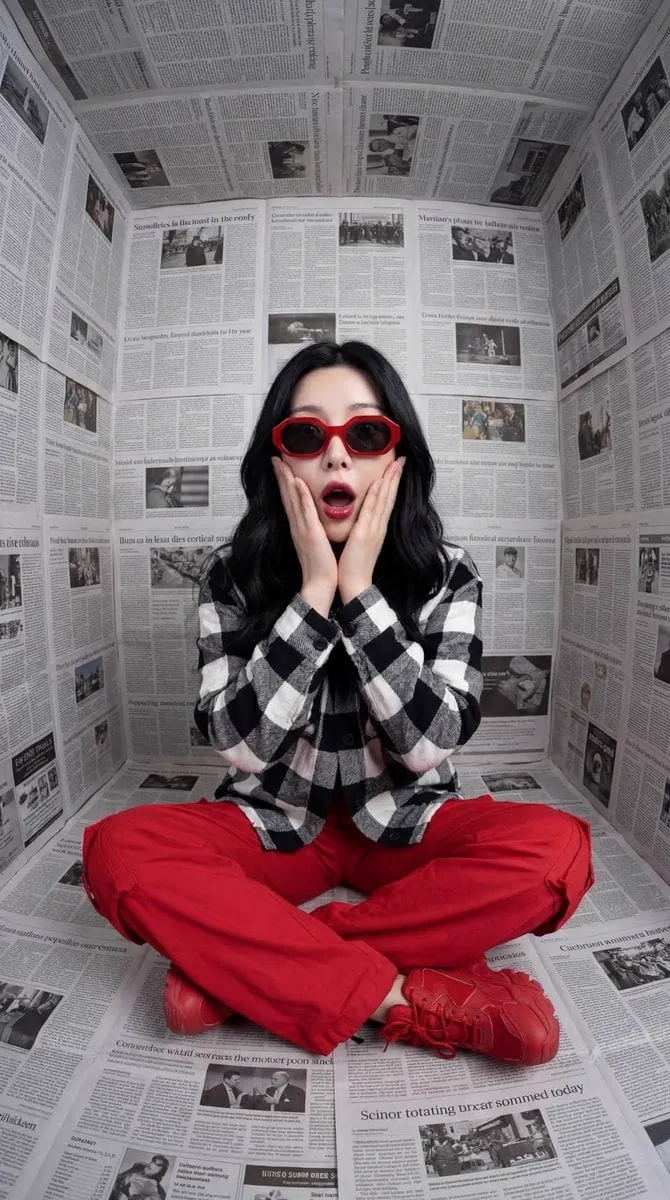
Effects by Tags
{ "Objective": "Create a stylized fashion portrait with bold color contrast and a modern surreal editorial aesthetic", "PersonaDetails": { "Subject": { "Type": "Young woman", "Pose": "Sitting cross-legged", "Expression": "Dramatic surprise, hands holding cheeks, mouth slightly open", "Hair": "Long black hair framing the face", "Accessories": "Bold red sunglasses" } }, "Wardrobe": { "Top": "Black-and-white checkered shirt", "Bottom": "Red pants", "Footwear": "Red sneakers", "ColorTheme": "Vibrant red contrasted against monochrome surroundings" }, "SceneDescription": { "Environment": "Small enclosed room", "SurfaceTreatment": { "Walls": "Covered entirely in newspaper pages", "Floor": "Covered entirely in newspaper pages", "Ceiling": "Covered entirely in newspaper pages" }, "Concept": "Monochrome newspaper textures creating a graphic, immersive backdrop" }, "Composition": { "Framing": "Centered, symmetrical composition", "CameraAngle": "Straight-on", "Balance": "Strong geometric and visual symmetry", "Focus": "Sharp focus across subject and environment" }, "LightingAndColor": { "Lighting": "Soft studio lighting", "ShadowQuality": "Clean, controlled shadows", "Contrast": "High contrast between black-and-white newspapers and red clothing", "ColorPalette": [ "Black", "White", "Vibrant red" ] }, "ArtDirection": { "Style": "Editorial fashion photography", "Aesthetic": "Modern surrealism", "DetailLevel": "Crisp details with high realism", "VisualImpact": "Graphic, bold, eye-catching" }, "PhotographyStyle": { "Genre": "High-fashion editorial portrait", "ImageQuality": "Ultra-high resolution, 8K clarity", "Finish": "Clean, sharp, magazine-ready" }, "Mood": { "Tone": "Playful shock, surreal curiosity", "Energy": "Bold, expressive, contemporary" }, "NegativePrompt": [ "uneven lighting", "blurred details", "busy color palette", "low contrast", "casual snapshot", "cartoon style", "vintage look" ], "ResponseFormat": { "Type": "Single image", "Orientation": "Portrait", "AspectRatio": "2:3" } }






Start with this curated direction in Orelon, then shape it into your next visual.
Use this prompt