Viral Trends
Split Burj Khalifa
PublishedAug 10, 2026
Original languageEN
Categories
Viral Trendsproductfashion3drealisticlogo_texttext_logostylizedreferencesticker_peelmusic_visualeducationexplainer
 Orelon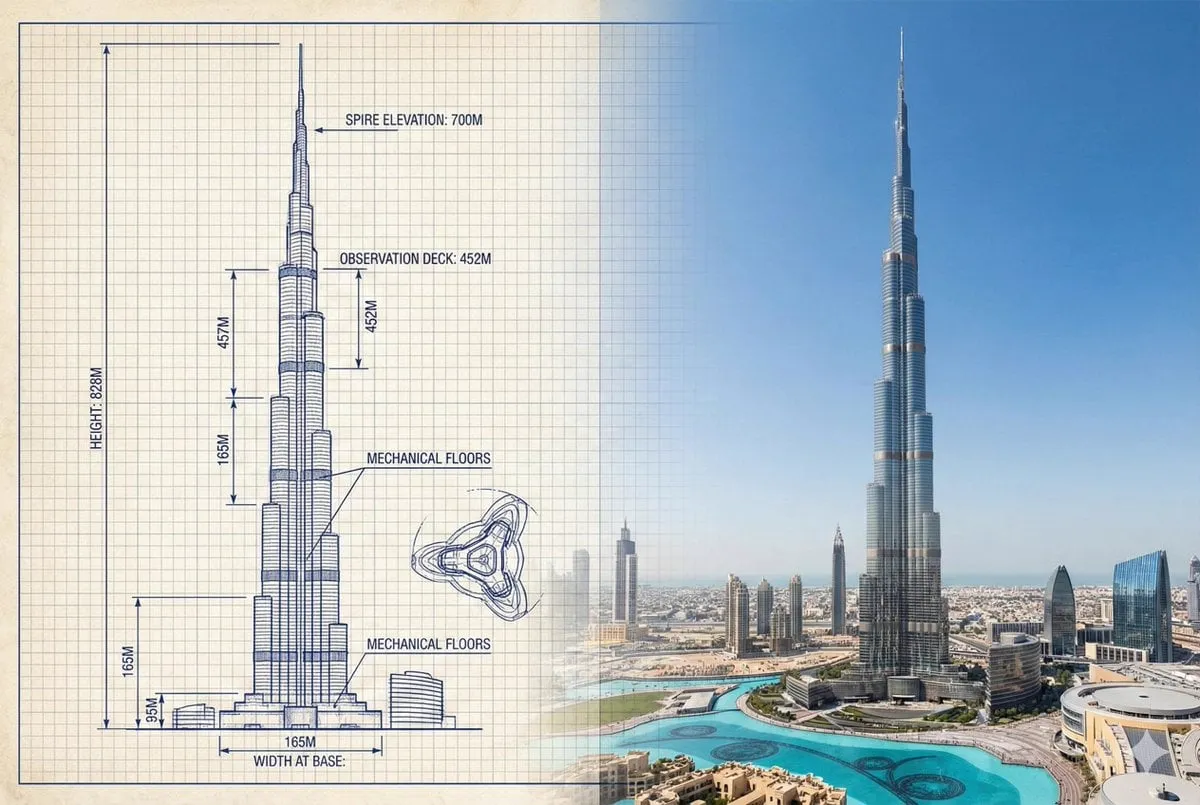
Viral Trends
{ "objective": "Create a side-by-side comparison image featuring a technical sketch and real photograph of the Burj Khalifa", "image_specifications": { "style": "Mixed media (Technical drawing + Real photograph)", "layout": "Horizontal split - Left side: Sketch with measurements, Right side: Real photo", "aspect_ratio": "3:2" }, "left_side": { "content_type": "Technical sketch of the Burj Khalifa", "features": [ "Detailed architectural lines showing tiered setbacks", "Numerical height and width measurements", "Elevation labels for different tower sections", "Side and front elevation views (top-down projection if space allows)" ], "text_annotations": { "units": "Metric (meters)", "language": "English", "font_style": "Blueprint or engineering-style typography" }, "positioning": "Take up the left half of the image" }, "right_side": { "content_type": "High-resolution real photo of the Burj Khalifa", "features": [ "Full view of the tower from base to spire", "Natural daylight with clear sky", "Color image with Dubai skyline or Downtown Dubai context" ], "positioning": "Take up the right half of the image" }, "visual_elements": { "border_division": "Vertical line or subtle transition between left (sketch) and right (photo)", "color_palette": { "left": "Monochrome or blueprint blue for sketch", "right": "Natural realistic colors" } }, "output_format": { "type": "Image", "use_case": ["Educational poster", "Architectural comparison", "Engineering visualization", "Tourism visual aid"], "high_resolution": true } }






Start with this curated direction in Orelon, then shape it into your next visual.
Use this prompt