Effects by Tags
Branded Technical Infographic of a Snack, Combining
PublishedAug 10, 2026
Original languageEN
Categories
Effects by Tagsproductfashionsocialad3drealisticlogo_texttext_logofoodbackgroundstylizedreference
 Orelon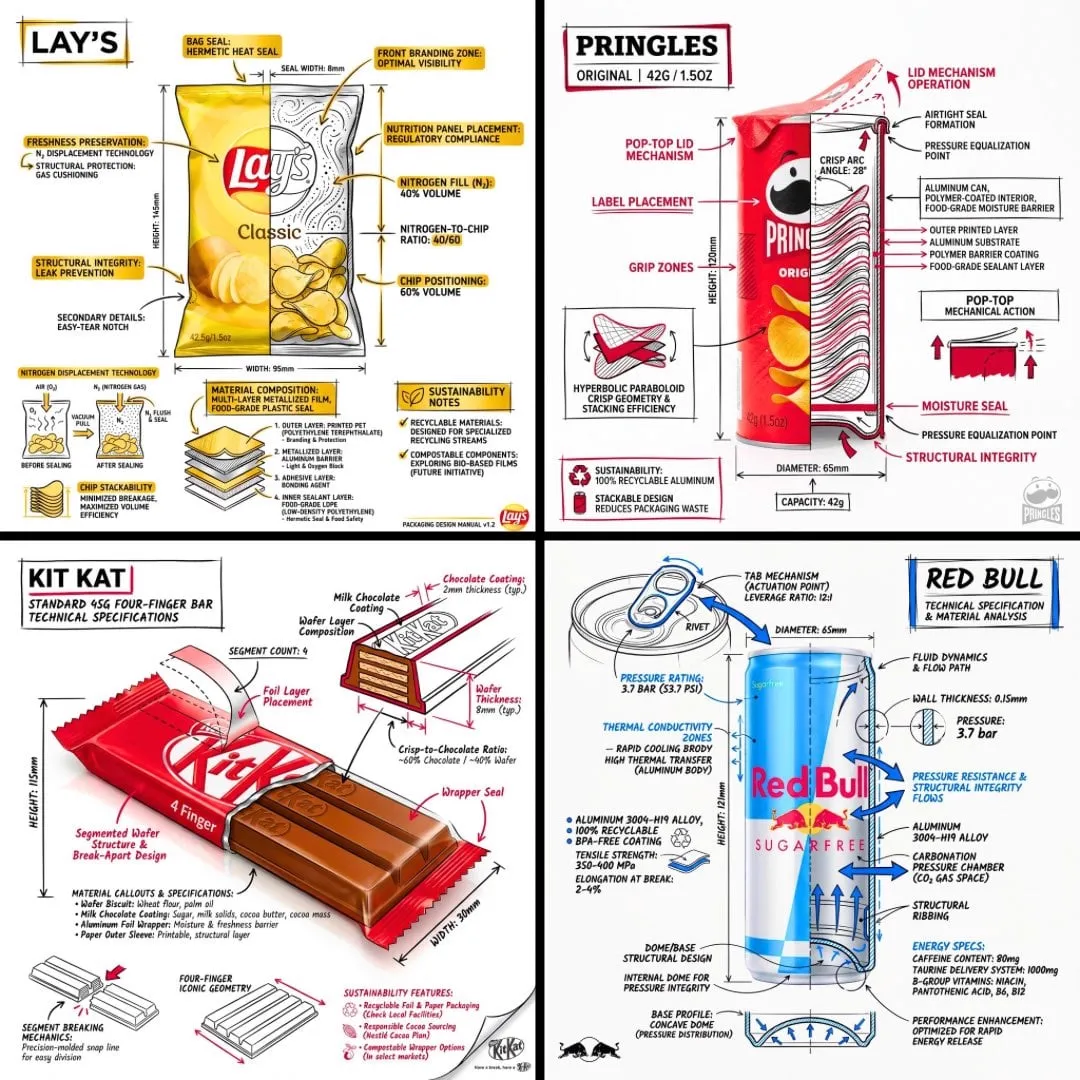
Effects by Tags
Create a branded technical infographic of a [SNACK], combining a realistic photograph or photoreal render of the product with technical annotation overlays placed directly on top. Use black ink–style line drawings with strategic [BRAND COLOR] accents (architectural sketch look) on a pure white studio background, including: • Key component labels • Internal cross-section showing structure, layering, or internal design • Measurements, dimensions, and specifications • Material callouts with composition and quantities • Arrows indicating function for primary features and structural integrity • Simple schematic or sectional diagram showing key mechanical or design elements • Sustainability callouts Title placement: Inside a hand-drawn technical annotation box with accent border reading the product name in bold font, positioned in upper corner. Style & layout rules: • The realistic product remains clearly visible • Annotations feel sketched, technical, and architectural • Accents used for highlight (20-30% of linework), black for primary technical lines (70-80%) • Clean composition with balanced negative space • Educational, food-engineering vibe with premium branding • Include subtle brand logo mark in corner Visual style: Minimal technical illustration aesthetic, black linework with accents over realistic imagery, precise but slightly hand-drawn feel. Color palette: White background, black annotation lines/text, [BRAND COLOR] for accents and key callouts only. Output: 1080×1080, ultra-crisp, social-feed optimized, no watermark






Start with this curated direction in Orelon, then shape it into your next visual.
Use this prompt