Effects by Tags
Macro Fashion
PublishedAug 10, 2026
Original languageEN
Categories
Effects by Tagsportraitproductcinematicanimefashionad3dfantasyrealisticlogo_texttext_logosurreal
 Orelon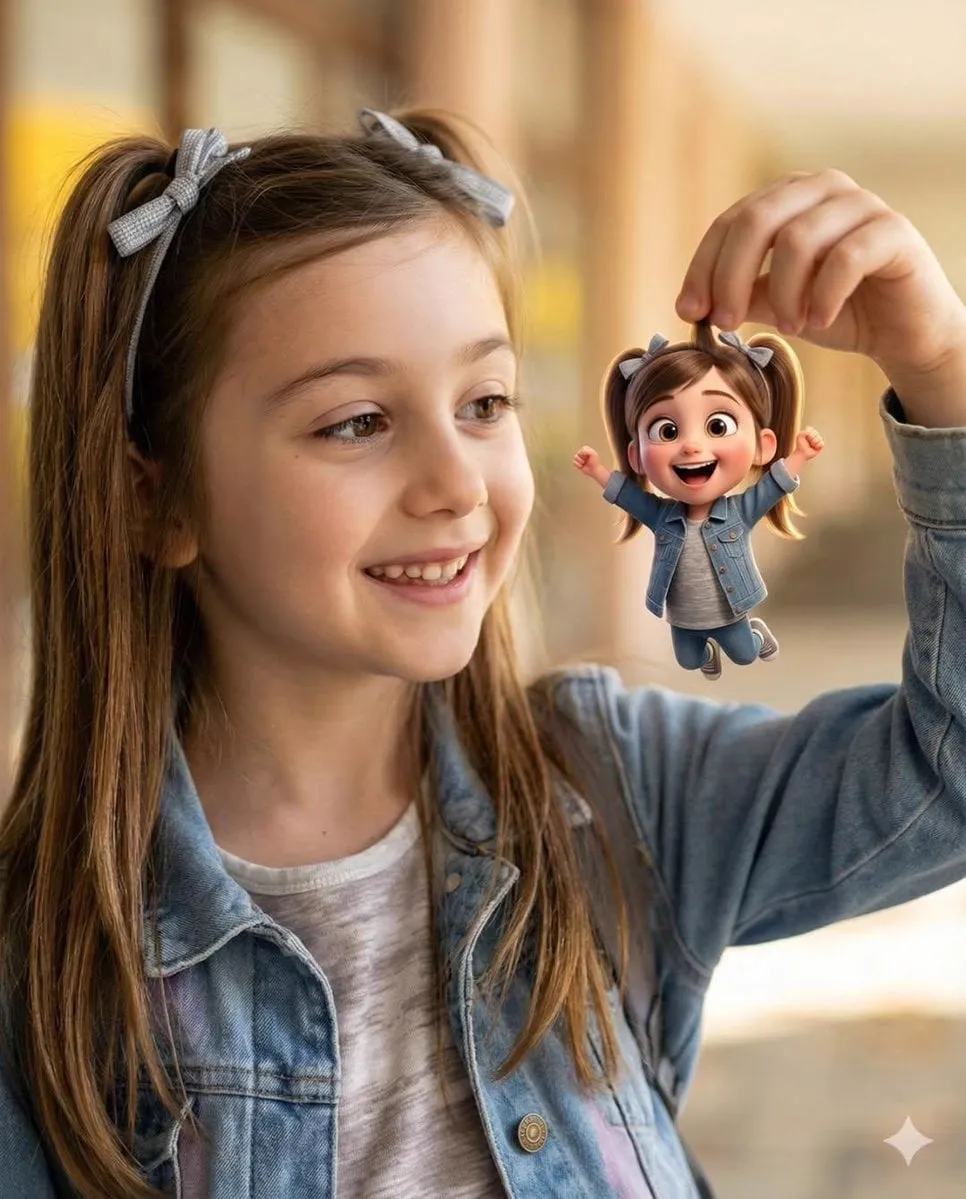
Effects by Tags
{ "Objective": "Create a heartwarming, whimsical portrait blending photorealistic realism with a tiny Pixar-style animated character", "PersonaDetails": { "PrimarySubject": { "Type": "Young girl", "Expression": "Bright, joyful smile", "Hair": { "Style": "Long light-brown hair", "Accessories": "Cute ribbon bows" }, "Wardrobe": { "Outerwear": "Casual denim jacket", "Top": "Soft neutral-colored shirt" } }, "SecondarySubject": { "Type": "Tiny 3D cartoon version of the girl", "Scale": "Miniature, held delicately between fingers", "Style": "Pixar-style 3D character", "Proportions": "Oversized expressive eyes, rounded features", "Hair": "Pigtails matching the real girl", "Wardrobe": "Denim outfit matching the real subject", "Pose": "Arms raised joyfully" } }, "Composition": { "Framing": "Close-up to medium portrait", "Interaction": "Clear playful interaction between girl and miniature character", "DepthOfField": "Shallow depth of field", "Focus": "Ultra-sharp focus on both faces" }, "LightingAndBackground": { "Lighting": "Warm natural daylight", "Background": { "Style": "Soft golden bokeh", "Mood": "Dreamy, magical" } }, "ArtDirection": { "StyleFusion": [ "Photorealistic child portrait photography", "Pixar-style 3D animated character" ], "Aesthetic": "Magical realism with playful scale contrast", "TextureDetail": "Ultra-detailed skin, fabric, and 3D materials" }, "MoodAndTone": { "Mood": "Heartwarming, joyful, whimsical", "EmotionalFeel": "Wonder, innocence, playful imagination" }, "PhotographyStyle": { "Genre": "Cinematic lifestyle portrait photography", "LensFeel": "Portrait lens with creamy bokeh", "ImageQuality": "8K ultra-high realism" }, "NegativePrompt": [ "uncanny valley", "scary doll", "low-quality 3D", "harsh lighting", "oversaturated colors", "blurry focus", "flat expression" ], "ResponseFormat": { "Type": "Single image", "Orientation": "Portrait", "AspectRatio": "2:3" } }






Start with this curated direction in Orelon, then shape it into your next visual.
Use this prompt