Effects by Tags
UGC UI Mockup
PublishedAug 10, 2026
Original languageEN
Categories
Effects by Tagsportraitproductcinematicanimefashionsocialadrealisticlogo_texttext_logotransformationbackground
 Orelon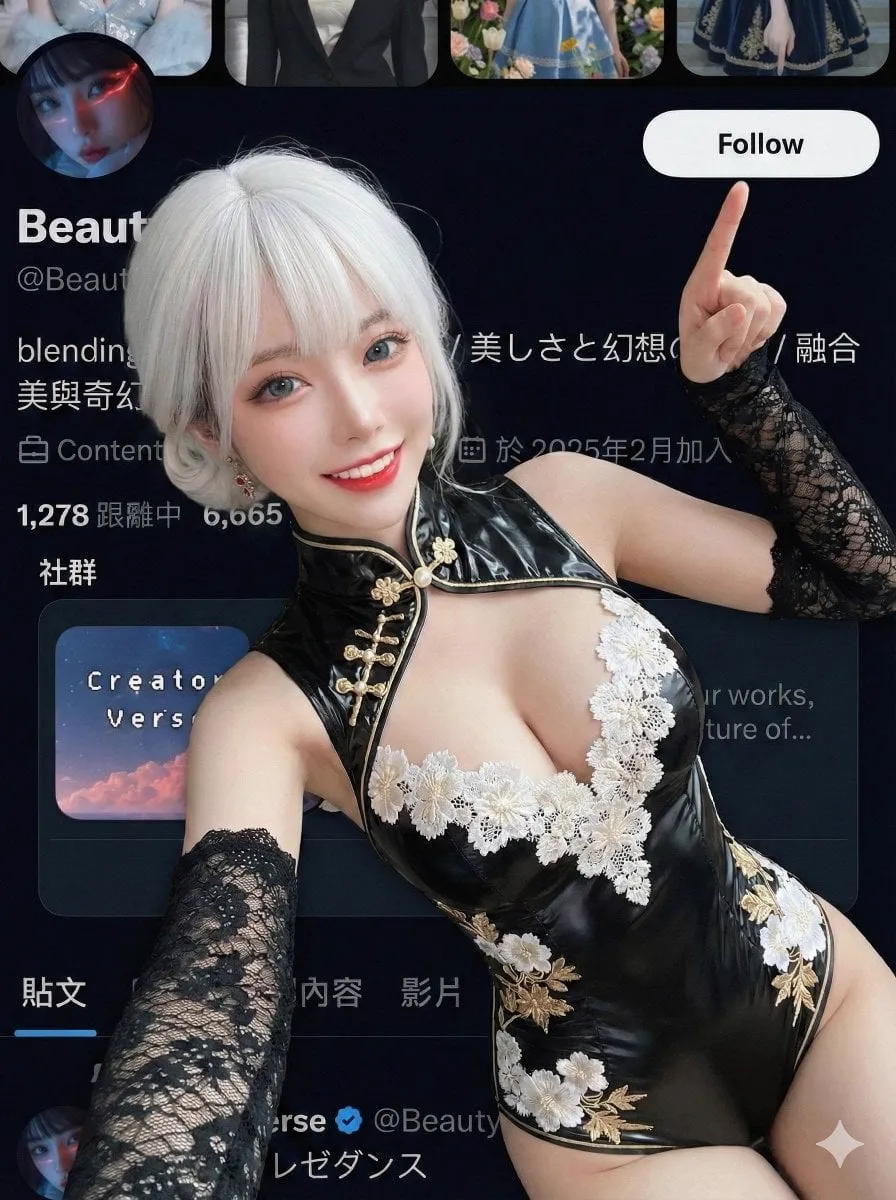
Effects by Tags
{ "edit_type": "creative_composite_layering", "source": { "_hint": "Base logic: Character (Ref 1) superimposed ON TOP OF the Background Image (Ref 2).", "mode": "EDIT", "reference_images": { "first": "foreground_character_person", "second": "background_scenery_or_pattern" }, "preserve_from_first": { "same_person_or_group": true, "same_faces": true, "same_hairstyles": true, "same_outfits": true } }, "identity": { "keep_identity_consistent": true, "expression": "bright_engaging_smile_at_camera" }, "camera_effect": { "_hint": "High-angle selfie style, creating a sense of depth between the hand and face.", "perspective": "high_angle_shot_looking_down", "style": "social_media_call_to_action", "depth_of_field": "focus_on_face_and_pointing_finger", "framing": "character_centered_with_space_at_top_right" }, "pose": { "_hint": "Key action: Lying down but actively pointing to the 'Follow' button area (Top Right).", "pose_style": "lying_down_or_reclining_on_back", "face_direction": "looking_directly_up_into_lens", "hand_gestures": { "right_hand_action": "pointing_index_finger", "target_direction": "upper_right_corner_45_degrees", "purpose": "mimicking_pressing_subscribe_button", "arm_position": "extended_towards_camera_top_right" }, "body_language": "inviting_and_energetic", "style_tags": [ "kpop_idol_fan_service", "influencer_promo_style", "dynamic_perspective" ] }, "background_integration": { "_hint": "The second reference image is the background/floor.", "method": "full_background_replacement", "target_area": "entire_canvas_behind_character", "content_source": "reference_image_second", "perspective_match": "flat_lay_style", "rules": { "character_must_be_top_layer": true, "leave_space_in_upper_right_for_ui": true } }, "composition": { "_hint": "Ensure the pointing finger leads the viewer's eye to the top right corner.", "visual_flow": "diagonal_line_from_face_to_top_right_corner", "focal_points": [ "character_eyes", "pointing_finger_tip" ], "negative_space": "clear_area_at_top_right_45_degrees" }, "constraints": { "no_holding_phone_device": true, "finger_must_not_be_cropped_out": true, "ensure_arm_is_natural_length": true "3:4" } }






Start with this curated direction in Orelon, then shape it into your next visual.
Use this prompt