
Cute Patched Teddy Bear Mascot
A clean 2D chibi plush teddy bear character design suitable for indie game sprites, mascot art, or animation source material.
J’aime
0
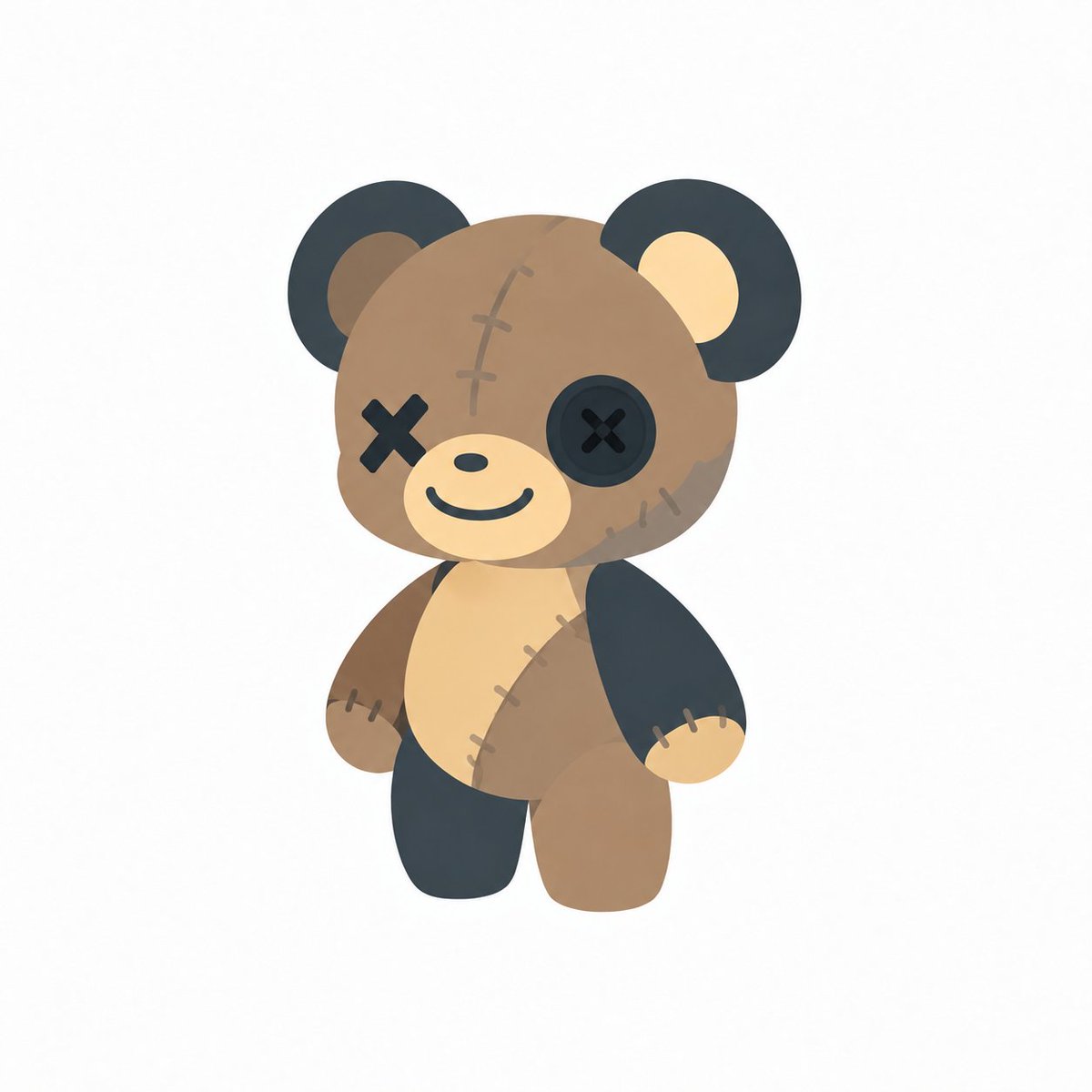
A clean 2D chibi plush teddy bear character design suitable for indie game sprites, mascot art, or animation source material.
Create a centered full-body chibi game character illustration of a cute patched teddy bear mascot on a clean white background. The character is {argument name="character type" default="a stitched plush teddy bear"} with a large round head, small rounded body, stubby arms and legs, and a soft toy-like silhouette. Use a warm {argument name="main fur color" default="medium caramel brown"} head and body, a pale cream oval muzzle and belly, and dark nearly black navy patch pieces on the outer ears, one arm, one leg, and one button eye. The face has exactly 2 eyes: the left eye is a black stitched X, and the right eye is a large dark circular button with a stitched X in the center. Add a tiny dark oval nose and a simple friendly curved smile. The bear has exactly 2 round ears with dark outer circles and lighter inner circles. Add visible stitched repair details in exactly 7 places: three short vertical stitches along a curved seam on the forehead, two stitches on the lower right cheek patch, three stitches on the left wrist seam, three stitches on the right wrist seam, three stitches on the diagonal belly seam, two stitches near the lower belly, and one subtle patch seam on the head. Pose the bear standing upright, slightly leaning, with arms hanging down and legs apart like an idle game sprite. Style should be soft 2D vector-like digital art with gentle gradients, matte texture, rounded shapes, minimal outlines, muted pastel colors, and subtle ambient shadowing, suitable for a cute indie game character or sprite sheet source. Keep the composition simple, no text, no props, no background scenery, no watermark, no border.
Ceci est un prompt IA gratuit issu de la bibliothèque Orelon. Des milliers d’autres prompts image sont disponibles ici, à copier et adapter librement.
Explorer d’autres prompts image
Prêt à créer
Partez de cette direction sélectionnée dans Orelon, puis façonnez-la pour votre prochain visuel.