
Gothic Ribbon Dance Album Cover
A monochrome manga-style gothic album cover showing a young man dancing with a faceless ribbon-wrapped figure amid cascading ribbons.
J’aime
9
Vues
133
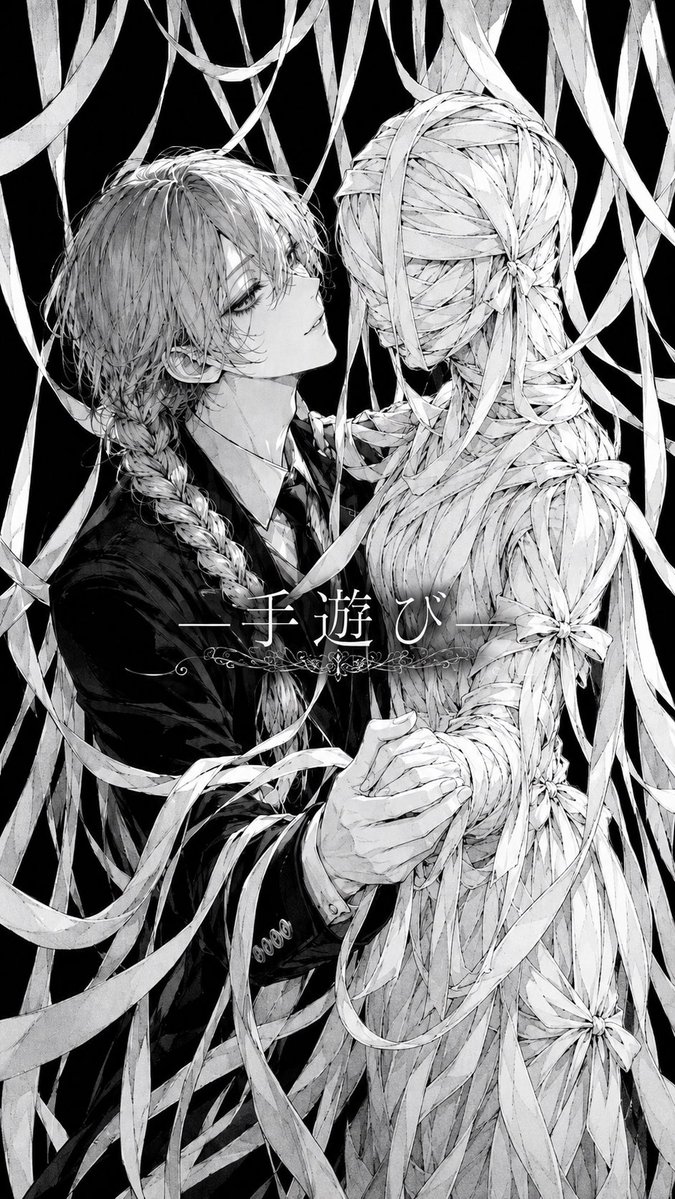
A monochrome manga-style gothic album cover showing a young man dancing with a faceless ribbon-wrapped figure amid cascading ribbons.
Create a monochrome vertical album-cover illustration in highly detailed Japanese gothic manga style. Show exactly 2 central figures in a close, eerie ballroom-dance pose: on the left, an androgynous young man with {argument name="hair color" default="pale silver"} messy layered hair partly covering one eye, long braided hair over his shoulder, a dark formal suit, white shirt, and black tie, gazing upward with a detached, melancholic expression; on the right, a faceless human-shaped partner entirely constructed from countless pale ribbon strips, seen mostly from the back and side, with a head, torso, arms, and waist wrapped like a woven mummy or doll. The man holds the ribbon figure's hand at the lower center while his other arm draws close around the figure, suggesting an intimate dance or embrace. Surround them with many long dangling and swirling ribbons from the top and sides, overlapping the characters and filling the frame; the background is pure black for stark contrast. Include exactly 5 visible flower-like ribbon knots on the ribbon partner: one at the back of the head, one at the upper back/shoulder area, one on the right upper arm, one near the waist/hip, and one near the lower right skirt area. Use fine pencil crosshatching, thin ink lines, soft gray shading, high-detail hair strands, delicate fabric texture, and a haunting romantic horror mood. Add centered Japanese title text across the middle reading {argument name="title text" default="—手遊び—"}, in elegant white Mincho-style serif lettering, with thin horizontal lines on both sides and a small ornate floral filigree decoration underneath. Tall smartphone aspect ratio, no color except black, white, and gray, no watermark, no extra text.
Ceci est un prompt IA gratuit issu de la bibliothèque Orelon. Des milliers d’autres prompts image sont disponibles ici, à copier et adapter librement.
Explorer d’autres prompts image



Prêt à créer
Partez de cette direction sélectionnée dans Orelon, puis façonnez-la pour votre prochain visuel.