
Foldable Recipe App Mockup
Transforms an open blank foldable device reference into a realistic dual-screen recipe app interface on the same tabletop scene.
Likes
0
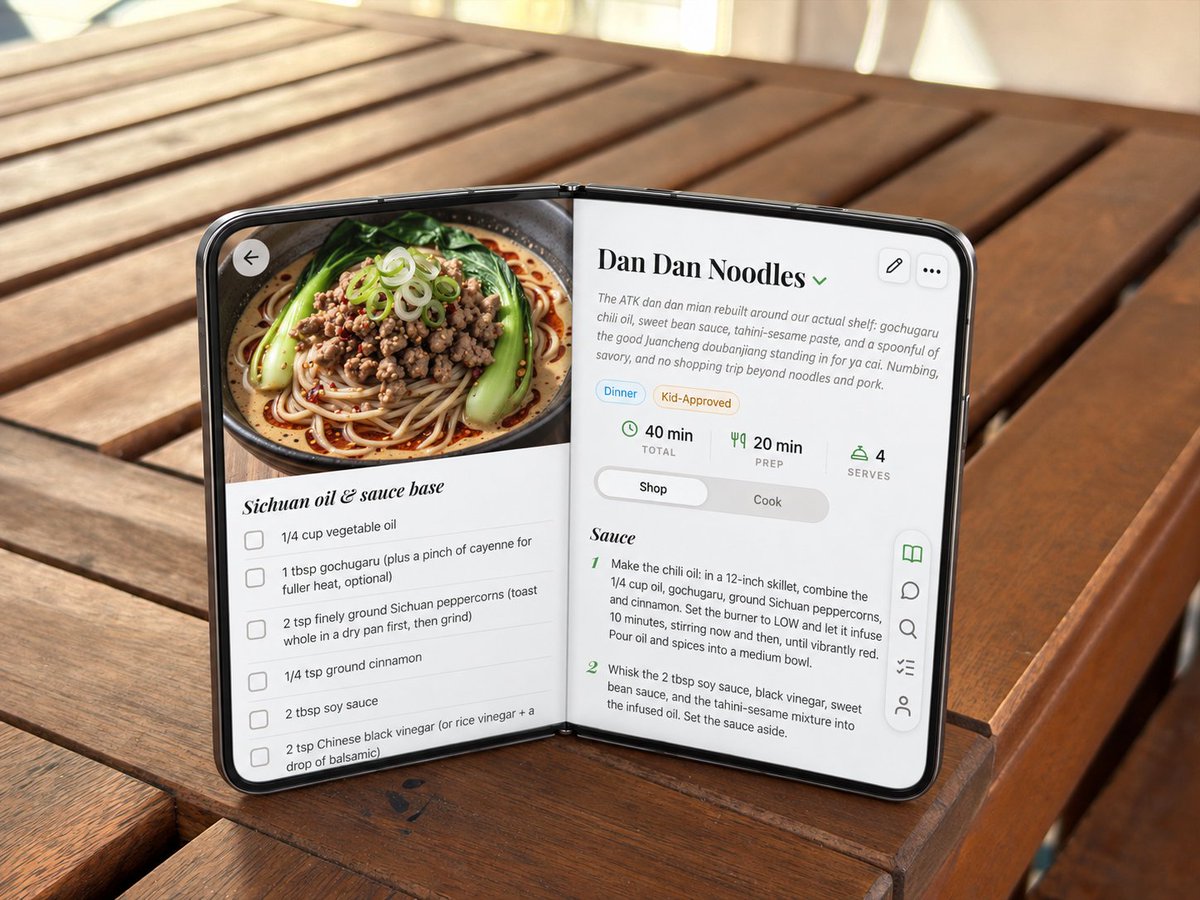
Transforms an open blank foldable device reference into a realistic dual-screen recipe app interface on the same tabletop scene.
Using the provided reference image, transform the blank open foldable mock device into a realistic open-screen smartphone/tablet running a polished recipe app UI, while preserving the exact tabletop setting, camera angle, lighting, hinge pose, and overall open-book orientation. Goal: Replace the gray blank panels with edge-to-edge glossy screens and a thin black phone bezel, making the device look like a premium dual-screen foldable phone in an open-book pose. Screen content: Show a cooking app recipe page for {argument name="recipe title" default="Dan Dan Noodles"}. The layout should span both halves naturally across the hinge. Left screen: Add a large appetizing food photo at the top showing a bowl of noodles with greens, minced topping, scallions, and chili oil. Under it, create an ingredient checklist section titled {argument name="ingredient section title" default="Sichuan oil & sauce base"} with exactly 5 visible checkbox rows: vegetable oil, gochugaru with optional cayenne, ground Sichuan peppercorns, ground cinnamon, and soy sauce / Chinese black vinegar text partially continuing near the bottom. Add a circular back arrow button over the upper-left of the food image. Right screen: Create the recipe detail and instructions panel. Include the title, a small green dropdown chevron, a short descriptive paragraph, two pill tags labeled "Dinner" and "Kid-Approved," and exactly 3 stat blocks: "40 min TOTAL," "20 min PREP," and "4 SERVES." Add a segmented control with "Shop" selected and "Cook" unselected. Below, show a section titled "Sauce" with exactly 2 numbered instruction steps visible. Controls: Add exactly 2 small rounded-square action buttons at the upper-right of the right screen: edit pencil and three-dot menu. Add a floating vertical toolbar on the lower-right edge with exactly 5 icons: open book highlighted in green, chat bubble, search, checklist, and user/profile. Style constraints: Keep the generated UI crisp, realistic, and slightly perspective-warped to match the device angle. Stretch the app to the screen edges, make the black rim and hinge believable, preserve the original warm outdoor wooden table background, and avoid changing the physical placement of the foldable device.
Dies ist ein kostenloser KI-Prompt aus der Orelon-Bibliothek. Tausende weitere Bild-Prompts kannst du hier kostenlos kopieren und anpassen.
Weitere Bild-Prompts entdecken





Bereit zum Erstellen
Starte mit dieser handverlesenen Richtung in Orelon und forme daraus dein nächstes Visual.