
Tipsy Businessman on Marble Stairs
A crisp anime-style scene of a suited man dancing on grand white marble stairs, useful for stylish social media art with a playful work-night mood.
Likes
7
Aufrufe
89
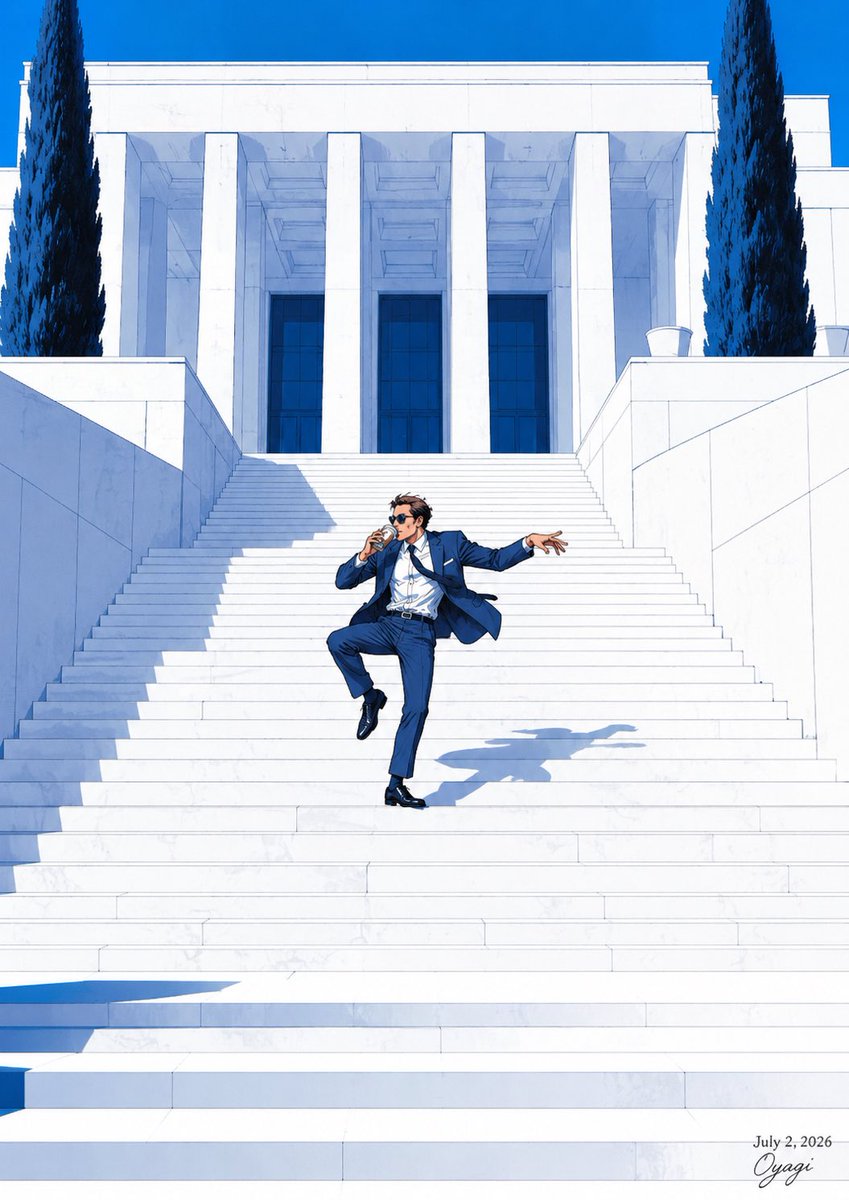
A crisp anime-style scene of a suited man dancing on grand white marble stairs, useful for stylish social media art with a playful work-night mood.
Create a polished anime-style illustration in a bright Mediterranean architectural setting: a stylish adult man, {argument name="character name" default="Oyagi"}, dancing playfully halfway down a vast white marble staircase in front of a monumental white neoclassical building. He wears a sharp {argument name="suit color" default="navy blue"} suit, white dress shirt slightly open at the collar, dark belt, glossy black dress shoes, and dark sunglasses; his short dark hair is tousled by motion. Pose him mid-step with one knee lifted, one foot planted, torso leaning back slightly, one hand near his mouth as if holding a small drink or cigarette, and the other arm extended outward with relaxed fingers, suggesting he is tipsy but confident and carefree. The environment should feature extremely wide symmetrical white stairs, tall rectangular columns, deep blue glass doors, crisp marble wall panels, two tall dark cypress trees framing the building near the top left and right, and a vivid cloudless cobalt-blue sky. Use strong midday sunlight with high contrast, cool blue shadows cast across the stairs, and a clear elongated shadow of the dancing man on the marble steps. Composition is vertical, full-body subject small-to-medium in scale centered on the staircase, emphasizing the grand architecture and clean geometric perspective. Visual style: high-end Japanese anime illustration with clean linework, realistic lighting, crisp architectural detail, saturated blues and whites, elegant summer atmosphere, no crowd, no vehicles, no clutter. Add small handwritten-style signature text at the bottom right reading {argument name="signature text" default="Oyagi"} and a small date above it reading {argument name="date text" default="July 2, 2026"}.
Dies ist ein kostenloser KI-Prompt aus der Orelon-Bibliothek. Tausende weitere Bild-Prompts kannst du hier kostenlos kopieren und anpassen.
Weitere Bild-Prompts entdecken




Bereit zum Erstellen
Starte mit dieser handverlesenen Richtung in Orelon und forme daraus dein nächstes Visual.