
One Beat — Multilingual Hip-Hop MV
A 24-second rooftop music video with fixed four-person casting from reference images and precise multilingual lip-sync.
게시일2026. 8. 30.
원문 언어ZH
카테고리
Viral TrendsMusic videoMultilingualReference consistency
A 24-second rooftop music video with fixed four-person casting from reference images and precise multilingual lip-sync.
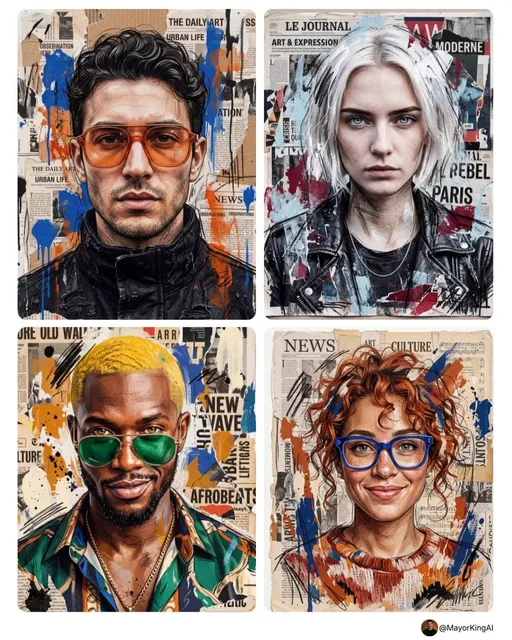
Create a 24-second cinematic international hip-hop music video with photorealistic visuals, premium street-fashion aesthetics, confident energy, and fast pacing. References: Image 1 defines the fixed four-person group: female lead singer front-center, male DJ rear-center, two hype performers left/right. Image 2 defines the singer's face, hair, makeup, silver-black techwear outfit, and microphone. Image 3 defines the rooftop stage. Keep all characters, outfits, identities, and location consistent throughout. Music: Original international hip-hop anthem, ~106 BPM. Start with a strong groove immediately: punchy kick, crisp snare, syncopated bass, catchy synth/brass hook. Eight languages flow naturally as one rap performance. Beat drop at 21s. Shots: 0–3s: Aerial city → descend to rooftop → low-angle push-in. "One beat." 3–6s: Front close-up. "同一个节拍。" 6–9s: DJ controls → tilt up to singer. "ひとつのリズム。" 9–12s: 3/4 singer shot, smooth lateral move. "하나의 리듬." 12–15s: Low-angle tracking as singer walks forward. "Um só ritmo." 15–18s: Singer + right performer turn toward camera. "จังหวะเดียวกัน." 18–21s: Strong frontal push-in. "Un mismo ritmo." 21–24s: Side-lit close-up. "إيقاع واحد." Beat drops, pull back to heroic group wide shot. Singer: "Different voices, one beat." Group: "One beat." Precise multilingual lip-sync with the same singer and voice throughout. Keep singer front-center, DJ behind, performers left/right. Use smooth pushes, pullbacks, lateral moves, hard cuts, and natural wipes. Deep blue, silver, warm gold, subtle magenta neon; cinematic 24/35/50mm lenses, shallow DOF, film grain, realistic skin. No subtitles, text, logos, UI, or watermark. No character duplication, identity changes, distorted hands, floating objects, or unstable equipment.
이건 Orelon 라이브러리의 무료 AI 프롬프트예요. 여기에는 자유롭게 복사하고 응용할 수 있는 동영상 프롬프트가 수천 개 더 있어요.
동영상 프롬프트 더 둘러보기



만들 준비됐나요
Orelon에서 이 큐레이션된 방향으로 시작한 다음, 다음 비주얼로 다듬어 가세요.