
Doodle Creature to Fantasy 3D Monster
Transforms rough creature sketches into a polished whimsical 3D storybook monster in a cinematic fantasy landscape.
좋아요
0
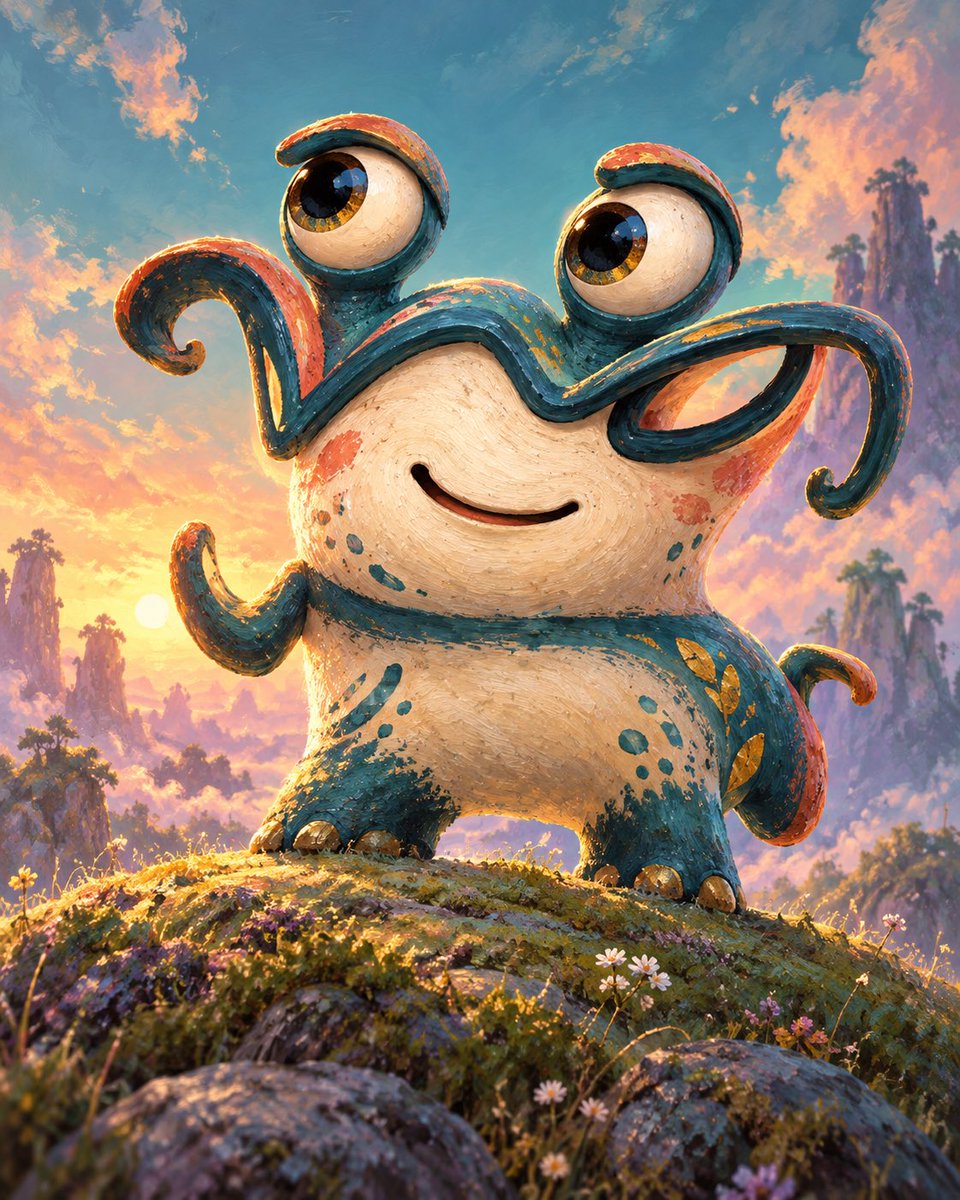
Transforms rough creature sketches into a polished whimsical 3D storybook monster in a cinematic fantasy landscape.
Goal: Using REFERENCE_0 as the rough creature-shape sketch and REFERENCE_1 as the color/style cue, transform the doodle into a polished whimsical fantasy creature illustration. Transformation: Interpret the simple black sketch lines as a cute clay-like monster with a rounded body, a smiling face, two raised eyeballs on stalks, and exactly four curled appendages: one curled left upper arm, one long curled right upper arm, one small curled left side arm, and one curled tail-like appendage on the right rear. Keep the playful asymmetry and exaggerated cartoon proportions from the sketch, but make it fully rendered and dimensional. Style: Convert the crude marker drawing into a richly textured painterly 3D storybook look, like a handcrafted ceramic or painted clay toy. Use the orange and teal accents from REFERENCE_1 as painted markings and edge colors over a warm cream body. Make the surface visibly brushy, speckled, slightly worn, and tactile. Scene additions: Place the creature heroically on a mossy hilltop with small wildflowers and rocks in the foreground. Add a dreamy fantasy sunset landscape behind it with glowing warm light, teal-blue sky, peach clouds, distant misty mountains, tall rock spires, and small trees. Use cinematic backlighting and a low-angle composition so the creature feels charming and triumphant. Customizable details: The creature should feel {argument name="mood" default="cheerful and curious"}; use a {argument name="color palette" default="cream body with teal and orange painted accents"}; set it in a {argument name="background setting" default="dreamy fantasy sunset mountain meadow"}; render in a {argument name="art style" default="painterly 3D storybook illustration"}; keep the composition {argument name="camera angle" default="low-angle heroic portrait"}. Constraints: Do not keep the image as a flat sketch; do not add text, logos, or extra characters. Preserve the childlike doodle energy while making the final image polished, detailed, and magical.
이건 Orelon 라이브러리의 무료 AI 프롬프트예요. 여기에는 자유롭게 복사하고 응용할 수 있는 이미지 프롬프트가 수천 개 더 있어요.
이미지 프롬프트 더 둘러보기





만들 준비됐나요
Orelon에서 이 큐레이션된 방향으로 시작한 다음, 다음 비주얼로 다듬어 가세요.