
Chinese Warrior Transparent Asset Chat
A dark chat-interface mockup showing a transparent-background Chinese warrior sword-dance asset with glowing blade effects.
조회수
20
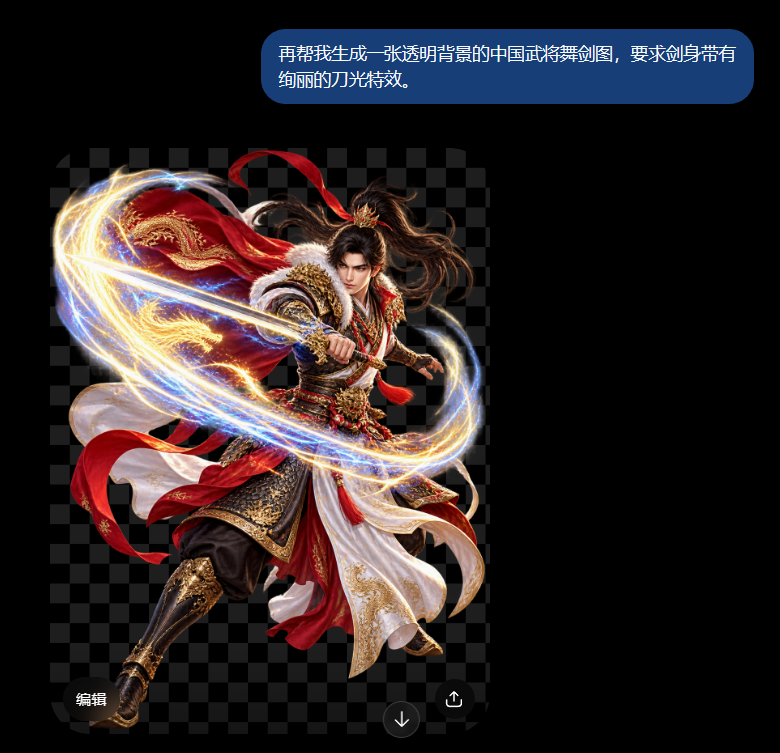
A dark chat-interface mockup showing a transparent-background Chinese warrior sword-dance asset with glowing blade effects.
Create a dark-mode chat screenshot featuring a generated transparent-background asset preview. Canvas: square 768×768 with a pure black app background. At the upper right, place one rounded blue chat bubble containing the exact Chinese text {argument name="chat message" default="再帮我生成一张透明背景的中国武将舞剑图,要求剑身带有绚丽的刀光特效。"} in white sans-serif type, split across two lines, with generous padding and pill-shaped corners. Below it, show a large image-preview panel with a dark gray checkerboard transparency grid. Center the panel on a dramatic Chinese warrior sword-dance cutout: a young male ancient Chinese general with long flowing black hair, intense expression, ornate red, white, black, and gold armor and robes, red ribbons and cape sweeping through the air, embroidered gold details, fur-trimmed shoulder armor, and one extended leg in a dynamic midair lunge. He holds a sword angled diagonally forward from left to right, surrounded by vivid glowing blade-light effects: one large elliptical swirl wrapping around the character, composed of golden sparks, blue-white energy trails, and bright motion streaks. Make the warrior look like a high-detail fantasy game character render with sharp metallic and fabric textures, rim lighting, and no visible background except the checkerboard grid. Add exactly three small UI controls over the bottom of the preview: a rounded dark label at bottom left reading 「编辑」, a circular dark download icon button near the lower center-right, and a circular dark share/upload icon button at the bottom right. Visual style: realistic cinematic fantasy character art inside a modern mobile chat interface, high contrast, polished GPT-style image generation result. Constraints: keep the checkerboard transparency pattern visible behind the character, do not add extra messages, watermarks, or additional UI panels.
이건 Orelon 라이브러리의 무료 AI 프롬프트예요. 여기에는 자유롭게 복사하고 응용할 수 있는 이미지 프롬프트가 수천 개 더 있어요.
이미지 프롬프트 더 둘러보기



만들 준비됐나요
Orelon에서 이 큐레이션된 방향으로 시작한 다음, 다음 비주얼로 다듬어 가세요.