
Stylized Pine Tree Game Asset Sheet
Creates a clean multi-view concept sheet for a stylized conifer tree game asset with scale references for 3D modeling workflows.
点赞
0
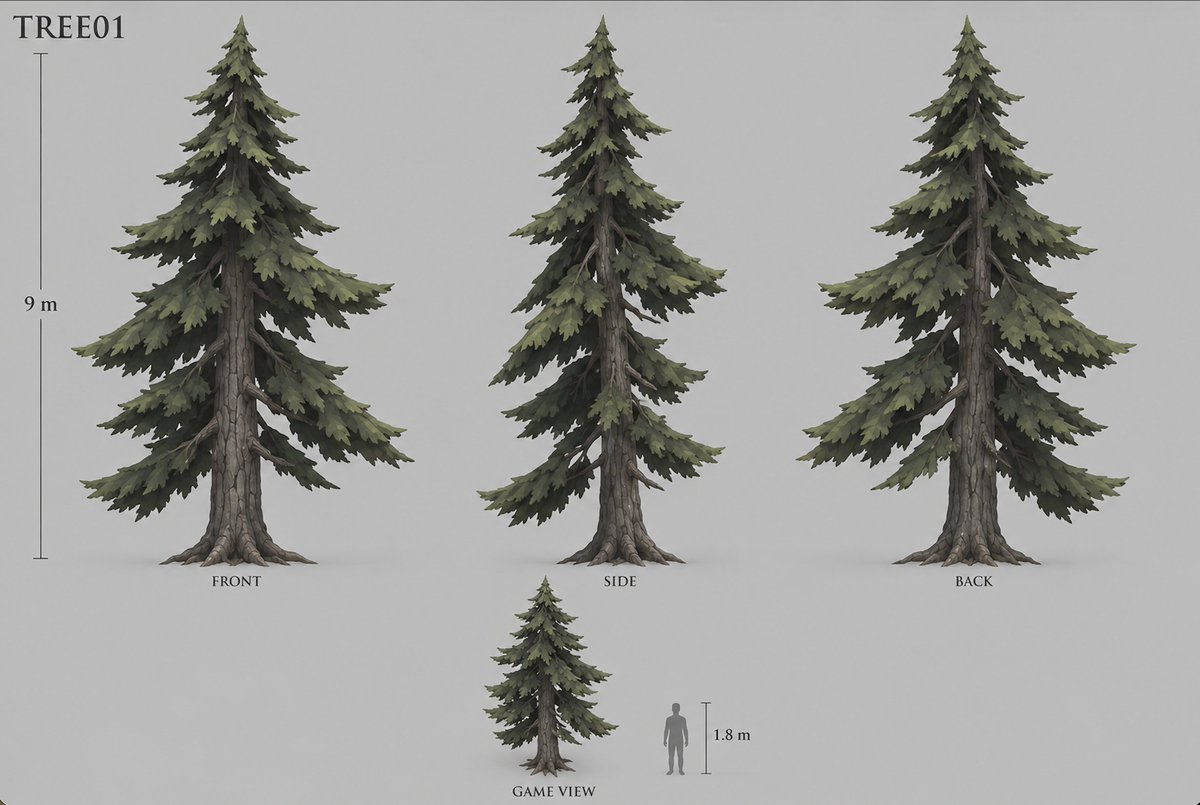
Creates a clean multi-view concept sheet for a stylized conifer tree game asset with scale references for 3D modeling workflows.
Goal: Create a clean game-asset concept sheet for a stylized conifer tree labeled {argument name="asset code" default="TREE01"}, designed for conversion into a 3D model. Canvas: Wide horizontal concept-art sheet on a plain light gray background, soft studio lighting, no environment, no decorative border. Use muted natural colors and a painterly semi-realistic fantasy game style. Layout: Show exactly 4 tree depictions: 1 large front view on the left, 1 large side view in the center, 1 large back view on the right, and 1 smaller game-scale view near the bottom center. Add exactly 2 scale references: a vertical height ruler beside the large front tree labeled {argument name="tree height" default="9 m"}, and a gray human silhouette beside the small game view with a short vertical ruler labeled {argument name="human height" default="1.8 m"}. Place view labels under the trees: {argument name="front label" default="FRONT"}, "SIDE", "BACK", and "GAME VIEW". Subject details: The tree is a tall spruce or fir with a rugged straight trunk, visible gray-brown cracked bark, exposed root flares at the base, and layered drooping branch tiers. The foliage is dense but irregular, made of jagged clustered needle masses in desaturated olive green, dark pine green, and shadowed charcoal green. The silhouette is triangular and natural, with a pointed crown, asymmetric branch lengths, some bare branch sections visible near the trunk, and broad lower boughs tapering upward. The side view should look narrower with overlapping branches, while the back view should reveal similar foliage massing and trunk structure from behind. The small game view should repeat the same tree design at reduced scale, next to the human silhouette for proportion. Typography and annotations: Put the asset code in the upper-left corner in a simple serif typeface, large and black. Use small black serif labels beneath each view. Rulers are thin dark gray vertical lines with small caps and understated measurement text. Constraints: Keep the sheet uncluttered and orthographic, with consistent scale among the three large views. Use exactly the 4 tree depictions and 2 scale references described, avoid extra plants, rocks, UI elements, textures, logos, watermarks, or background scenery.
这是 Orelon 提示词库里的一条免费 AI 提示词。这里还有成千上万条图像提示词,都能免费复制和改用。
探索更多图像提示词
width: 1176 · aspect: 2:3 · height: 1764
查看提示词
width: 716 · aspect: 179:321 · height: 1284
查看提示词


准备好就开始
从这条精选创作方向开始,在 Orelon 中塑造你的下一张视觉作品。