
Visual Effects
AI Coding Partner Timeline
点赞
19
浏览
2407
Visual Effects
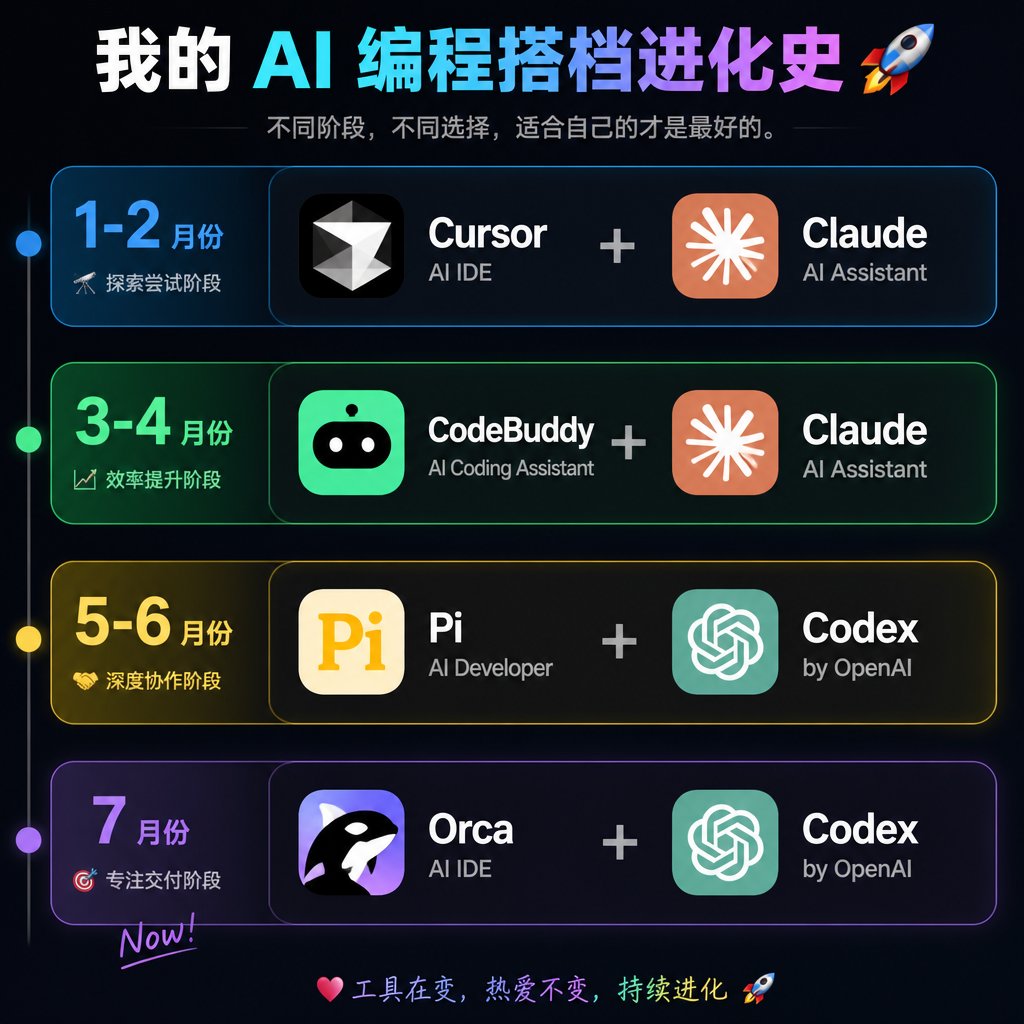
Goal: Create a dark neon Chinese timeline infographic poster showing the evolution history of an AI programming partner stack, with four horizontal stage cards and paired software tools. Canvas: Square 1:1 image, about 768×768 px, black-to-deep-navy background with subtle glow, thin neon strokes, high-contrast modern tech aesthetic. Header: Large bold Chinese headline at the top: {argument name="headline text" default="我的 AI 编程搭档进化史 🚀"}. Use a white-to-cyan-to-purple gradient emphasis across the AI/programming words. Under it, add a smaller gray subtitle: {argument name="subtitle text" default="不同阶段,不同选择,适合自己的才是最好的。"} with thin horizontal divider lines on both sides. Layout: Four stacked rounded rectangular timeline cards, evenly spaced vertically. A thin vertical timeline line runs down the far left with exactly 4 glowing circular nodes aligned to the 4 rows: blue, green, yellow, purple. Each row has a left date/stage block and a larger right tools block. The right block shows exactly 2 app tiles separated by a large plus sign. Rows: Use exactly 4 rows. Row 1 is blue and labeled {argument name="row one text" default="1-2 月份|探索尝试阶段"}; tools are Cursor + Claude. Row 2 is green and labeled {argument name="row two text" default="3-4 月份|效率提升阶段"}; tools are CodeBuddy + Claude. Row 3 is yellow and labeled {argument name="row three text" default="5-6 月份|深度协作阶段"}; tools are Pi + Codex. Row 4 is purple and labeled {argument name="row four text" default="7 月份|专注交付阶段|Now!"}; tools are Orca + Codex. App tiles and icons: Create exactly 8 app icon/name groups total: 1) Cursor, black rounded-square icon with a white faceted diamond/cursor mark, sublabel “AI IDE”; 2) Claude, orange rounded-square icon with a white radial starburst, sublabel “AI Assistant”; 3) CodeBuddy, bright green rounded-square icon with a cute black robot face and white eyes, sublabel “AI Coding Assistant”; 4) Claude, same as above; 5) Pi, cream rounded-square icon with large yellow “Pi”, sublabel “AI Developer”; 6) Codex, teal rounded-square OpenAI knot style icon, sublabel “by OpenAI”; 7) Orca, purple rounded-square icon with a black-and-white orca whale, sublabel “AI IDE”; 8) Codex, same as above. Tool names are large bold white text; sublabels are smaller light gray text. Plus signs are large, centered, and light gray. Footer: At the bottom center, add a small colorful handwritten-style line: “💗 工具在变,热爱不变,持续进化 🚀”. Visual style: Cyber UI dashboard look, rounded cards with translucent dark fill, colored neon borders matching each row, soft outer glows, crisp typography, clean alignment, no clutter, no watermark.
这是 Orelon 提示词库里的一条免费 AI 提示词。这里还有成千上万条图像提示词,都能免费复制和改用。
探索更多图像提示词


准备好就开始
从这条精选创作方向开始,在 Orelon 中塑造你的下一张视觉作品。