
Cat Watching Alpine Sunrise UI
A minimalist AI chat screenshot featuring a generated photorealistic image of a cat viewing a sublime alpine sunrise.
发布时间2026年9月11日
原始语言ZH
点赞
0
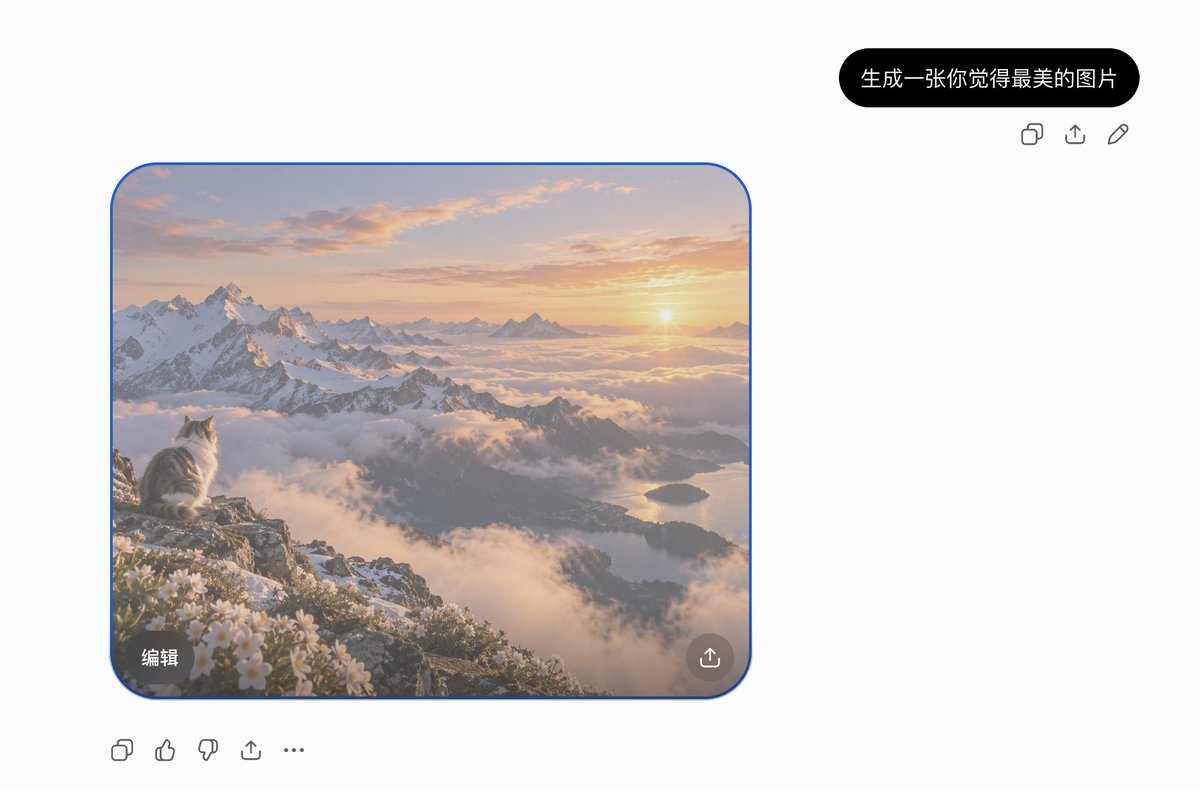
A minimalist AI chat screenshot featuring a generated photorealistic image of a cat viewing a sublime alpine sunrise.
Goal: Create a clean desktop AI chat interface screenshot showing a generated image result for the Chinese request {argument name="prompt bubble text" default="生成一张你觉得最美的图片"}. Canvas: Wide 3:2 screenshot, approximately 1200x789 pixels, white background, lots of empty space. Use a minimalist ChatGPT-like layout with no visible browser chrome or watermark. Layout: Place one black rounded user prompt bubble near the upper right. Directly below and slightly right of it, show exactly 3 small gray action icons in a row: copy, share/upload, and edit pencil. On the left-middle of the canvas place one large rounded-square generated image card with a thin bright blue selection outline and rounded corners. Under the image card, aligned left, show exactly 5 gray action icons in a row: copy, thumbs up, thumbs down, share/upload, and more/ellipsis. Generated image card content: A breathtaking photorealistic alpine sunrise landscape. In the lower-left foreground, a fluffy white-and-gray cat sits on a rocky mountain ledge, seen from behind and in profile, gazing toward the sun. Surround the ledge with small white alpine flowers and patches of snow. The midground contains dramatic snow-covered jagged mountains, valleys filled with soft clouds and fog, and a distant lake reflecting warm morning light. The sun is low near the right horizon, casting golden peach, pink, and lavender light across thin clouds. The atmosphere should feel serene, majestic, and dreamlike, like the cat is witnessing the most beautiful sunrise. Image card overlays: Include exactly 2 overlay controls inside the generated image: a dark translucent rounded rectangle at the bottom-left with the Chinese label {argument name="edit button text" default="编辑"}, and a dark translucent circular share/upload button at the bottom-right. Visual style: The UI should be crisp, modern, and sparse; icons are simple gray line icons. The image card should be realistic, softly luminous, high dynamic range, and cinematic, contrasting with the flat white interface. Keep the blue selection border visible around the image card.
这是 Orelon 提示词库里的一条免费 AI 提示词。这里还有成千上万条图像提示词,都能免费复制和改用。
探索更多图像提示词


准备好就开始
从这条精选创作方向开始,在 Orelon 中塑造你的下一张视觉作品。