
Camera Control
Colored Shonen Manga Battle Page
点赞
2
浏览
65
Camera Control
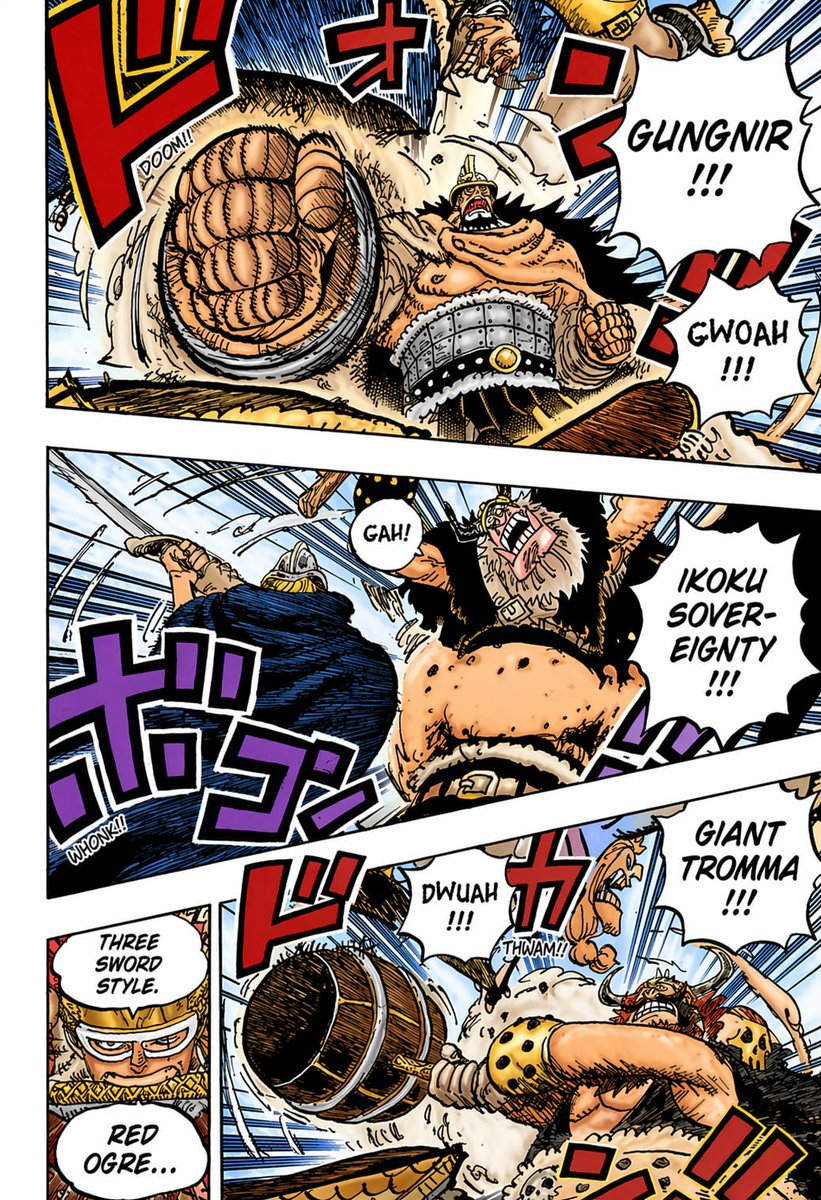
A fully colored shonen manga action page in the style of a high-energy pirate battle comic, presented as a single comic page with 4 visible panels separated by thick white gutters and slightly tilted panel borders. Use bold black ink lines, dense crosshatching, speed lines, cel-style coloring, dramatic foreshortening, and exaggerated impact effects. The scene shows a muscular, towering giant warrior with tan skin, a horned helmet, wild black hair and beard, fur-trimmed black clothing, a wide studded metal belt, and a massive spiked club, battling a swordsman in dark blue clothing and armor-like headgear. Top panel: an extreme close-up of a huge clenched fist thrusting toward the viewer with explosive perspective, the giant shouting “GUNGNIR !!!” in a jagged speech balloon, and another balloon reading “GWOAH !!!”; add large red Japanese sound effects and a small “DOOM!!” impact text. Middle wide panel: the giant swings upward and roars “IKOKU SOVEREIGNTY !!!” while the blue-clad opponent recoils at left; include a speech balloon saying “GAH!” and large purple Japanese sound effects with a small “WHONK!!”. Bottom left narrow panel: a cropped close-up setup panel with two stacked speech balloons reading “THREE SWORD STYLE.” and “RED OGRE…”, with the speaker mostly off-frame and partially obscured. Bottom right large panel: the giant drives a massive wooden spiked club across the frame in a violent horizontal smash, shouting “GIANT TROMMA !!!”; include smaller impact balloons reading “DWUAH !!!” and “THWAM!!”, plus oversized red Japanese sound effects. Backgrounds should be mostly pale sky blue with heavy motion lines and flying debris. Preserve the feel of a professionally colored weekly manga page: saturated reds, blues, purples, tan skin tones, cream fur textures, black shadows, and crisp white speech balloons with hand-lettered comic text.
这是 Orelon 提示词库里的一条免费 AI 提示词。这里还有成千上万条图像提示词,都能免费复制和改用。
探索更多图像提示词





准备好就开始
从这条精选创作方向开始,在 Orelon 中塑造你的下一张视觉作品。