
Viral Trends
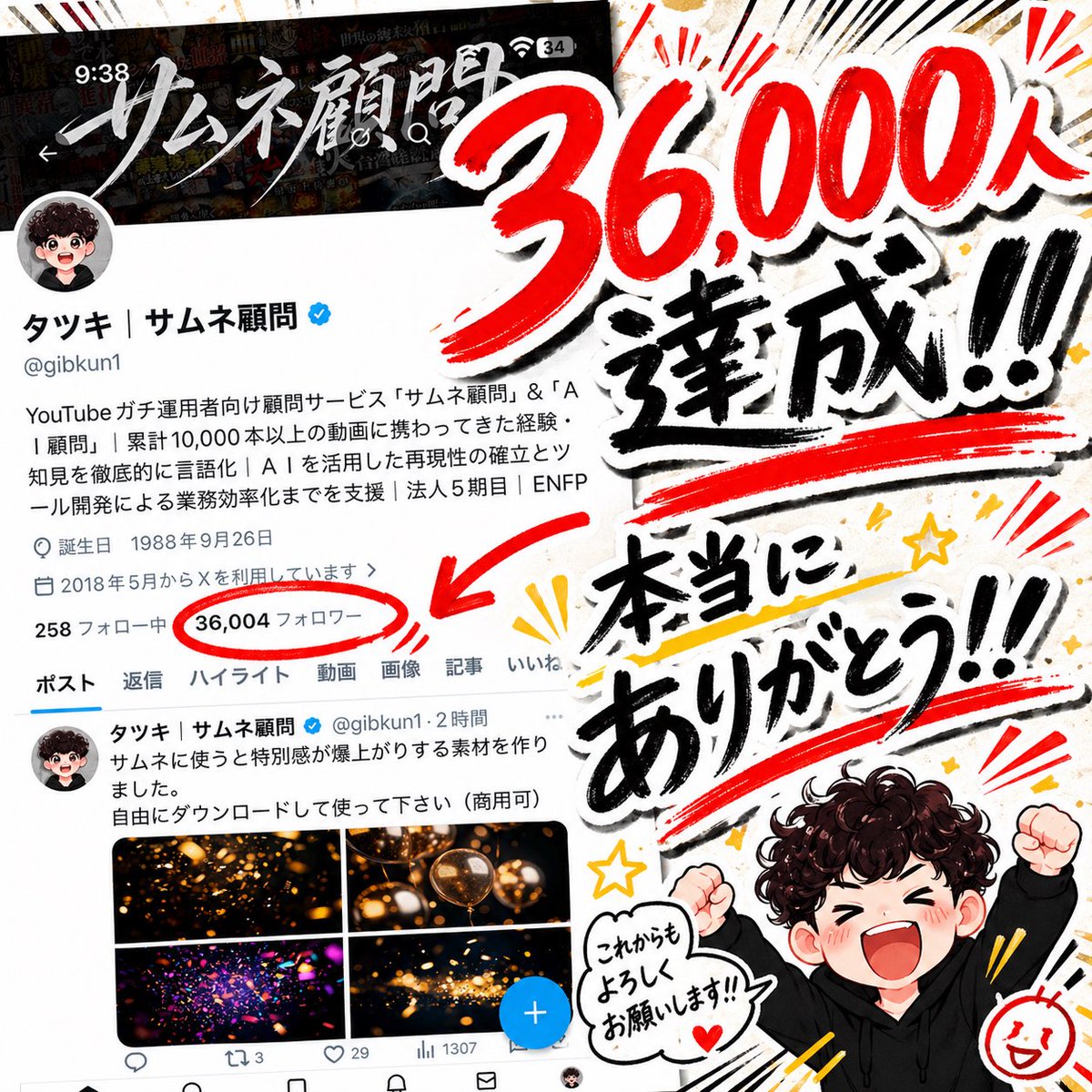
Japanese 36,000 Followers Celebration Post
点赞
13
浏览
3321
Viral Trends
A bold Japanese social-media milestone celebration graphic in a square 1:1 layout, combining a smartphone screenshot and hand-painted calligraphy-style typography. On the left half, show a realistic screenshot of an X profile page in dark mode and white content area, slightly tilted, with the profile name "タツキ|サムネ顧問" and handle "@gibkun1" visible, a blue verification badge, and the follower count circled in thick red marker. The circled count should read {argument name="follower count" default="36,004"} with a large red arrow pointing toward it. The screenshot should include a profile icon at upper left, Japanese bio text lines, top navigation tabs, and a tweet preview with 4 small glowing thumbnail images near the bottom, evoking an authentic mobile app capture. Across the right half and partially overlapping the screenshot, place huge brush lettering in Japanese that reads "36,000人達成!!" in vivid red and black ink with dramatic white outline and drop shadow, then below it larger expressive black brush lettering reading "本当にありがとう!!" with thick red underline strokes. Add energetic manga-style emphasis lines, starbursts, black speed lines, yellow spark accents, and rough paint textures around the text. Near the bottom right, include a small chibi-style celebratory character with {argument name="character hair" default="dark curly brown"} hair, wearing a {argument name="character outfit" default="black hoodie"}, both fists raised in excitement. The face is intentionally blurred or obscured. Add a white speech bubble next to the character containing the handwritten Japanese text {argument name="speech bubble text" default="これからもよろしくお願いします!!"}. Use a high-contrast celebratory thumbnail aesthetic typical of Japanese YouTube and X announcement posts, with layered sticker-like composition, rough ink brushwork, red-black-white-gold color palette, and a loud, emotionally grateful, viral social-media design.
这是 Orelon 提示词库里的一条免费 AI 提示词。这里还有成千上万条图像提示词,都能免费复制和改用。
探索更多图像提示词





准备好就开始
从这条精选创作方向开始,在 Orelon 中塑造你的下一张视觉作品。