
Camera Control
GitHub README Ancient Social Feed
浏览
58
Camera Control
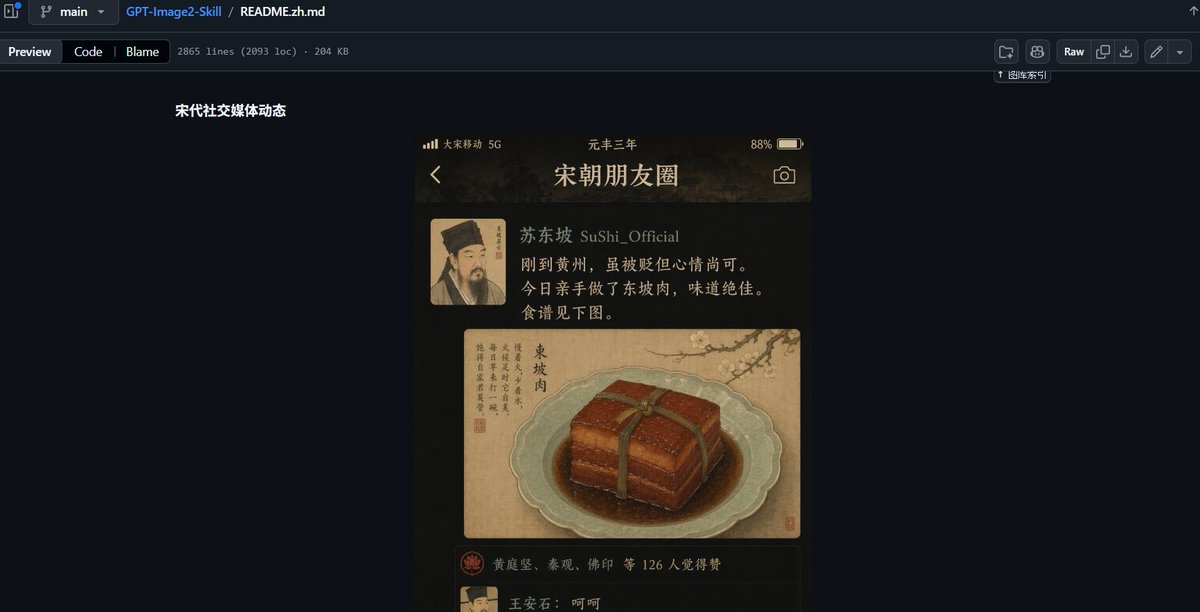
Goal: Create a wide desktop screenshot of a GitHub repository README preview in dark mode, showing a design example for an ancient Chinese social media feed UI. Canvas: 1200×612 px horizontal screenshot, dark navy GitHub interface, cropped like a browser window with no visible browser address bar. The composition is mostly empty dark GitHub background, with the README content centered slightly left of middle. GitHub page layout: At the very top, show the GitHub file breadcrumb and toolbar. Include exactly 3 breadcrumb/file items: a branch selector labeled “main”, the repository name “GPT-Image2-Skill”, and the file name “README.zh.md”. Below it, show exactly 3 tab buttons on the left: “Preview”, “Code”, and “Blame”, followed by small metadata text reading approximately “2865 lines (2093 loc) · 204 KB”. On the right side of the toolbar, include exactly 6 small GitHub action buttons/icons, including a “Raw” button. Keep the UI crisp, dark, and realistic. README content: On the dark page, place a short bold white Chinese heading near the upper left of the content area: “宋代社交媒体动态”. Beneath and to the right of this heading, display a single vertical smartphone-style mockup image. Phone mockup subject: The phone mockup is an ancient Song dynasty themed social media app screen titled {argument name="app title" default="宋朝朋友圈"}. It has a warm sepia-black background, gold text, parchment textures, and a moody historical aesthetic. At the top of the phone screen show a status bar with exactly 4 visible status elements: carrier text “大宋移动 5G”, centered era text “元丰三年”, battery percentage “88%”, and a battery icon. Below that, show exactly 3 navigation/header elements: a back arrow on the left, the large title “宋朝朋友圈” in the center, and a camera icon on the right. Social post details: Show exactly 1 post. The post has exactly 1 square avatar on the left, a Song dynasty portrait with the face softly blurred. To the right of the avatar, show the username line {argument name="username" default="苏东坡 SuShi_Official"}. Under it, include the post text in Chinese: “刚到黄州,虽被贬但心情尚可。今日亲手做了东坡肉,味道绝佳。食谱见下图。” Render the text as warm off-white/gold calligraphic UI text. Post image: Under the text, show exactly 1 large image card styled like an antique Chinese painting on parchment. It depicts a pale celadon plate holding a glossy square block of Dongpo pork tied with a dark green strip, sitting in brown sauce. The image card also contains vertical Chinese calligraphy on the left, a small red seal, and a faint ink landscape or branch detail in the upper background. The food illustration should look painterly, like a museum manuscript mixed with realistic food rendering. Engagement area: Beneath the food card, show exactly 1 like row with a small red circular emblem icon and Chinese names/text reading approximately “黄庭坚、秦观、佛印 等 126 人觉得赞”. Below that, begin exactly 1 visible comment row with a small avatar and the comment “王安石:呵呵”, partially cut off near the bottom edge of the phone screen. Visual style: The overall screenshot should look like a real GitHub README preview containing a generated UI sample. Use dark GitHub colors, subtle separators, small white-gray interface text, and high contrast. The embedded phone mockup should be warm, cinematic, ancient Chinese, parchment-and-ink inspired, with soft vignetting and realistic shadows. Constraints: Keep the final image as a screenshot of the GitHub page, not just the phone UI. Include only one embedded phone mockup, one social post, one avatar, one food image, one like row, and one visible comment row. Do not add extra panels, extra posts, watermarks, or explanatory captions beyond the specified GitHub and README text.
这是 Orelon 提示词库里的一条免费 AI 提示词。这里还有成千上万条图像提示词,都能免费复制和改用。
探索更多图像提示词





准备好就开始
从这条精选创作方向开始,在 Orelon 中塑造你的下一张视觉作品。