
Camera Control
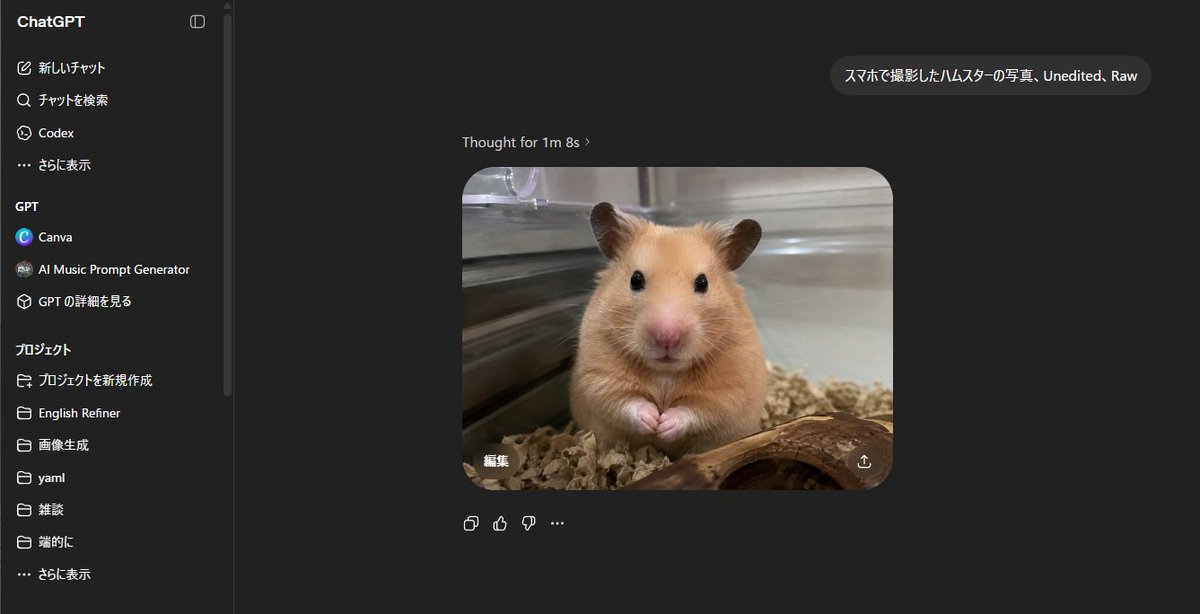
ChatGPT Hamster Image Screenshot
点赞
1
浏览
250
Camera Control
{"type":"realistic desktop screenshot of the ChatGPT web interface in dark mode","canvas":"wide 16:9 screenshot, approximately 1200x645, crisp UI capture, no browser chrome visible","main_scene":{"description":"A ChatGPT conversation page showing a generated image result in the center: a realistic smartphone-style photo of a golden Syrian hamster inside a glass enclosure, facing the camera with tiny paws together, black glossy eyes, pink nose, tan fur, bedding below, a curved piece of wood in the foreground, metal or glass cage walls behind, shallow depth of field, unedited raw photo look.","user_prompt_bubble":"{argument name=\"user prompt text\" default=\"スマホで撮影したハムスターの写真、Unedited、Raw\"}","assistant_status_text":"Thought for 1m 8s ›","generated_image":{"position":"center-right of chat area","shape":"rounded rectangle","count":1,"content":"hamster photo","style":"realistic, slightly soft phone camera photo, natural indoor lighting, warm tan animal fur, transparent enclosure reflections","overlay_controls_count":2,"overlay_controls":["small Japanese edit button reading 編集 at lower left of the generated image","download/share icon at lower right of the generated image"]}},"layout":{"background":"nearly black ChatGPT dark theme","left_sidebar":{"position":"left","width":"about one fifth of the image","title":"ChatGPT","visible_top_navigation_count":4,"visible_top_navigation":["新しいチャット","チャットを検索","Codex","さらに表示"],"gpt_section":{"title":"GPT","visible_items_count":3,"items":["Canva","AI Music Prompt Generator","GPT の詳細を見る"]},"projects_section":{"title":"プロジェクト","visible_items_count":7,"items":["プロジェクトを新規作成","English Refiner","画像生成","yaml","雑談","端的に","さらに表示"]},"details":"thin vertical divider and scroll bar near the sidebar edge"},"chat_area":{"position":"right of sidebar, dark empty workspace","message_count":2,"messages":["one user message bubble near the upper right containing the Japanese/English prompt text","one assistant generated-image response centered below with status text above"],"below_image_action_icons_count":4,"below_image_action_icons":["copy icon","thumbs up icon","thumbs down icon","more options ellipsis"]}},"style_directives":"Make the interface look like an authentic ChatGPT web app screenshot in Japanese locale, with clean sans-serif UI text, dark gray panels, white and light gray text, subtle rounded corners, accurate spacing, and a photorealistic hamster image embedded as the main output. Avoid decorative borders or extra annotations.","customization":{"animal":"{argument name=\"animal\" default=\"golden Syrian hamster\"}","photo style":"{argument name=\"photo style\" default=\"smartphone photo, unedited, raw\"}","interface language":"{argument name=\"interface language\" default=\"Japanese\"}"}}
这是 Orelon 提示词库里的一条免费 AI 提示词。这里还有成千上万条图像提示词,都能免费复制和改用。
探索更多图像提示词





准备好就开始
从这条精选创作方向开始,在 Orelon 中塑造你的下一张视觉作品。