
Commercial
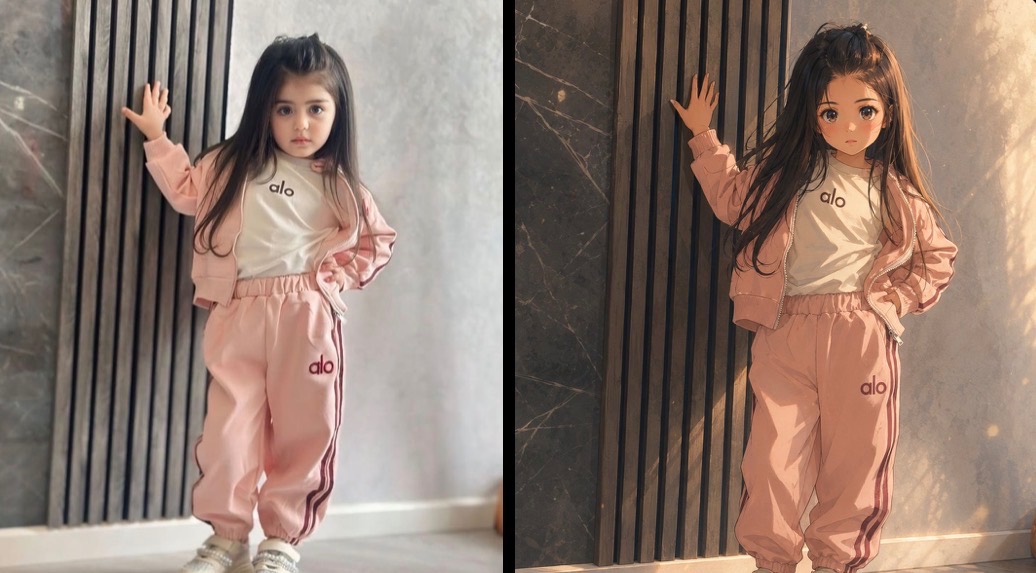
Cinematic Anime Transformation Comparison
点赞
11
浏览
2194
Commercial
Create a horizontal side-by-side comparison image showing the same young girl in two versions: the left panel is a realistic casual photo and the right panel is a luxurious cinematic Japanese anime-style transformation. Canvas: wide 16:9 comparison layout, split exactly down the center by a thin vertical black divider, with no captions or labels. Subject: one small girl appears once in each panel, standing full body indoors against a modern wall of vertical black wooden slats and gray marble/concrete panels. She has very long dark brown hair, a rectangular blurred face censor block, her left hand raised and touching the vertical slats, her right hand resting on her hip, feet close together, confident childlike pose. Outfit: pale pink tracksuit with zip hoodie, loose jogger pants with side stripes, white T-shirt, white sneakers; preserve the visible brand text "alo" on the shirt and pants. Counted visible logo text: exactly 4 instances of "alo" total, one on the shirt and one on the pants in each panel. Left panel style: soft, slightly blurry smartphone photo realism, muted daylight, simple indoor floor, pale gray wall, less dramatic lighting. Right panel style: premium cinematic anime film still, highly polished painterly rendering, warm golden sunlight from the upper right, glowing dust particles, deeper shadows, richer marble texture, more dramatic hair strands and fabric folds, same pose and composition as the left panel. Keep the background architecture, clothing colors, body proportions, stance, and censor block placement closely matched between panels. Use {argument name="anime style" default="luxurious cinematic Japanese anime film still"}, {argument name="outfit color" default="pale pink"}, {argument name="visible brand text" default="alo"}, {argument name="lighting mood" default="warm golden sunlight"}, and {argument name="face treatment" default="rectangular blurred face censor block"}. Constraints: no extra people, no extra objects, no text labels, no watermark, no change to the pose, keep the split-screen before-and-after composition.
这是 Orelon 提示词库里的一条免费 AI 提示词。这里还有成千上万条图像提示词,都能免费复制和改用。
探索更多图像提示词




准备好就开始
从这条精选创作方向开始,在 Orelon 中塑造你的下一张视觉作品。