
Commercial
Japanese Facial Beauty Report Layout
点赞
1
浏览
93
Commercial
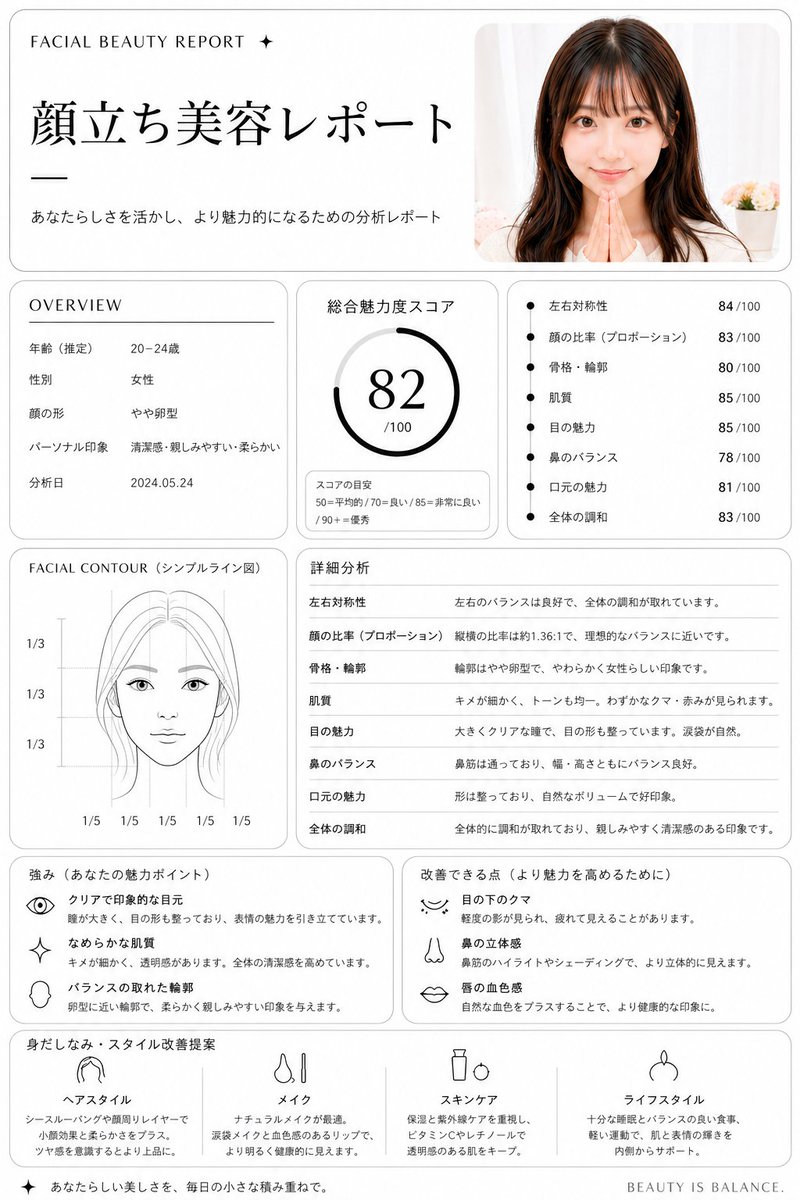
Using REFERENCE_0, turn the uploaded portrait into a clean, premium Japanese aesthetic analysis dashboard titled {argument name="headline text" default="顔立ち美容レポート"}. Keep the same photo as the source image, including the face blur/censor, and place it in a rounded card at the top right. Reformat the output as a white editorial report page with thin gray borders, black typography, and a luxury beauty-consultation layout. Add these 8 report sections: 1) top header with small English text "FACIAL BEAUTY REPORT ✦", the large Japanese title, and the subtitle "あなたらしさを活かし、より魅力的になるための分析レポート"; 2) an OVERVIEW box listing exactly 5 rows: 年齢(推定) 20–24歳, 性別 女性, 顔の形 やや卵型, パーソナル印象 清潔感・親しみやすい・柔らかい, 分析日 2024.05.24; 3) a total score box labeled 総合魅力度スコア with a circular gauge showing {argument name="total score" default="82"}/100 and a small score guide reading 50=平均的 / 70=良い / 85=非常に良い / 90+=優秀; 4) a metrics box with exactly 7 bullet scores: 左右対称性 84/100, 顔の比率(プロポーション) 83/100, 骨格・輪郭 80/100, 肌質 85/100, 目の魅力 85/100, 鼻のバランス 78/100, 口元の魅力 81/100, 全体の調和 83/100; 5) a FACIAL CONTOUR(シンプルライン図) panel showing a simplified line-art face diagram with the blurred face area masked and measurement guides labeled exactly 1/3, 1/3, 1/3 vertically and 1/5 repeated 5 times along the bottom; 6) a 詳細分析 section with exactly 8 rows matching the metrics above and short explanatory Japanese comments; 7) a strengths box titled 強み(あなたの魅力ポイント) with exactly 3 icon-led items: クリアで印象的な目元, なめらかな肌質, バランスの取れた輪郭; 8) an improvements box titled 改善できる点(より魅力を高めるために) with exactly 3 icon-led items: 目の下のクマ, 鼻の立体感, 唇の血色感; 9) a final recommendation row titled 身だしなみ・スタイル改善提案 with exactly 4 columns labeled ヘアスタイル, メイク, スキンケア, ライフスタイル, each with a simple black line icon and short Japanese advice. Add a small footer line on the bottom right reading {argument name="footer text" default="BEAUTY IS BALANCE."}. Overall style: minimalist clinic report, balanced grid layout, soft shadows, rounded panels, black and gray only, highly legible Japanese magazine design.
这是 Orelon 提示词库里的一条免费 AI 提示词。这里还有成千上万条图像提示词,都能免费复制和改用。
探索更多图像提示词




准备好就开始
从这条精选创作方向开始,在 Orelon 中塑造你的下一张视觉作品。