
Commercial
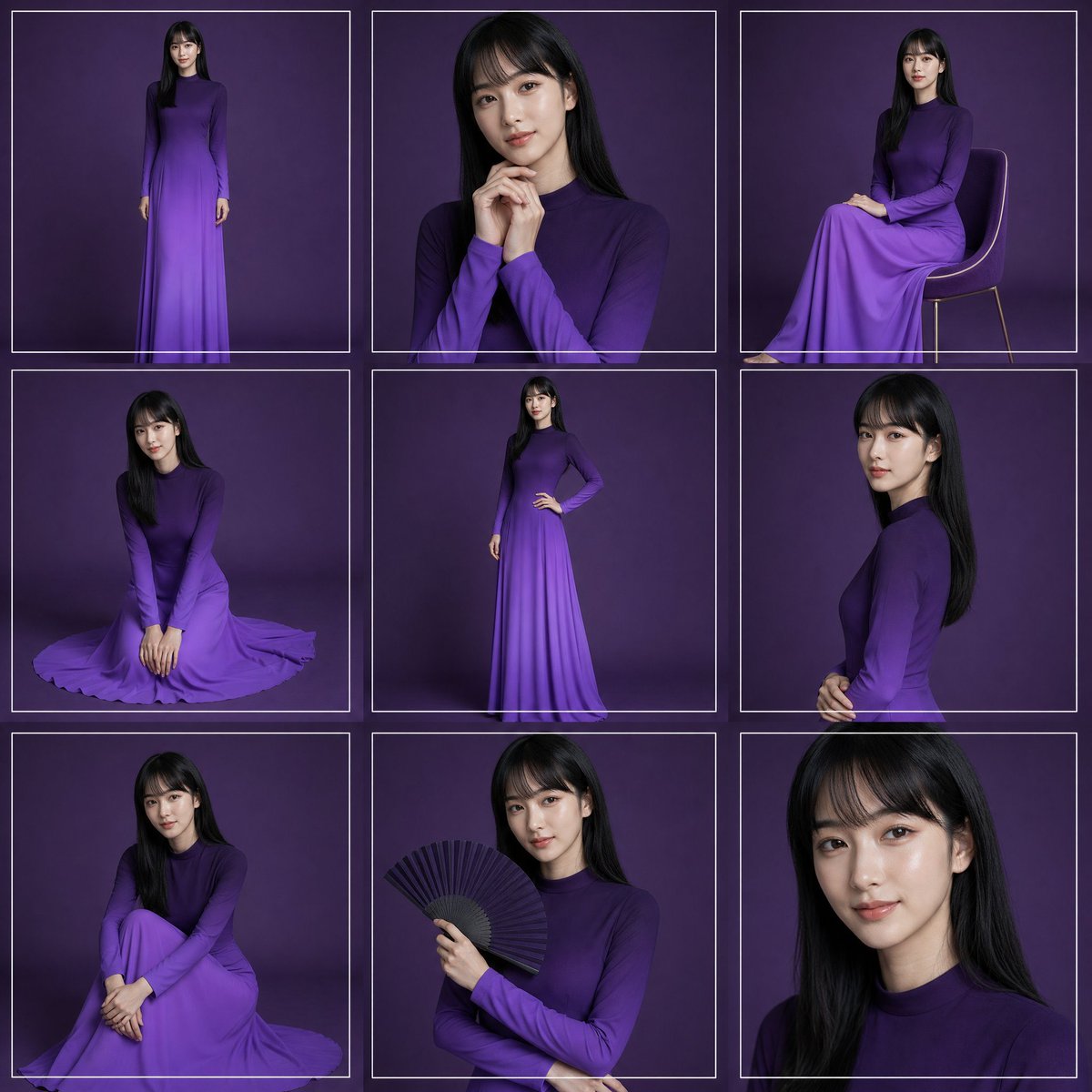
Purple Gown Fashion Contact Sheet
点赞
2
浏览
82
Commercial
Create a high-fashion studio portrait contact sheet featuring {argument name="model description" default="a young woman with long straight black hair"} wearing {argument name="dress color and style" default="a long-sleeved, high-neck, floor-length ombré purple gown"}. Canvas: square 1:1 image, arranged as an exact 3 by 3 grid of 9 separate portrait frames, each frame outlined with thin white rectangular borders and narrow gutters. Background: seamless dark plum-purple studio backdrop with soft vignette lighting and subtle floor shadows. Visual style: elegant editorial fashion photography, realistic lighting, 4K detail, softbox illumination, refined posing, no visible logos or text. Grid contents, exactly 9 panels: 1. Top-left: full-body standing pose facing forward, arms relaxed, full gown visible. 2. Top-center: medium close-up portrait, hands clasped near chin, long hair over shoulders. 3. Top-right: seated side pose on a simple modern chair with thin legs, gown draped over knees. 4. Middle-left: kneeling floor pose, hands together in front, skirt spread in a circular pool around her. 5. Middle-center: full-body standing pose with one hand on hip, showing the slim silhouette and gradient skirt. 6. Middle-right: side-profile upper-body portrait, hands gently clasped at waist, hair falling down the back. 7. Bottom-left: seated floor pose with knees drawn up and arms folded around legs, skirt pooled around her. 8. Bottom-center: half-body portrait holding an open black folding fan in one hand across the chest. 9. Bottom-right: tight close-up portrait of face and hair, cropped at shoulders. Constraints: maintain the same model, hairstyle, dress, and purple background across all panels; use thin white borders around every panel; keep the composition clean and symmetrical; make the face softly anonymized/blurred rather than sharply identifiable; avoid extra props except the chair in panel 3 and the fan in panel 8.
这是 Orelon 提示词库里的一条免费 AI 提示词。这里还有成千上万条图像提示词,都能免费复制和改用。
探索更多图像提示词




准备好就开始
从这条精选创作方向开始,在 Orelon 中塑造你的下一张视觉作品。