
Camera Control
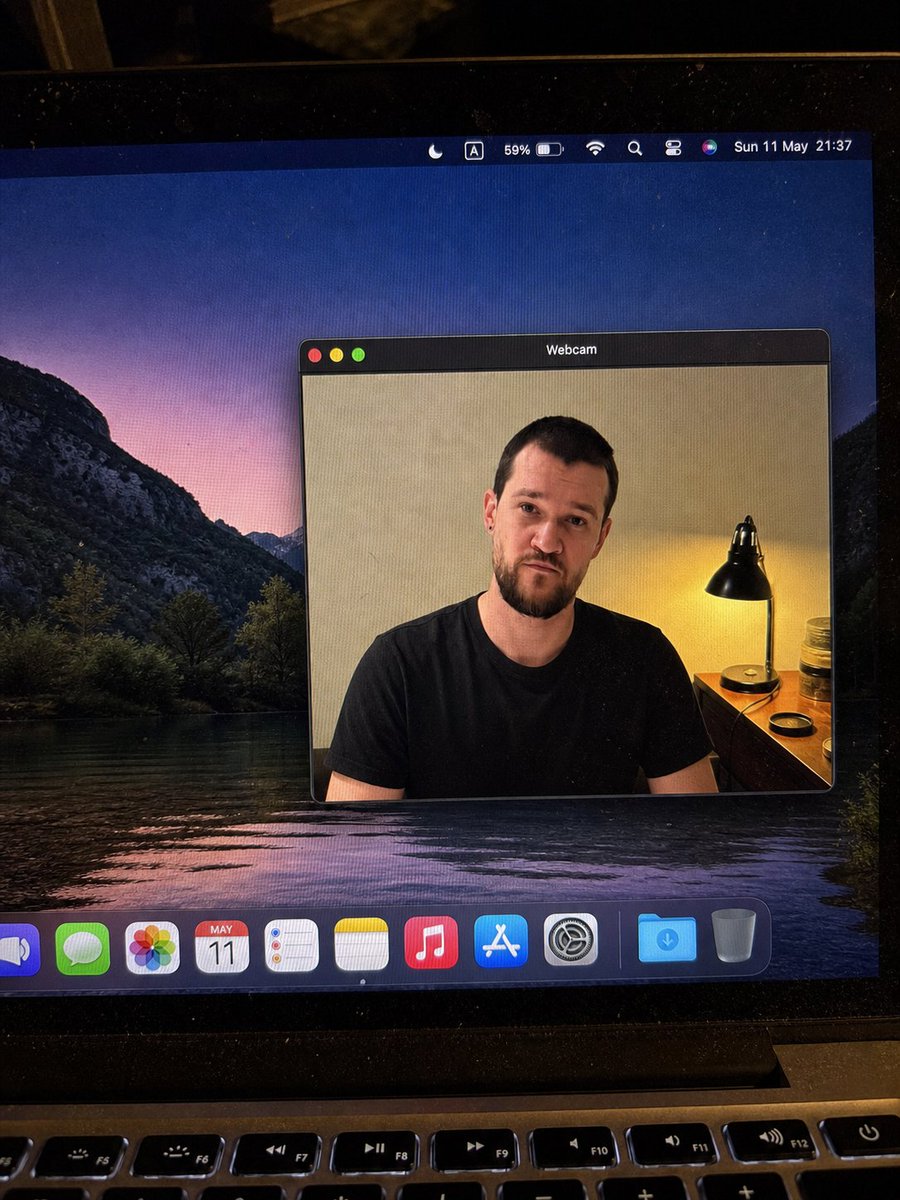
MacBook Webcam Window Photo
点赞
2
浏览
272
Camera Control
{"type":"realistic handheld smartphone photo of a laptop screen","scene":"A slightly tilted close-up photo of a MacBook display in a dim room, with visible screen pixels, dust specks, glare, black bezel edges, and the top row of physical keyboard keys at the bottom. The desktop wallpaper shows a dark mountain lake landscape at dusk with purple-pink sky reflected in water.","main_subject":{"description":"A macOS-style floating window titled {argument name=\"window title\" default=\"Webcam\"} centered on the desktop, showing a webcam feed of {argument name=\"person description\" default=\"a seated adult man in a plain black t-shirt\"}. The person's face is intentionally covered by a smooth rectangular blur/mosaic block in warm skin-tone colors, hiding all facial details while leaving hair, ears, neck, shoulders, and shirt visible.","webcam_background":"Indoor beige wall, warm bedside lamp on the right with a black metal shade, small wooden table or dresser, jars and a round lid near the lamp. The lighting is warm and yellow from the lamp, contrasting with the cool desktop wallpaper.","pose":"front-facing seated posture, shoulders visible, casual neutral stance"},"layout":{"screen_elements":{"top_menu_bar":{"count":8,"items":["crescent moon focus icon","boxed letter A input icon","59% battery indicator","Wi-Fi icon","magnifying glass search icon","control center style icon","Siri multicolor orb","date and time text: {argument name=\"menu bar date and time\" default=\"Sun 11 May 21:37\"}"]},"webcam_window":{"position":"center-right of the display","style":"dark macOS title bar, rounded rectangle, thin gray border, realistic shadow","traffic_light_buttons":{"count":3,"colors":["red","yellow","green"]}},"dock":{"position":"bottom of the screen","count":11,"items":["partially cropped blue speaker or volume app icon","green Messages icon","multicolor Photos icon","Calendar icon showing {argument name=\"calendar date\" default=\"MAY 11\"}","Reminders icon","Notes icon","Music icon","App Store icon","System Settings gear icon","blue Downloads folder","Trash can"]}},"camera_framing":"portrait-oriented phone photo of the laptop, not a clean screenshot; the screen is photographed at a slight angle with the laptop hinge and keyboard visible.","style":"highly realistic, candid, imperfect phone-camera capture, natural noise, subtle moire pattern on the monitor, no illustration or CGI look","quality_constraints":"Keep all UI text legible where visible, preserve the blurred face rectangle, avoid extra windows or extra people, maintain realistic reflections and perspective."}
这是 Orelon 提示词库里的一条免费 AI 提示词。这里还有成千上万条图像提示词,都能免费复制和改用。
探索更多图像提示词





准备好就开始
从这条精选创作方向开始,在 Orelon 中塑造你的下一张视觉作品。