
Camera Control
Two-Panel AI Portrait Comparison
浏览
24
Camera Control
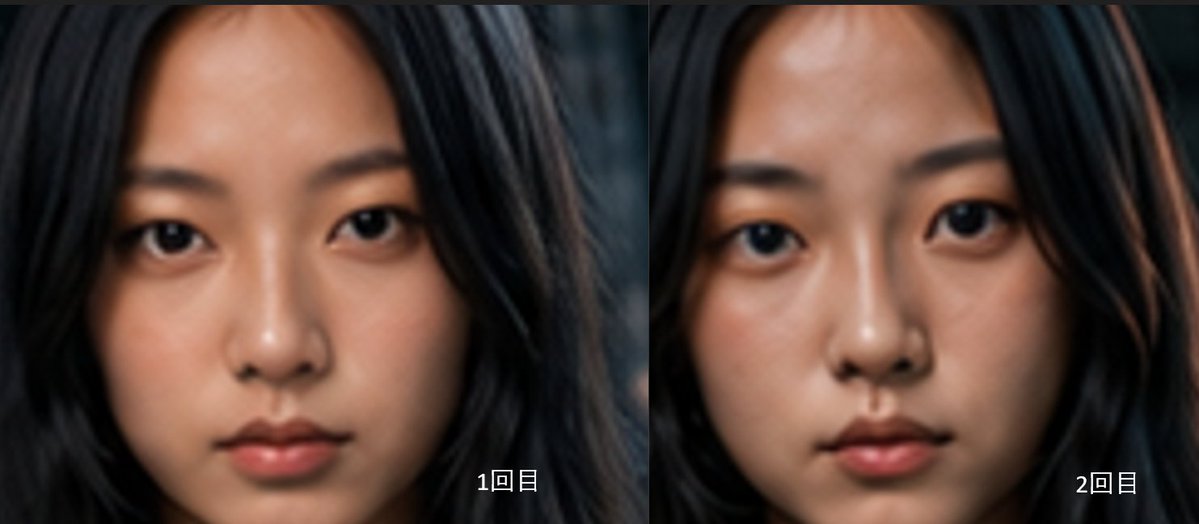
Goal: Create a side-by-side comparison image showing two AI-generated close-up portraits of the same young East Asian woman, emphasizing subtle facial differences between two generations. Canvas: Wide horizontal 2-panel layout, approximately 1200×525 px, with a thin vertical divider exactly in the center. No outer border, no title, no watermark. Layout: Use exactly 2 equal panels. Left panel: first portrait, labeled {argument name="left label" default="1回目"} in small white text near the lower-right corner. Right panel: second portrait, labeled {argument name="right label" default="2回目"} in small white text near the lower-right corner. The labels should be clean sans-serif, white with a subtle dark shadow for legibility. Subject details: Each panel shows a tightly cropped frontal head-and-face portrait of {argument name="subject" default="a young East Asian woman"}. She has long, loose {argument name="hair color" default="black hair"} framing her face, a smooth forehead, natural dark eyebrows, almond-shaped dark eyes looking directly into the camera, a small straight nose, softly closed lips, and a calm neutral expression. The face fills most of each panel, cropped near the top of the forehead and around the chin, with hair extending to both sides. The two portraits should look very similar but not identical: slightly different eye shape, cheek fullness, nose bridge, mouth shape, and face proportions. Visual style: Realistic AI portrait photography with soft cinematic lighting, shallow depth of field, smooth skin texture, muted warm skin tones, dark blurred background, and slightly soft focus. The overall mood is quiet and serious. Keep the left portrait a little softer and flatter, and the right portrait slightly more polished, warmer, and more symmetrical. Constraints: Include exactly 2 portraits and exactly 2 text labels. Do not add extra captions, UI elements, logos, or decorative graphics. Maintain a direct face comparison composition with both faces centered and similarly scaled.
这是 Orelon 提示词库里的一条免费 AI 提示词。这里还有成千上万条图像提示词,都能免费复制和改用。
探索更多图像提示词





准备好就开始
从这条精选创作方向开始,在 Orelon 中塑造你的下一张视觉作品。