
Camera Control
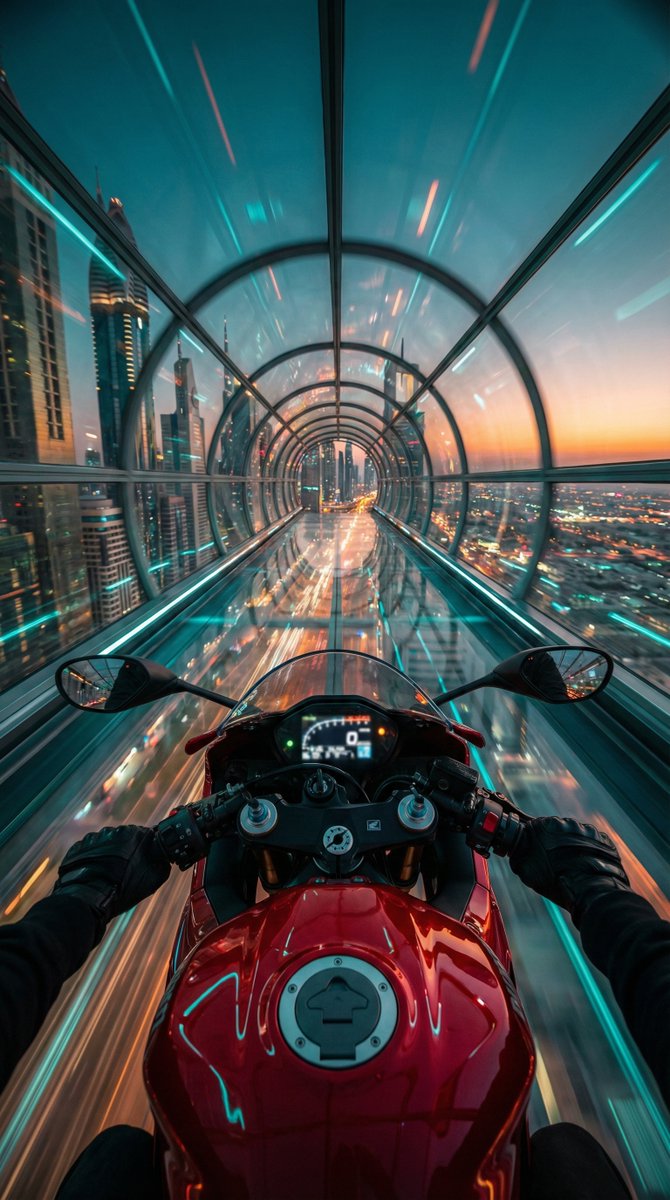
Cyberpunk POV Motorcycle Ride at Hyper-Velocity
点赞
37
浏览
2408
Camera Control
"Red futuristic sport motorcycle (POV perspective)", "visible_elements": "Glossy red fuel tank with fuel cap, clip-on handlebars, black gloved hands gripping the grips, illuminated digital dashboard (slightly blurred)", "action": "Speeding at hyper-velocity through a suspended structure", "pose": "First-Person View (POV) / Rider's eye perspective looking slightly downward at the bike and forward into the horizon" }, "environment": { "setting": "Transparent glass hyperloop tunnel / skyway", "location": "High altitude above a futuristic cyberpunk metropolis", "background_details": "Sprawling city grid with infinite street lights below, skyscrapers, motion-blurred light trails", "horizon": "Dusk/Twilight sky with a gradient of deep teal fading into a warm sunset orange strip" }, "lighting_and_color": { "color_palette": "Cinematic Teal and Orange (Complementary colors)", "primary_tones": "Cyan/Turquoise glass reflections, Deep Red motorcycle paint, Golden/Orange horizon glow", "lighting_style": "High contrast, neon ambient lighting, specular highlights on the metal and glass surfaces" }, "camera_technical": { "camera_angle": "Wide-angle POV (14mm to 16mm equivalent)", "focus": "Sharp focus on the motorcycle tank and handlebars, radial motion blur on the tunnel walls and city", "aperture": "f/2.8 (to capture low light details)", "shutter_speed": "1/30s (simulated drag shutter to create heavy motion blur effects on the surroundings)", "iso": "ISO 800", "composition": "Central symmetry, leading lines created by the tunnel structure converging at the center vanishing point" }, "style_descriptors": [ "Cyberpunk", "Synthwave aesthetic", "Hyper-realistic", "High velocity", "Futuristic", "Cinematic", "8k resolution", "Unreal Engine 5 render style" }
这是 Orelon 提示词库里的一条免费 AI 提示词。这里还有成千上万条图像提示词,都能免费复制和改用。
探索更多图像提示词





准备好就开始
从这条精选创作方向开始,在 Orelon 中塑造你的下一张视觉作品。