
Commercial
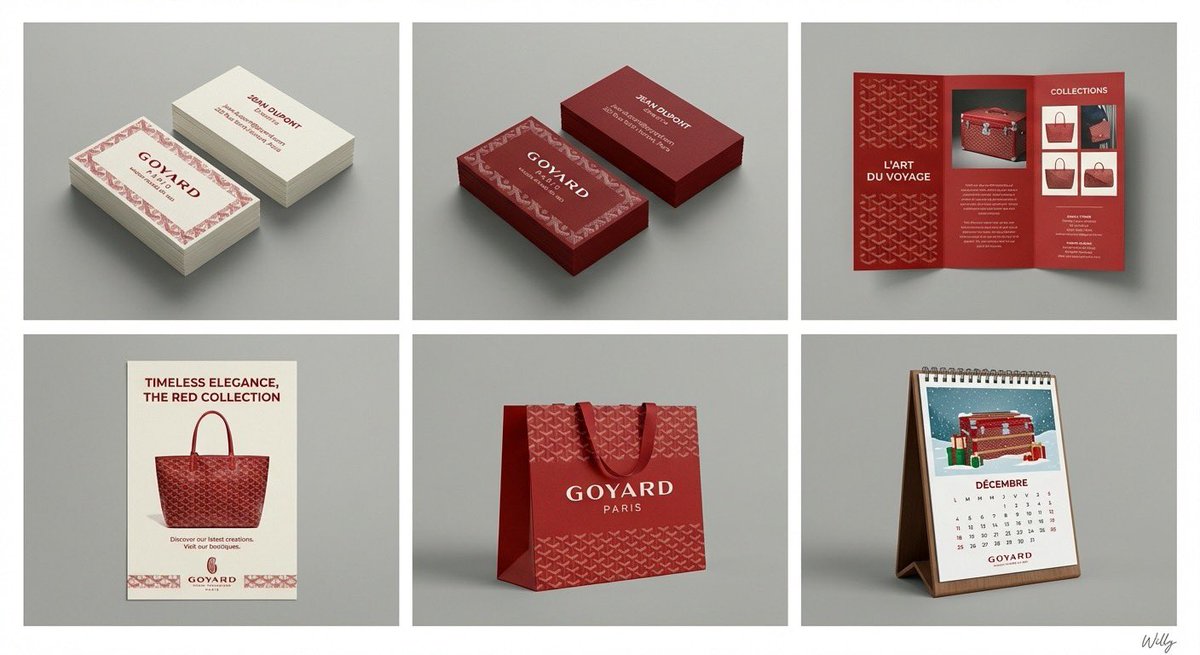
6-Panel Brand Identity Grid Mockup
点赞
2
浏览
216
Commercial
A professional 6-panel grid layout photograph displaying a complete brand identity suite for the concept: "{argument name="content" default="beauty"}". The image is divided into two rows and three columns, each cell framed with a clean white border. The overall style is a clean, modern studio mockup with uniform lighting. Top Row (Left to Right): Cell 1 (Business Card - Original): Two stacks of business cards showing front and back, featuring the primary logo, color palette, and typography of "{argument name="content" default="beauty"}". Clean white or light background paper stock. Cell 2 (Business Card - Inverted): Two stacks of business cards showing front and back, featuring the same design as Cell 1 but with inverted colors (e.g., dark background with light logo/text). Cell 3 (Pamphlet): An open tri-fold brochure showcasing detailed information, images, and branding elements related to "{argument name="content" default="beauty"}". Bottom Row (Left to Right): Cell 4 (Flyer): A single-page promotional flyer design for "{argument name="content" default="beauty"}", with a strong headline, imagery, and call to action. Cell 5 (Shopping Bag): A premium paper shopping bag with handles, featuring a large version of the "{argument name="content" default="beauty"}" logo and brand pattern. Cell 6 (Calendar): A desk calendar showing a monthly view with themed illustrations or photos related to "{argument name="content" default="beauty"}" and brand branding on each page. All items across all six cells consistently apply the logo, color scheme, typography, and graphic elements of the "{argument name="content" default="beauty"}" brand identity. The background behind the grid is a clean, neutral grey studio wall. 4k resolution, highly detailed texture. A minimal and chic handwritten signature 'Willy' is in the bottom-right corner. content: {argument name="input" default="beauty"}
这是 Orelon 提示词库里的一条免费 AI 提示词。这里还有成千上万条图像提示词,都能免费复制和改用。
探索更多图像提示词




准备好就开始
从这条精选创作方向开始,在 Orelon 中塑造你的下一张视觉作品。