
Commercial
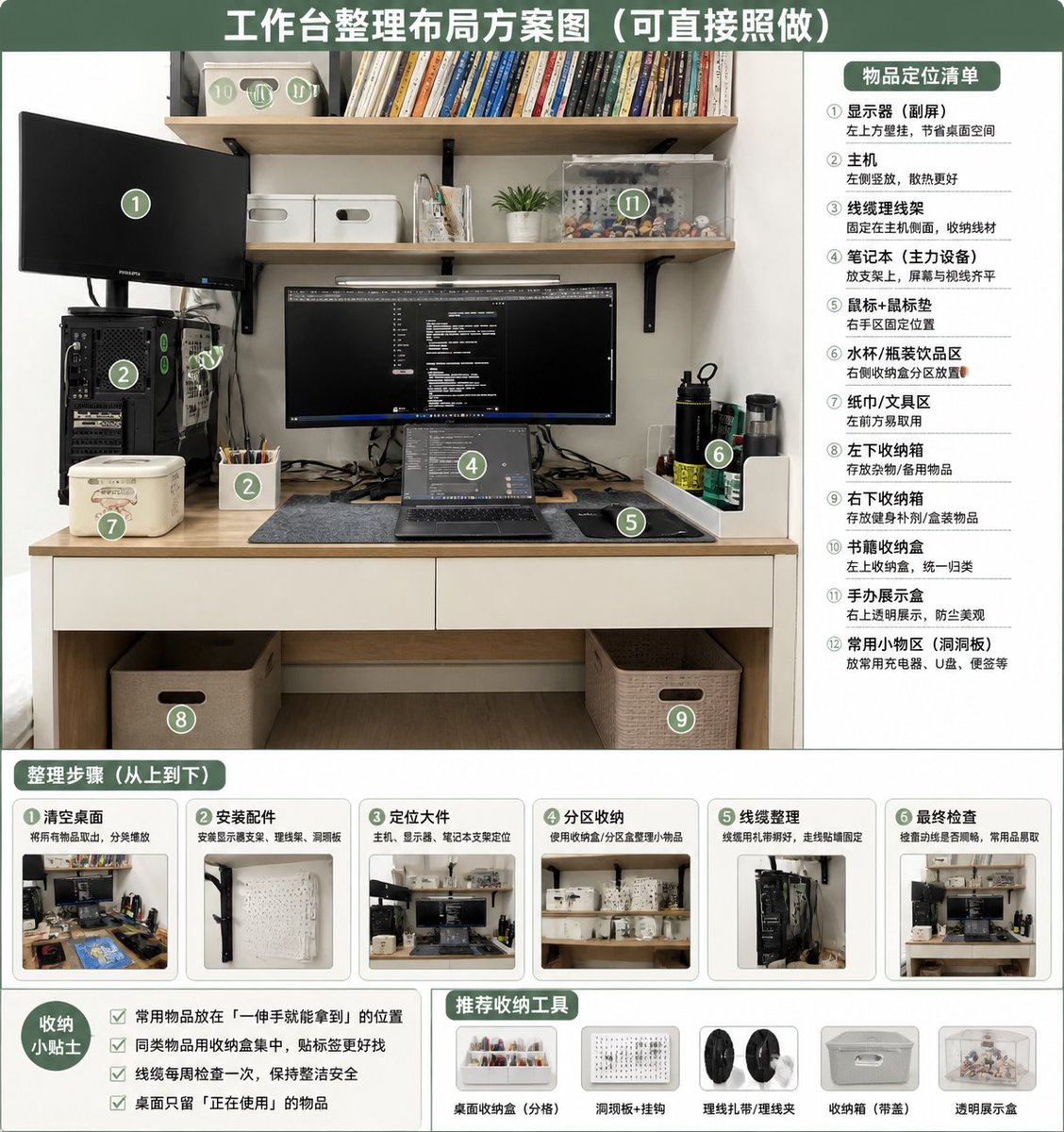
Desk Organization Layout Infographic
点赞
17
浏览
2395
Commercial
Using REFERENCE_0 as the source photo, create a clean, realistic “after organization” desktop layout plan infographic. Keep the same desk, shelves, monitor/laptop setup, PC tower position, and overall room viewpoint, but tidy the workspace: route cables neatly, clear the desktop, place items into defined storage zones, add matching storage boxes/baskets, a pegboard/accessory area, pen cup, book storage box, transparent display case, and dedicated bottle/tissue/small-tool areas. Use a green-and-white instructional poster style with a large top headline: {argument name="headline text" default="工作台整理布局方案图(可直接照做)"}. Overlay 12 green circular numbered markers on the organized photo and include a right-side panel titled {argument name="right panel title" default="物品定位清单"} listing exactly 12 labeled zones: ① monitor / secondary screen, ② main PC tower, ③ cable management, ④ laptop work area, ⑤ mouse pad / mouse area, ⑥ water cup / bottle area, ⑦ tissue / tool area, ⑧ left under-desk storage box, ⑨ right under-desk storage box, ⑩ book storage box, ⑪ figure display area, ⑫ common small-items area / pegboard. Add a bottom section titled {argument name="steps title" default="整理步骤(从上到下)"} with exactly 6 step cards, each containing a small before/after-style thumbnail and short Chinese labels: ① clear desktop, ② install accessories, ③ position large items, ④ partition storage, ⑤ cable management, ⑥ final inspection. Add a bottom-left tips box titled {argument name="tips title" default="收纳小贴士"} with exactly 4 checkbox tips about putting frequently used items within one-hand reach, grouping similar items, checking cables weekly, and keeping only currently used items on the desk. Add a bottom-center/right recommendations row titled {argument name="tools title" default="推荐收纳工具"} with exactly 5 product icons: desktop organizer tray, pegboard + hooks, cable ties / cable clips, storage box with handle, transparent display box. Make the design neat, practical, bright, and directly actionable, like a home-office organization guide derived from the original photo.
这是 Orelon 提示词库里的一条免费 AI 提示词。这里还有成千上万条图像提示词,都能免费复制和改用。
探索更多图像提示词




准备好就开始
从这条精选创作方向开始,在 Orelon 中塑造你的下一张视觉作品。