
Camera Control
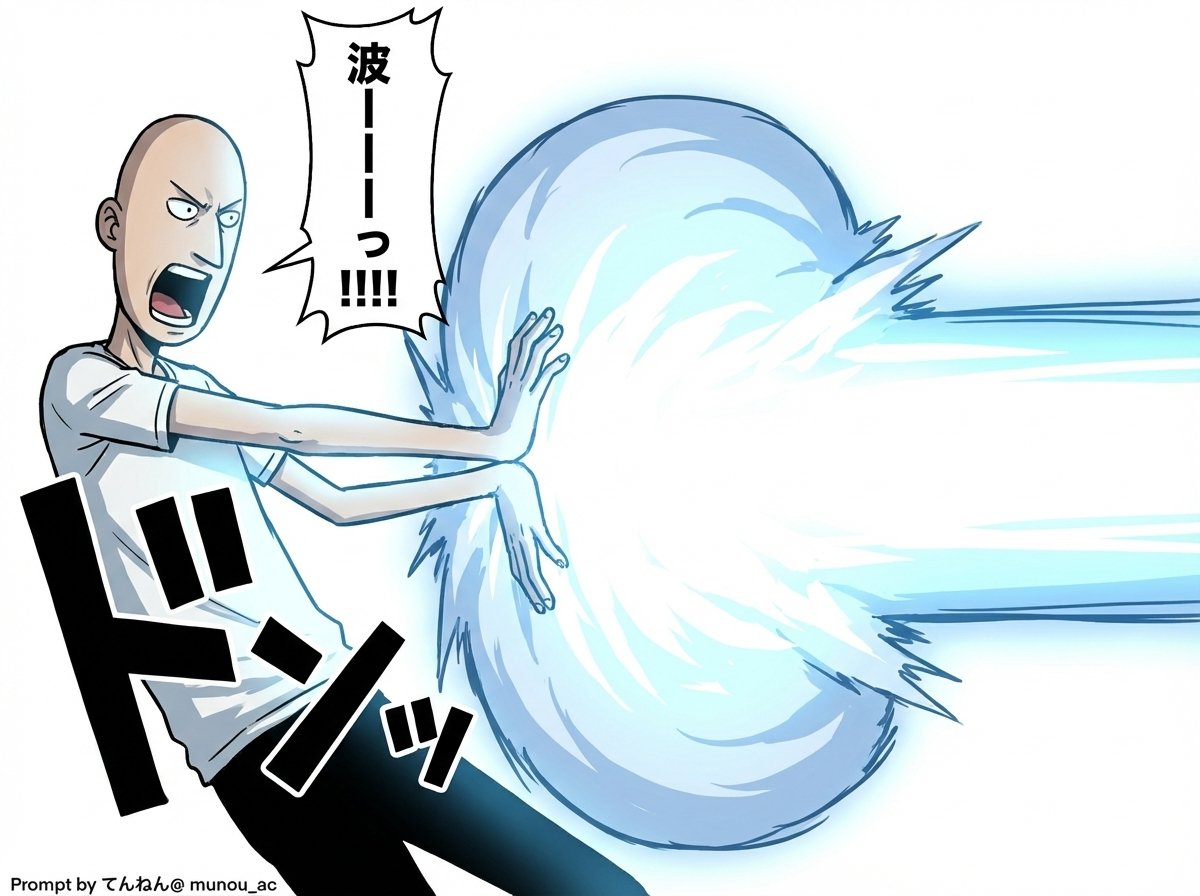
Kamehameha Attack Image Generation (Technical Prompt)
点赞
4
浏览
141
Camera Control
# Image Generation Prompt: Nano Banana Pro v1.2 # 1. Basic Instructions - Task: Image Generation - Reference: Faithfully reproduce and maintain the character, clothing, and image style of the attached image - Quality: Super High Definition # 2. Technical Specifications - Aspect Ratio: 16:9 - Rendering Style: Based on the attached image style, apply Cell Shading + Volumetric Lighting - Line Art: Thin # 3. Camera Work and Composition - Camera: Virtual Camera / Focal Length 50mm / Aperture f/2.8 - Angle: 15-degree Dutch Angle - Focus: Focus on subject - Depth of Field: Shallow depth of field in the background (with blur) # 4. Scene Details A. Character - Appearance (Hair/Eyes/Clothing): [Completely maintain the style of the attached image] - Hair is flowing in reaction to energy pressure - Eyes are glowing, with a sharp anime-style shape - Pose & Action: - Action: Charging an energy attack - Stance: Feet spread and braced, torso twisted forward to the right - Hands: Cupped together facing each other (at hip height on the right), muscles are strongly tensed - Expression: Filled with determination and intense effort, mouth open shouting B. Lighting and Atmosphere - Global Illumination: #ffffff - Key Light: - Source: Energy ball between both hands - Color: Cyan Blue Electric - Intensity: 2.5EV overexposure (High Luminance) - Shadows: Sharp, dynamic shadows extending away from the center C. Visual Effects - Main Element: Spherical, turbulent plasma energy ball (between hands) - Core Color: #ffffff - Outer Glow: #00ffff - Particles: Blue sparks floating and rising - Lens Flare: Anamorphic blue light streaks - Bloom: Intensity 0.8 D. Background - Context: Abstract studio space - Visual: Simple gradient background - Colors: #ffffff to #c0efff * Prioritize layer detail colors over introduction specified colors - Detail Level: Low (to emphasize the subject) # 5. Text Elements - Manga Style Speech Bubbles Place vertical oval speech bubbles reacting to the timing of the shout, using the following coordinate image for placement Adjust flexibly so as not to interfere with the character - "{argument name="shout 1" default="ka..."}" : Top Left (X: 0.08, Y: 0.15) - "{argument name="shout 2" default="me..."}" : Middle Left (X: 0.22, Y: 0.35) - "{argument name="shout 3" default="ha..."}" : Middle Right (X: 0.78, Y: 0.55) - "{argument name="shout 4" default="me..."}" : Bottom Right (X: 0.90, Y: 0.75)
这是 Orelon 提示词库里的一条免费 AI 提示词。这里还有成千上万条图像提示词,都能免费复制和改用。
探索更多图像提示词





准备好就开始
从这条精选创作方向开始,在 Orelon 中塑造你的下一张视觉作品。