
Camera Control
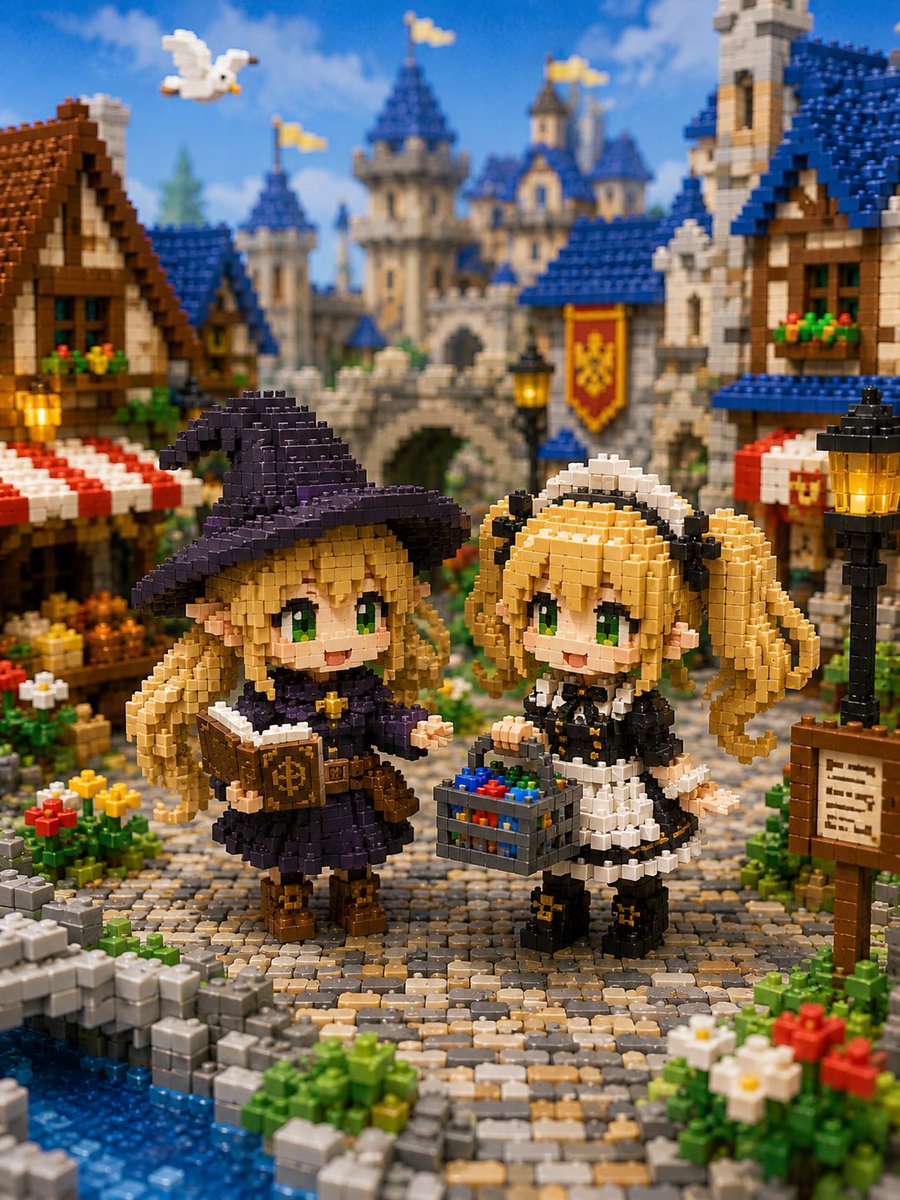
Miniature Brick Fantasy Town Diorama
点赞
5
浏览
68
Camera Control
Create a whimsical miniature block diorama in the style of tiny interlocking plastic bricks, showing a fantasy medieval town square in front of a grand fairytale castle. The scene features exactly two chibi anime-style girl figures made entirely of small bricks, standing on a curved cobblestone path by a blue canal. The left character is a cheerful little witch named {argument name="left character name" default="the blonde witch"}: long blonde hair, big green eyes, pointed ears, oversized dark purple witch hat, dark purple dress with white trim, brown boots, and a brown spellbook held open with a gold emblem on the cover. The right character is a cheerful maid named {argument name="right character name" default="the blonde maid"}: blonde twin-tail hair with curled ends, big green eyes, pointed ears, black-and-white maid outfit, white headband, black shoes with small gold bows, and a gray basket filled with colorful red, blue, green, and yellow blocks. Surround them with a richly detailed medieval marketplace: timber-frame houses with blue and brown roofs, red-and-white striped awnings, flower boxes, glowing black-and-gold street lamps, a wooden signboard with tiny unreadable writing, colorful flower beds, stone walls, and a small canal at the lower left. In the background, place a large stone castle with blue conical roofs, multiple towers, yellow flags, an arched bridge or gate, and a red-and-gold heraldic banner. Add exactly one white bird flying in the upper-left sky. Use bright daylight, blue sky with soft clouds, warm saturated colors, shallow depth of field, macro photography perspective, highly detailed brick texture, toy-like realism, cute fantasy atmosphere, and a vertical 3:4 composition. Keep every object visibly constructed from miniature blocks, with no smooth non-brick surfaces, no real humans, no text overlays, and no watermark.
这是 Orelon 提示词库里的一条免费 AI 提示词。这里还有成千上万条图像提示词,都能免费复制和改用。
探索更多图像提示词





准备好就开始
从这条精选创作方向开始,在 Orelon 中塑造你的下一张视觉作品。