
Effects by Tags
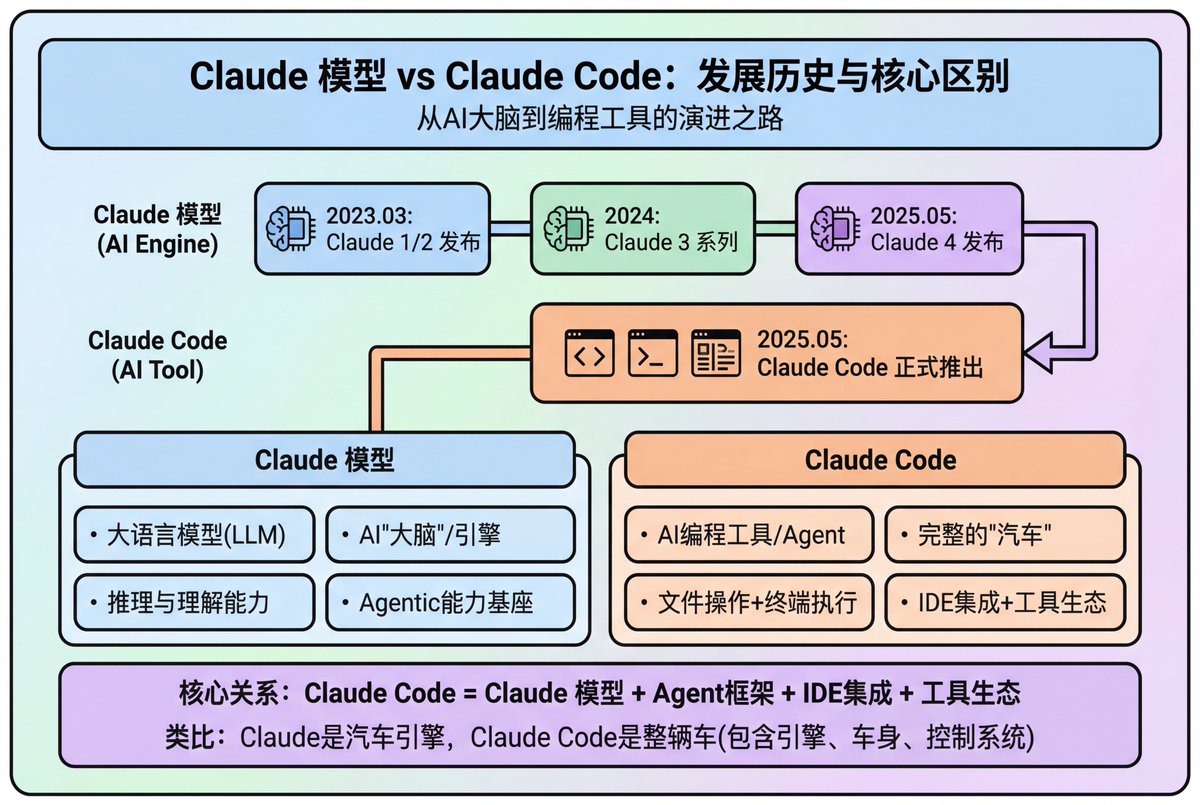
Modern Minimalist PPT/Diagram Generation Prompt
浏览
104
Effects by Tags
1. Overall Visual Style Style Keywords: Flat UI, Vector, Modern Minimalist, Card-style design. Lines and Shapes: Rounded Corners Priority: All borders, background blocks, buttons, and process nodes must be rounded rectangles (Rounded Rectangles, with a large corner radius, approximately 10-15px). Elbow Lines: Process connections use right-angle polylines (no curves), lines are simple and strong. Color Logic (Key): “Candy Color” Scheme: Use light backgrounds with high brightness and low saturation (such as light blue, light green, light purple), paired with darker borders of the same color family. Border Emphasis: All graphics must have clear 2px~3px solid borders. 2. Vertical Layout Structure Regardless of the topic, please follow the following top-down layout order, which must be contained within a large border container: Layer 1: Main Title (Header) Position: Centered at the top of the container. Style: Bold black font, largest font size, darkest color. Layer 2: Core Flowchart Area Position: Occupies 50% of the core area of the layout. Content: Rectangular nodes + arrow connections. If it is a loop step, please use a dashed line pointing back. Layer 3: Feature List Position: Below the flowchart, centered or left-aligned. Style: Short and concise bullet points, slightly smaller font, with some white space. Layer 4: Full-width Summary Box (Footer Box) Position: At the very bottom of the container, filling the width horizontally. Color Scheme: Use a contrasting color (such as purple in the example), distinct from the main color scheme above. Function: Used to place 'Summary', 'Analogy', or 'Core Conclusion'. Landscape size (horizontal/scenic mode) is chosen because: Content Adaptation: Horizontal content like timelines is better displayed in a horizontal canvas to show the evolution process. Presentation Friendly: The 3:2 horizontal ratio is very suitable for insertion into PPTs and documents, and displays well on projectors or screens. Information Capacity: Horizontal layout can accommodate more text and icons, avoiding clutter.
这是 Orelon 提示词库里的一条免费 AI 提示词。这里还有成千上万条图像提示词,都能免费复制和改用。
探索更多图像提示词





准备好就开始
从这条精选创作方向开始,在 Orelon 中塑造你的下一张视觉作品。