
Commercial
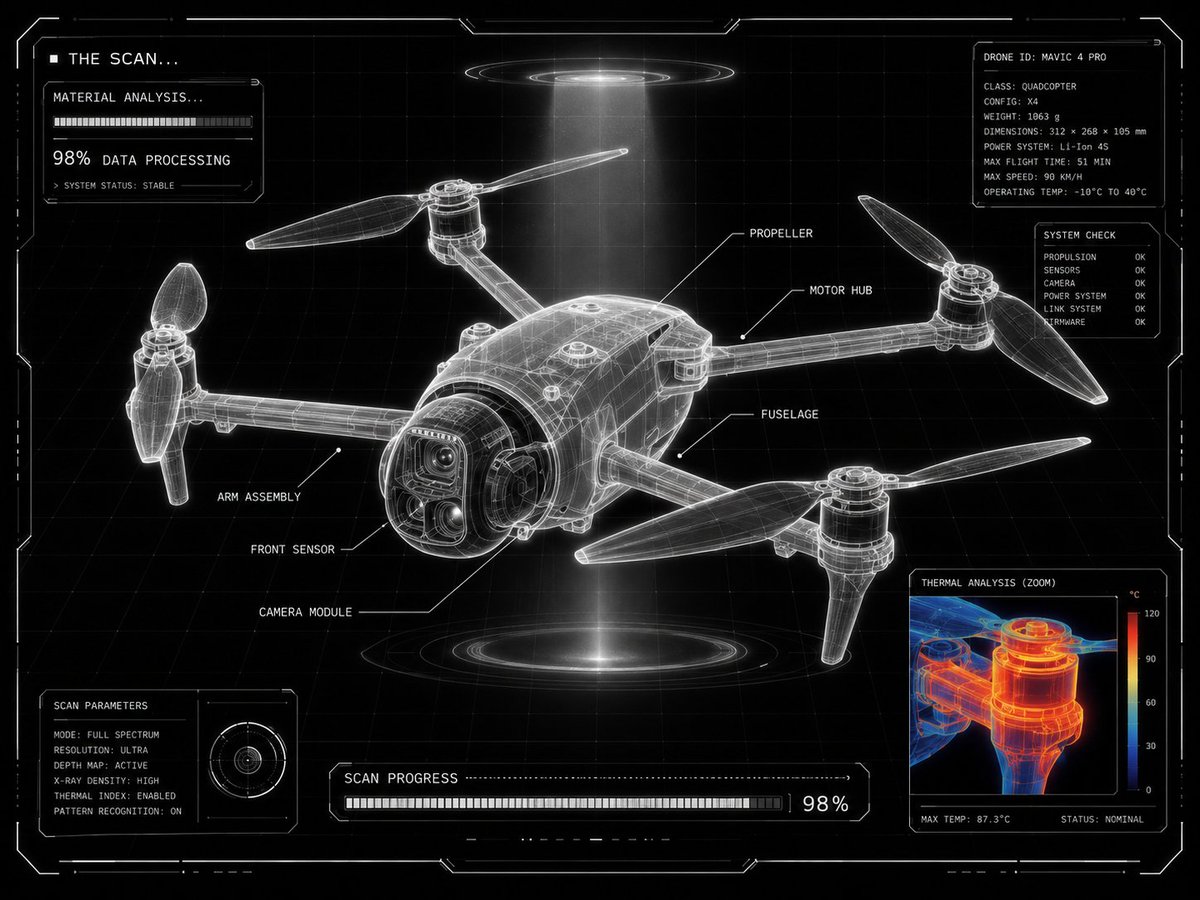
Futuristic Sci-Fi Laboratory Scan UI
浏览
73
Commercial
{ "intent": "Transform a user-provided product image into a {argument name="visual theme" default="futuristic laboratory scan display"} with the same final visual result.", "source_asset": "uploaded product image", "presentation": { "frame": "centered product", "layout": "grid-locked interface composition", "density": "minimal yet highly technical", "panel": "one corner reserved for a scalable analysis window" }, "surface_treatment": { "base": "black backdrop", "grid": "clean white drafting grid", "form": "luminous translucent X-ray frame model", "edges": "ultra-sharp white outlines", "ui": "minimal sci-fi HUD styling" }, "scan_graphics": { "labels": "thin white callouts with leader lines naming product parts", "detail_view": "zoomed inspection window showing a close product fragment", "thermal_layer": "red, orange, and blue heat-map overlay inside the zoom view", "status_text": [ "THE SCAN...", "MATERIAL ANALYSIS...", "98% DATA PROCESSING" ], "modules": "small loading panels and diagnostic UI blocks", "markers": "angular glowing frame markers around the image" }, "design_language": { "engineering": "advanced technical drawing aesthetics", "environment": "futuristic lab scanning interface", "benchmark": "Apple-level product visualization", "purity": "ultra-clean composition", "contrast": "high-contrast monochrome interface" }, "illumination": { "halo": "subtle white glow around the frame", "beam": "volumetric scanning light beam", "feel": "technical sci-fi visualization" }, "deliverable": { "theme": "{argument name="interface theme" default="futuristic product scanning interface"}", "result": "technical diagnostics visualization screen", "finish": "{argument name="quality finish" default="ultra clean, ultra clear, 8K"}" } }
这是 Orelon 提示词库里的一条免费 AI 提示词。这里还有成千上万条图像提示词,都能免费复制和改用。
探索更多图像提示词




准备好就开始
从这条精选创作方向开始,在 Orelon 中塑造你的下一张视觉作品。