
Foldable Phone Portal Keynote Scene
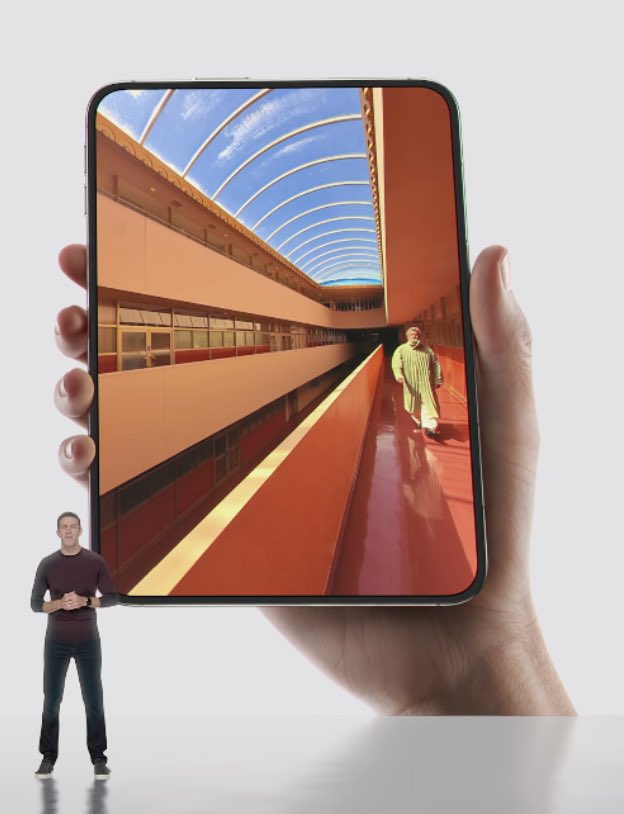
A photorealistic studio product-ad composition showing a hand-held foldable device whose screen opens into a vivid architectural corridor, useful for keynote or tech demo visuals.
J’aime
0
A photorealistic studio product-ad composition showing a hand-held foldable device whose screen opens into a vivid architectural corridor, useful for keynote or tech demo visuals.
Create a clean studio product-ad style image on a light gray seamless background: a large, nearly square foldable smartphone/tablet is held upright in one realistic right hand, filling most of the frame, with thin black rounded bezels and a subtle dark metal edge. On the device screen, show a vivid ultra-wide architectural corridor photograph: warm orange and red walls, glossy red floor, long balcony railings and window bands on the left, a tall orange wall on the right, and a curved glass roof with white ribs revealing a blue sky with wispy clouds; the perspective should be strongly exaggerated and immersive, vanishing toward the center. Include exactly 2 visible human figures: one tiny presenter standing outside the device at the bottom left, full body, wearing a dark burgundy long-sleeve shirt, black pants, and black sneakers, hands clasped as if giving a keynote; and one small person inside the screen corridor near the right side wearing a light green outfit and carrying a white bag. Use premium tech-keynote-like minimal lighting, soft shadows, realistic skin texture on the hand, crisp device edges, and a polished photorealistic composite. The device should appear almost like a portal rather than a normal phone screen. Set the main screen scene to {argument name="screen scene" default="a vivid orange-red architectural corridor with a curved glass roof and blue sky"}, the device type to {argument name="device type" default="large foldable smartphone tablet"}, the presenter outfit to {argument name="presenter outfit" default="dark burgundy long-sleeve shirt, black pants, black sneakers"}, the background color to {argument name="background color" default="light gray"}, and the inside-screen person outfit to {argument name="inside-screen person outfit" default="light green outfit with a white bag"}.
Ceci est un prompt IA gratuit issu de la bibliothèque Orelon. Des milliers d’autres prompts image sont disponibles ici, à copier et adapter librement.
Explorer d’autres prompts image




Prêt à créer
Partez de cette direction sélectionnée dans Orelon, puis façonnez-la pour votre prochain visuel.