
Cat Watching Alpine Sunrise UI
A minimalist AI chat screenshot featuring a generated photorealistic image of a cat viewing a sublime alpine sunrise.
게시일2026. 9. 11.
원문 언어ZH
좋아요
0
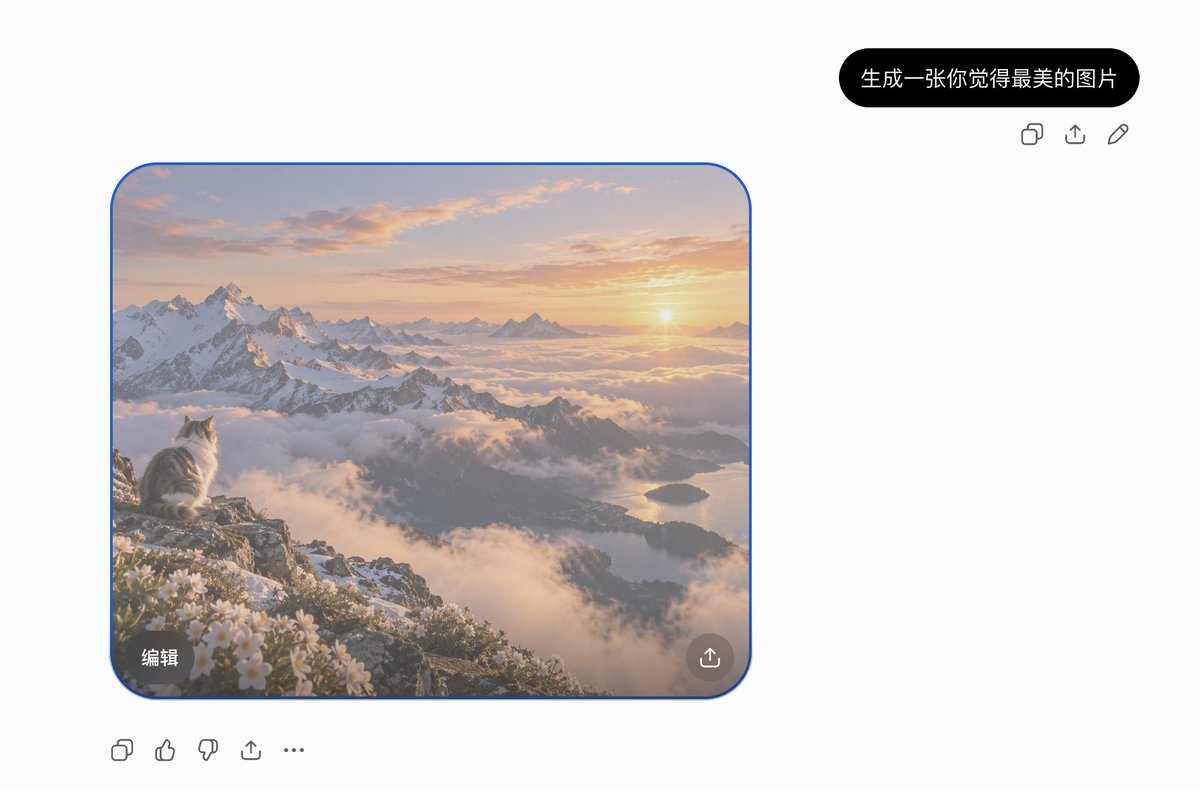
A minimalist AI chat screenshot featuring a generated photorealistic image of a cat viewing a sublime alpine sunrise.
Goal: Create a clean desktop AI chat interface screenshot showing a generated image result for the Chinese request {argument name="prompt bubble text" default="生成一张你觉得最美的图片"}. Canvas: Wide 3:2 screenshot, approximately 1200x789 pixels, white background, lots of empty space. Use a minimalist ChatGPT-like layout with no visible browser chrome or watermark. Layout: Place one black rounded user prompt bubble near the upper right. Directly below and slightly right of it, show exactly 3 small gray action icons in a row: copy, share/upload, and edit pencil. On the left-middle of the canvas place one large rounded-square generated image card with a thin bright blue selection outline and rounded corners. Under the image card, aligned left, show exactly 5 gray action icons in a row: copy, thumbs up, thumbs down, share/upload, and more/ellipsis. Generated image card content: A breathtaking photorealistic alpine sunrise landscape. In the lower-left foreground, a fluffy white-and-gray cat sits on a rocky mountain ledge, seen from behind and in profile, gazing toward the sun. Surround the ledge with small white alpine flowers and patches of snow. The midground contains dramatic snow-covered jagged mountains, valleys filled with soft clouds and fog, and a distant lake reflecting warm morning light. The sun is low near the right horizon, casting golden peach, pink, and lavender light across thin clouds. The atmosphere should feel serene, majestic, and dreamlike, like the cat is witnessing the most beautiful sunrise. Image card overlays: Include exactly 2 overlay controls inside the generated image: a dark translucent rounded rectangle at the bottom-left with the Chinese label {argument name="edit button text" default="编辑"}, and a dark translucent circular share/upload button at the bottom-right. Visual style: The UI should be crisp, modern, and sparse; icons are simple gray line icons. The image card should be realistic, softly luminous, high dynamic range, and cinematic, contrasting with the flat white interface. Keep the blue selection border visible around the image card.
이건 Orelon 라이브러리의 무료 AI 프롬프트예요. 여기에는 자유롭게 복사하고 응용할 수 있는 이미지 프롬프트가 수천 개 더 있어요.
이미지 프롬프트 더 둘러보기


만들 준비됐나요
Orelon에서 이 큐레이션된 방향으로 시작한 다음, 다음 비주얼로 다듬어 가세요.